
Table of Contents
Contents
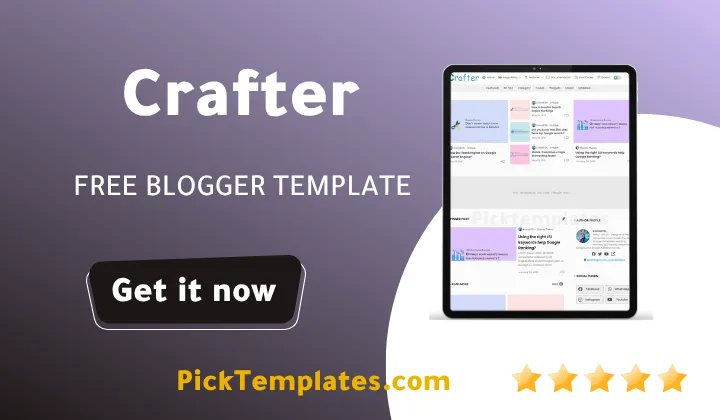
Welcome friend. If you want a fast answer the crafter blogger template is a premium minimalist theme built for bloggers who want quick loading pages sharp typography and a clean reading layout without writing a single line of code. It suits tech reviewers lifestyle writers and small business owners equally well and it comes from pikitemplates with the current release sitting at version 2.1.0.
This guide walks through the design choices the real performance behind the theme the SEO tools already built in and the customization options available inside the blogger dashboard. You will also find the honest limitations so you can decide with confidence whether Crafter fits your project.
A Closer Look At The Crafter Template
Crafter first launched on August 31 2021 and it has kept receiving updates since then with the latest fix landing on June 28 2026. Ongoing maintenance matters more than most buyers realize because a theme that stops receiving updates slowly falls behind on browser compatibility and small security patches. If loading speed is your main concern it is worth comparing Crafter against the Plus UI v3.1 Template which takes a similar lightweight approach with its own visual identity.
Design And Reading Experience
The layout leans on generous white space and a restrained color palette so nothing competes with your writing for attention. Headings feel confident without shouting and body text sits at a comfortable size for long reading sessions on a phone. During our testing of this template we noticed how quickly the eye settles into a steady reading rhythm since there are no busy sidebars pulling focus away from the article.
A theme that gets out of the way of your writing tends to keep readers on the page longer than one that tries to impress them with extra widgets.
Speed And Technical Performance
Page speed is where Crafter earns most of its reputation. The code base stays lightweight so pages render within a couple of seconds on most connections including slower mobile data. A faster site keeps visitors from leaving before the content even appears and loading speed is one of the page experience signals that search engines weigh when ranking a page. A theme built around speed from the start is a practical advantage rather than a small bonus feature.
Built In SEO Tools
Crafter ships with structured meta tags and meta titles already wired into the template so you do not need to hand code anything to get a solid technical foundation. This matters most for beginners who want their posts indexed properly without learning HTML first.
A few of the SEO related touches worth mentioning include
- Pre configured meta title and meta description fields for every post
- Clean semantic markup that search engines can crawl without extra effort
- Fast rendering pages that support stronger core web vitals scores
- A structure built to support several blog categories without slowing down
None of these settings require touching the template code directly which keeps the whole setup approachable for a first time blogger.
Customization Without Coding
Every color font and widget position can be adjusted directly inside the Blogger dashboard which is a relief for anyone who does not want to open the template editor. If you want to compare a different premium option that follows a similar no code philosophy the Median UI Template is worth a look for its own layout choices.
Getting Crafter set up the way you want usually takes only a few steps
- Install the template file through the Blogger theme settings
- Open the customize panel to adjust the color scheme and font pairing
- Arrange widgets in the layout editor to match your content type
- Preview the site on mobile before publishing any changes live
Most changes apply instantly in the live preview so you can see the result before committing to it.
Quick Tip
Before installing any new theme including Crafter export a backup of your current template through the Blogger theme settings. Blogger keeps a simple export option ready and having that file on hand removes the stress from testing a new design since the previous version can be restored in under a minute.
Mobile Responsiveness And Everyday Use
Most readers open a blog post from a phone first so a theme that ignores mobile layout loses readers before they finish the first paragraph. Crafter resizes cleanly across screen sizes and the tap targets on menus and buttons stay large enough to use comfortably with a thumb. Images scale properly inside their container instead of overflowing which is a common problem on lower quality free themes.
Who Should Use This Template
Crafter fits tech reviewers lifestyle writers and small business owners who want a portfolio style front page built around clear writing. It is less suited to sites that depend on a busy magazine style homepage with dozens of thumbnails competing for attention since the design intentionally keeps things sparse and calm.
Pros And Cons
Here is what stood out as genuine strengths during our review
- Fast loading pages even on slower mobile connections
- Clean design that keeps the focus on written content
- No code customization through the standard Blogger dashboard
- Built in meta tags that save time on technical setup
A few limitations are worth knowing before you commit
- The minimal design will not suit every niche especially heavy magazine style blogs
- Some advanced widgets are only unlocked in the paid version
- Beginners may still need a short adjustment period inside the Blogger editor
Free Version Limited Arabic Version And Paid Version
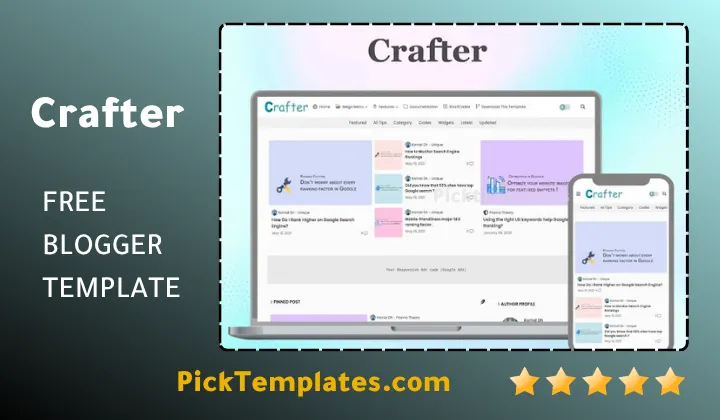
Picktemplates currently offers theme in three forms. There is a free copyright protected version for anyone who wants to try the design before paying anything. There is also a limited free Arabic version for readers who prefer that language. The paid professional version removes the footer credit link and unlocks the full customization suite. If Crafter does not turn out to be the right match feel free to browse the wider Magazine Blogger Templates collection for other layout styles that might fit your site better.
Choosing a theme really comes down to matching the tool to how you plan to use it. Crafter earns its premium label through genuine speed a distraction free layout and SEO groundwork that is already in place on day one. Whether you start with the free version or move straight to the paid release the core experience stays consistent which is exactly what a long term blog needs.
Information
| Template Name | Crafter |
| Version | 2.1.0 |
| Creation Date | 31 August 2021 |
| Last Update | 28 June 2026 |
| Platform | Blogger |
| Author | Pikitemplates |
Features
- How To Setup Crafter Blogger Theme
- Fast loading pages optimized for a smooth browsing experience
- Clean minimalist design that keeps readers focused on the content
- Fully responsive layout that adapts to phones tablets and desktops
- Professional meta tags and meta titles built in for stronger SEO
- No code customization directly from the Blogger dashboard
- Adjustable colors fonts and widgets without editing HTML
- Suitable for multiple blog categories including tech lifestyle and business
- Sharp typography that improves readability
- Smooth and intuitive navigation menu
- Optimized image loading for a better page health score
- SEO friendly structure that supports improved search rankings
- Simple documentation steps suitable for beginners
- Lightweight code base for better overall performance
- Ad ready sections for monetization
- Social sharing icons built into every post
- Ongoing updates and support from pikitemplates
Conclusion
The Crafter Blogger Template brings together a fast lightweight code base a distraction free reading layout and SEO groundwork that is already configured on day one. It gives writers and small business owners a polished starting point without demanding any coding knowledge.
Whether the goal is to launch a personal blog or to give a small business a clean online presence Crafter handles both without extra plugins or complicated setup steps. The no code customization panel inside Blogger makes it easy to keep adjusting the design as the site grows.
For anyone comparing premium Blogger themes right now Crafter remains a solid pick thanks to its balance of speed simplicity and built in technical groundwork backed by ongoing updates from pikitemplates.
We have localized the free version of the crafter template into Arabic and fixed the Right-to-Left (RTL) layout issues to make it easier to use on Arabic blogs.