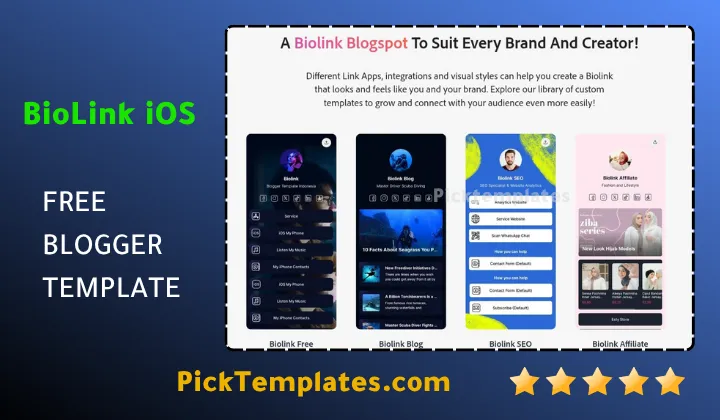
Biolink iOS Template – Elevate Your Social Media Identity with Premium iPhone Style
Table of Contents
Are you a content creator, an affiliate marketer, or an influencer looking to centralize all your social media links in one professional hub? If your answer is yes, then the Biolink iOS Blogger Template is the ultimate choice designed specifically for you! This template was developed to help users organize their Instagram, TikTok, and other social network links into a sleek, mobile-first interface. Combining powerful performance with an aesthetic inspired by iOS 16, this Biolink iOS template succeeds in creating an immediate connection with your followers and paves the way for a higher click-through rate on your important links.
Are you ready to discover how you can give your “Link in Bio” page a unique visual identity that mirrors the elegance of a modern smartphone? Let’s get started! Whether you’re sharing affiliate products, YouTube videos, or portfolio pieces, the Biolink iOS blogger helps you present your digital world in an engaging and responsive way. The Biolink iOS theme features many professional features that we will review in detail, ensuring your site remains ahead of the curve as the most advanced Biolink iOS Blogger Template 2026.
A Sleek Design Inspired by the iOS Aesthetic
The clean, modern, and iPhone-inspired design is the most prominent feature of the Biolink iOS. It possesses a premium aesthetic that embodies the spirit of simplicity and luxury, attracting visitors and making them want to click your links. You will be able to display your various social platforms professionally thanks to the layout that focuses on visual clarity, from the iconic iOS 16 style icons to the elegant round buttons. In its focus on link organization, it provides a specialized alternative to the Linkfree Blogger Template which also serves as a high-quality link directory.
The Biolink iOS blogger theme has been carefully designed to suit modern influencers, using soft shadows and crisp icons effectively without overwhelming the visitor. The fonts used are sharp and clear, making them perfect for mobile users who want to find information quickly, providing a pleasant and smooth browsing experience similar to using a real iPhone app.
The design of the Biolink iOS template reflects the minimalist beauty of Apple’s interface, merging smooth transitions and a dynamic layout to create an immersive mobile experience that attracts followers at first sight.
Thanks to its flexible and customized design, you can easily use the biolink iOS theme to display any type of content, whether it’s product links, music tracks, or contact information. The attractive design helps you build a strong personal brand for your social profiles and attract a loyal audience through various Blogger Templates.
Compatibility Across Various Devices
The Free Biolink iOS blogger template provides a smooth and responsive user experience across all devices. Whether your followers are browsing your links via their smartphones on the go, through their tablets, or desktop computer screens, they will enjoy an adaptive design that displays buttons in the best possible way.

Relying on the latest responsive design technologies, the biolink iOS template works perfectly on all screens, ensuring that visitors can interact with your buttons easily. Your bio-link page will have a professional appearance regardless of the device the reader is using, much like the advanced responsiveness found in the Soragancy Blogger Template which is built for high-end agency performance.
Responsive design is a crucial factor for the success of any landing page targeting social media users, who primarily use mobile phones. The biolink iOS blogger allows you to reach this wide segment of the audience and provide them with an enjoyable and comfortable browsing experience without any coding knowledge.
“Compatibility with different devices is crucial in the digital age. With the Biolink iOS Blogger template, you can ensure your links reach the widest audience segment while improving the user conversion rate at the same time.”
By leveraging the responsive design offered by this template, you can be confident that your bio-link page looks its best on any device, enhancing your credibility and making it easier for followers to explore the links you share with them comfortably.
Effective Design for Mobile Devices
The responsive design of the Biolink iOS is the key to providing a satisfying experience on mobile devices. The layout of buttons, images, and profile text is automatically adapted to fit small screens, ensuring ease of navigation without the need for zooming in or out.
Thanks to this design approach, you will be able to highlight your social icons and affiliate links professionally, ensuring that your message reaches your audience clearly wherever they are.
- Smooth and distinctive user experience on smartphones.
- Comfortable link browsing on tablets and iPads.
- High-quality display of iOS 16 icons without affecting performance.
- Seamless transition between desktop and mobile interfaces.
With its responsive design and adaptability, it can be said that the Biolink iOS blogger template is the ideal choice for creating a powerful landing page for creators, allowing you to share your passion and products with the world.
Integrated Landing Page Homepage
The biolink iOS blogger theme provides you with a dynamic homepage specifically designed to display your collection of links. You can easily customize it to reflect your brand’s identity and highlight the most important URLs.
The landing page is your first interface to attract followers, so it must be vibrant and organized. Biolink iOS gives you the necessary tools to achieve this through its smart layout that highlights your avatar and primary links.
Optimizing the Landing Page to be More Attractive
This template offers many options to make your homepage more attractive. You can control the button layout, change colors to match your brand’s identity, and use the drag-and-drop feature to reorder your links, achieving a level of professionalism found in the Instablog blogger template.
Take advantage of the custom avatar section to display a professional photo, and keep the visitor’s focus on the call-to-action buttons you want to promote.
Also, format your link thumbnails carefully, as the template relies heavily on visual appeal to attract visitors and encourage them to click and explore your other platforms.
Important Sections for the Link Page
It is recommended that your bio-link page includes sections that specifically serve your audience. You can use sections such as:
- Profile Avatar ✔️ to display your brand or personal photo at the top of the page.
- Social Media Grid ✔️ to display your TikTok, Instagram, and YouTube icons in an elegant iOS format.
- Custom Button List ✔️ to include links to your latest blog posts, products, or portfolios.
- Footer Icons ✔️ to provide quick access to your contact information or secondary social accounts.
You can find more specialized layouts in our portfolio blogger templates category. Don’t forget to update your links regularly to reflect your latest content and offers.
Sidebar and Widget Toolbox
The Biolink iOS blogger template provides you with a customizable layout feature, where you can easily add Widgets to increase follower interaction and facilitate navigation. You can use these widgets to display affiliate products, contact forms, or even small descriptive text blocks.
The layout menu in the Biolink iOS template is an important element that helps you manage your links without coding. By simply moving widgets, you can guide visitors to the content that matters most to you right now.
The widget system gives you great flexibility in customizing your bio-link page. You can use it to display advertisements, a newsletter subscription, or any additional links you want to share.
Leverage the capabilities of the drag-and-drop widgets in this template to increase user interaction, guide them toward your best links, and enhance the overall conversion rate.
Multi-Platform Link Organization
The Biolink iOS blogger gives you the ability to organize your social links into clear, logical sections. Thanks to the flexible widget system, you can categorize your buttons in a way that makes it easy for followers to find exactly what they are looking for.
You can create custom sections for different types of content, such as “My Social Media,” “Shop My Picks,” “Recent Videos,” and affiliate categories. This organization is a hallmark of professional designs like the Carter Blogger Template, which focuses on presenting content with maximum professionalism.
Thanks to the structured layout of the Biolink iOS template, you can build a clean link tree. Visitors will be able to navigate between your different platforms easily, ensuring a positive user experience.
Whether you want to cover a wide range of affiliate products or focus on growing your Instagram following, the flexible layout provides you with the professional look needed to present your content in an organized manner.
- Create different sections based on the category of your links.
- Organize buttons with or without thumbnails for better visual hierarchy.
- Help improve user experience and reduce the time it takes to find your contact info.
The Biolink iOS template is the ideal solution for bloggers who have multiple revenue streams and want to display them in an orderly and attractive way, adding a professional touch to their social presence.
Available Add-ons in the Template
The Biolink iOS theme comes with a set of integrated add-ons that enhance your bio-link’s functionality. The highlight is the integrated social media icon set that covers almost all popular networks, in addition to built-in sharing buttons that facilitate the dissemination of your landing page. The template also supports the Affiliate Product Widget in its Pro version.
Through these built-in add-ons, you can build an active community around your brand. The template is also designed to be light and fast to access, allowing you to monetize your traffic without negatively impacting the user experience. Custom tools like the contact form (available in Pro) help keep you in touch with potential partners.
Harness the power and flexibility of the Biolink iOS blogger and its built-in add-ons to transform your bio-link into an integrated platform to showcase your social presence in a professional and interactive way.
Ease of Customization Without Code
One of the most important features of the Biolink iOS template is ease of customization. You don’t need any programming knowledge to modify the appearance of your links. Thanks to the simple Blogger layout menu, you can change colors, fonts, and button orders to match your visual identity. The template is designed to be completely user-friendly.
Whether you want to use a color palette inspired by your brand or change fonts to match the iOS 16 look, the Biolink iOS gives you full freedom to do so through the “Layout” and “Theme” sections in the dashboard, without having to touch a single line of code.
Simply put, customizing the Biolink iOS template gives you the opportunity to add your personal touch to your link hub and achieve a design that uniquely expresses your digital identity.
Customizing the General Appearance
Thanks to the Blogger Theme Designer, you can easily change the main template colors and background styles. You can also choose from a variety of Google Fonts to find what suits your style and enhances readability for your mobile followers.
Additionally, you can modify the layout of the buttons simply by dragging and dropping widgets in the layout menu. This flexibility allows you to arrange your most important links at the top of the page where they get the most attention.
Custom Add-ons and Features
The Biolink iOS blogger template also allows you to add and customize tools easily. You can add widgets to display your latest YouTube video, an affiliate product slider, or even include a contact form for business inquiries.
- Add a grid of your social media icons.
- Add an affiliate product widget for monetizing traffic.
- Include a contact form for collaborations (Pro version).
Using the customizable Biolink iOS template, you can build a unique landing page that reflects your personality and attracts the right brand deals.
SEO Optimization and Performance
The Biolink iOS is designed to be SEO-Friendly. Despite being a link landing page, the template is built with clean code, helping search engines like Google index your bio-link effectively, thereby improving your ranking for your name or brand in search results.
Search Engine Optimization (SEO) is a crucial factor for attracting new visitors to your landing page. Using the biolink iOS template, you are laying a strong foundation for your social presence to appear in search results.
The template is also designed to be lightning-fast, which is a very important factor for mobile users. Speed ensures that visitors won’t leave your page due to slow loading, which is common with heavy third-party biolink services.
Integration with Important SEO Elements
The biolink iOS template provides a sound structure, with correct use of heading tags and customized meta tags. It also allows you to easily add descriptions and keywords, enhancing your appearance in search engines like Google.
Take advantage of these features to write an attractive bio and title that includes the keywords your audience is searching for, increasing the Click-Through Rate (CTR) for your bio-link page.
Responsive Design for Mobile-First Indexing
User experience on mobile phones is one of Google’s most important ranking factors. Thanks to the 100% responsive design of biolink iOS, you ensure that your site meets mobile standards, giving you a competitive advantage in search visibility.
- Improve page load time on mobile networks.
- Ensure site compatibility with Safari, Chrome, and iOS browsers.
- Enhance user experience for social media traffic.
By using the biolink iOS theme, you will enjoy improved search engine performance and a faster mobile experience, helping you reach more followers and achieve your conversion goals.
Information
| Template Name | Biolink iOS |
| Version | 3.0.0 |
| Creation Date | 2023 |
| Last Update | 2024 (2026) |
| Platform | Blogger / Blogspot |
| Developer | Temabanua |
Features
- Modern and premium design inspired by iOS 16 aesthetic
- Fully responsive across all screen sizes (Desktop, Tablet, Mobile)
- Drag-and-drop widget customization without any coding
- Lightweight and extremely fast loading times
- Search Engine Optimized (SEO) with custom meta tags
- Supports all Blogger languages for global use
- Unlimited Biolink websites can be created for free
- No monthly subscription fees compared to other services
- iOS 16 style icons for a native app appearance
- Affiliate product widget (available in Pro version)
- Contact form widget for business inquiries (Pro version)
- Social media sharing buttons included
- Support for custom domains and subdomains
- Wide choice of Google Fonts and color customization
- iOS-style avatar and profile description layout
Conclusion
The Biolink iOS blogger template is characterized by its unique design that embodies the sleekness of the Apple ecosystem. It not only looks visually stunning but also provides an excellent mobile browsing experience. The iPhone-style design with iOS 16 icons ensures visitors spend more time interacting with your links, enjoying a layout that puts your social presence front and center.
Another strength of the Biolink iOS template is its professional structure and ease of use. Whether you choose the limited free version to start or the premium version to unlock advanced tools like affiliate widgets and contact forms, you are getting a top-tier product. It is designed to achieve a perfect balance between aesthetics and performance, making it the best choice for influencers and affiliate marketers alike.
Customization is another area where this template shines. Through easy drag-and-drop options in the Blogger layout menu, you can easily modify colors and reorder buttons to match your brand. It has been designed to adapt seamlessly, so you can maintain the uniqueness of your profile while enjoying the benefits of a professionally designed iOS-style template.
Looking for a professional setup?
Hire a Pro to Build Your Blog 5$ – Let an expert configure your Biolink iOS perfectly for a tiny fee!
FAQ
Is the Biolink iOS template free?
Yes, there is a free version available with standard features. For advanced widgets like the affiliate product list and contact form, a premium version is available.
Can I use my own domain with this template?
Absolutely. Unlike many third-party link services, you can use your custom domain or a free Blogspot subdomain without any subscription fees.
Do I need to know how to code to use it?
No coding knowledge is required. You can customize the entire layout by simply sliding and reordering widgets in the Blogger layout menu.
Is it suitable for affiliate marketing?
Yes, it is perfect for affiliate marketing, especially the Pro version which includes a dedicated widget for affiliate products.
Is the template fast and SEO friendly?
Yes, the template is light, fast to access, and optimized by Google standards to ensure you rank well in search results.
Does it support iOS 16 icons?
Yes, the template is designed with specific iOS 16 icons to give your landing page a modern and premium iPhone application appearance.
Disclosure 📢 This post contains marketing links. If you click on one of these links and make a purchase, I may receive a small commission at no extra cost to you. This helps support the blog and allows me to continue creating free content for you. Thank you for your support!