
Table of Contents
Contents
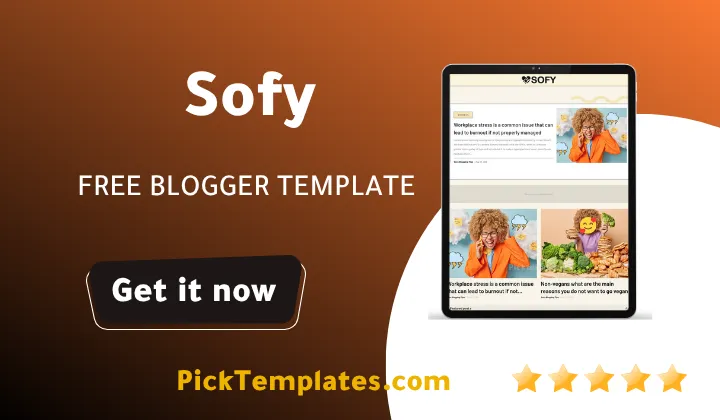
Welcome to this complete guide on the Sofy blogger template. Here is the direct answer for anyone in a hurry. Sofy is a free minimalist blogger theme built by SoraTemplates and it fits tech news job banking and study blogs particularly well. A limited free Arabic version localized by Picktemplates is also available for readers who prefer a right to left layout and the original free plus paid professional English editions remain available directly through SoraTemplates as the official Template Author.
In this guide you will find a full breakdown of the design the features the installation steps and an honest list of strengths and weaknesses based on hands on testing. By the end you should know exactly whether this theme fits your blog or not.
A Closer Look At The Sofy Blogger Theme
Design And Overall Feel
Sofy carries a magazine style layout without feeling cluttered. During our testing we opened the demo on three different screen sizes and the grid held up cleanly on each one. The homepage mixes a featured post slider with a hot post widget and the typography stays readable even when paragraphs run long. If your content spans several niches such as technology and banking the sectioned layout keeps everything organized instead of dumping every post into one long feed.
If a lighter single column feel appeals to you more than a full magazine grid the Pogo Blogger Template is worth comparing side by side before you commit to Sofy.
Key Features Worth Knowing
Here is what the theme packs under the hood.
- Fully responsive layout that adapts to phones tablets and desktops
- Hot post and featured post widgets built into the homepage
- Fast loading code with clean CSS and minimal render blocking scripts
- SEO friendly markup including schema ready post structure
- Drop down and mega menu options for larger content libraries
- Retina ready images and social bookmark integration
- Built in contact form and page navigation menu
Templates coded with lightweight CSS tend to score noticeably better on page speed tests than themes ported directly from WordPress without adjustments.
Installation Walkthrough
Setting up Sofy follows the same routine used across most Blogger themes but a few steps trip up first time users.
- Download the theme file from a trusted source and keep the xml file somewhere easy to find
- Log into your Blogger dashboard and open the Theme menu on the left sidebar
- Click the small arrow next to the Customize button and choose Restore
- Upload the xml file from your device and confirm the save
- Refresh your blog and check the widgets since some may need to be rearranged through Layout
During our own setup the only widget that needed manual placement was the featured post slider which defaults to an empty state until a few posts are tagged as featured.
Quick Tip
Always export a backup of your current theme before restoring a new xml file. This single habit has saved many bloggers from losing months of custom widget work.
Free Paid And Arabic Versions Compared
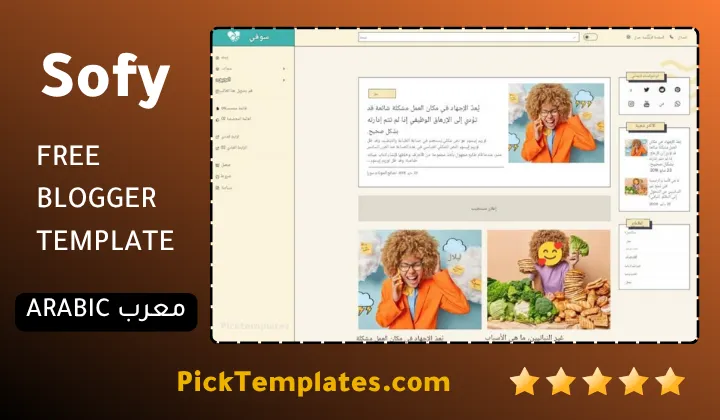
The original English release of Sofy theme comes as a free download coded by SoraTemplates and covered by the standard credit link requirement. A paid professional version removes the footer credit and unlocks extra layout options for buyers who want a fully branded blog. For Arabic speaking bloggers Picktemplates offers a limited free Arabic edition that translates the interface labels and adjusts the layout direction though some advanced widgets remain available only in the paid tier.
Readers who want a bolder color palette instead of the muted tones in Sofy often end up comparing it with the Dazzle Blogger Template which shares a similar magazine structure but leans into brighter accent colors.
Who Should Use This Theme
Sofy suits bloggers covering broad topics rather than a single niche. News writers job board curators and study resource sites benefit most from the sectioned homepage since it lets several content categories share the spotlight without competing for attention. A narrow niche blog focused on one subject may find the layout offers more structure than it actually needs.
Strengths And Weaknesses
No theme is perfect and Sofy is no exception. Here is what stood out during testing on both sides.
- The theme loads quickly even with several widgets active on the homepage
- The mega menu handles large category lists without feeling crowded
- Typography stays consistent across post and page templates
- The free version carries no official support channel so troubleshooting falls on the user
- Some advanced customization options are locked behind the paid tier
- The Arabic edition only carries a limited feature set compared with the English original
Frequently Asked Questions
A few quick answers to what readers usually ask before downloading.
- Is template really free. Yes the original English version is free to download and use provided the footer credit stays active.
- Does it support AMP. Yes accelerated mobile pages are supported out of the box.
- Can beginners install it without help. Yes the restore process inside Blogger takes a few minutes and does not require coding knowledge.
Final Thoughts
Sofy template remains one of the more balanced options for bloggers who need a magazine style layout without a steep loading time penalty. If you want to browse more theme options built around the same sectioned news style visit the magazine blogger templates category before making a final decision.
Important Note
The free version of template requires keeping the original footer credit active. Removing it without purchasing the licensed copy goes against the terms set by SoraTemplates as the original author.
Information
| Template Name | Sofy |
| Version | 1.0.0 |
| Creation Date | 13 June 2023 |
| Last Update | 13 June 2023 |
| Platform | Blogger |
| Author | Soratemplates |
Features
- How To Setup Sofy Blogger Theme
- Fully responsive design across phones tablets and desktops
- Hot post widget on the homepage
- Featured post slider for spotlighted articles
- Drop down navigation menu
- Mega menu for large category lists
- SEO friendly markup for better indexing
- Fast loading lightweight code
- Retina ready image handling
- Social bookmark sharing buttons
- WhatsApp sharing button included
- Page navigation menu for older posts
- Built in contact form widget
- AMP support for accelerated mobile pages
- One right sidebar layout
- Browser compatibility across modern browsers
- Ads ready widget placements
Conclusion
Sofy Blogger Template earns its spot among the more practical magazine style themes for Blogger because it treats loading speed as a design requirement rather than an afterthought.
The layout rewards bloggers who publish across several categories since the hot post and featured post widgets do the sorting work automatically instead of leaving readers to dig through a single feed.
Whether the free English release the localized Arabic edition from Picktemplates or the paid professional tier is chosen the underlying structure stays consistent enough that switching later will not force a full redesign of the blog.
We have localized the free version of the sofy template into Arabic and fixed the Right-to-Left (RTL) layout issues to make it easier to use on Arabic blogs.