
Table of Contents
Contents
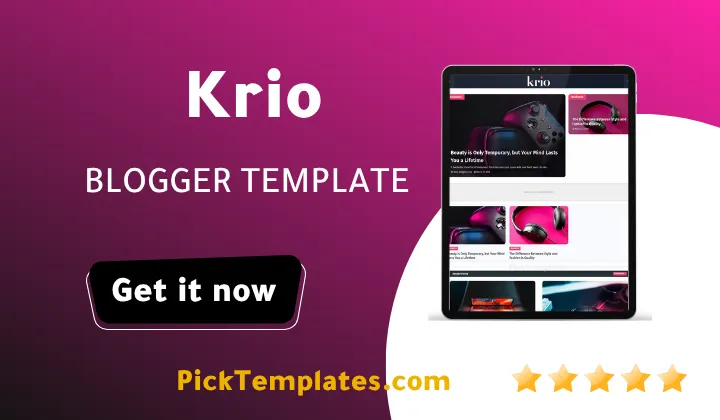
Welcome to this review of Krio Blogger Template. If you want a short answer up front Krio is a strong pick for anyone running a blog that mixes several topics such as fashion health business and technology under one homepage without the layout turning messy.
Krio was built by Templatesyard as a Beauty and Magazine theme and the live demo shows a homepage that pulls together ten separate category tags including Business Fashion Health Learn Lifestyle Music Nature People Photography and Technology. That range is the real story of this template and it is worth comparing against other magazine style options such as Teckyx Blogger Template before you commit to one theme for a growing blog.
A Homepage Built To Carry Several Content Pillars At Once
Most Blogger themes struggle once a site owner wants to publish more than two or three topics on the same blog. Krio Template handles this through a stacked widget system. A featured grid post section sits near the top followed by a secondary row then a full list of recent posts pulled from every label at once. Each post card carries its category tag directly on the thumbnail so a reader scanning the page can tell at a glance whether a story belongs to Fashion Health or Technology.
How The Category And Tag Widgets Work Together
The sidebar and footer repeat the same category list in two different formats. One widget shows plain text tags while another shows the post count next to each label. This double exposure matters for a magazine blog because new visitors often arrive through search on one topic and the repeated category links give them an easy path into the rest of the site. Setting this up correctly takes a few steps.
- Open Layout in your Blogger dashboard and locate the Labels gadget already placed by the theme.
- Rename or trim your label list so it matches the ten sections shown on the live demo rather than leaving Blogger’s default label order.
- Add a short label to every new post the moment you publish it since Krio pulls its homepage grid directly from those labels.
- Check the Mega Menu widget separately because it is edited through its own HTML gadget rather than the normal menu editor.
Once those four steps are done the homepage starts to feel like a real multi section magazine instead of a single topic blog.
Do not launch a Krio theme powered blog with only one or two labels filled in. The grid widgets look empty and unbalanced until at least four or five categories have two or three posts each.
A second layer of organization comes from the breadcrumb navigation built into every post page. Readers who land on a Health article can trace their way back to the Health archive with one click which keeps session time up and bounce rate down on a content heavy blog.
Design Choices That Support A Multi Niche Blog
Beyond the category system Krio includes several smaller design choices that reward a magazine style publisher.
- A dropdown and mega menu combination for grouping many pages under a small number of top level links.
- Retina ready thumbnails so fashion and photography posts still look sharp on high density phone screens.
- A three column footer that can hold a bio widget a recent post feed and a social icon bar side by side.
- Built in WhatsApp sharing alongside the usual social buttons which still gets real traffic in many regions.
- Schema ready markup so search engines can read author dates and category data without extra plugins.
None of these features are unique on their own but the combination is what makes Krio feel ready for a blog that refuses to stay inside one niche.
If your content plan leans more toward product reviews and shopping guides rather than a general magazine you may also want to look at Nurify Blogger Template since it is built with a narrower affiliate focused layout compared to the broad category approach Krio takes.
What Krio Does Not Get Right
No template earns a perfect score and Krio has a few rough edges worth knowing before install.
- The demo content still uses placeholder Lorem Ipsum text in several widgets which takes real time to clean out.
- Free installs come with no direct support from the author so troubleshooting falls on the site owner or the community.
- The Mega Menu setup is not obvious for a first time Blogger user and needs the separate video guide to get right.
- Loading many high resolution images across ten categories at once can slow the homepage down if photos are not compressed first.
None of these points rule Krio out. They simply mean a new user should budget an afternoon for setup rather than expecting a five minute install.
Who Should Consider This Template
Krio suits a specific kind of blogger more than others.
- Someone running a general interest blog that already publishes in three or more topics.
- A small editorial team that wants separate bylines and categories without hiring a developer.
- A lifestyle or beauty writer who also covers travel health or personal stories on the same domain.
- A publisher planning to monetize through display ads since the theme already reserves ad code zones in the sidebar and between posts.
If your blog instead focuses on one narrow topic such as a single product category a simpler single purpose theme will likely load faster and manage easier.
Two Editions Worth Knowing About
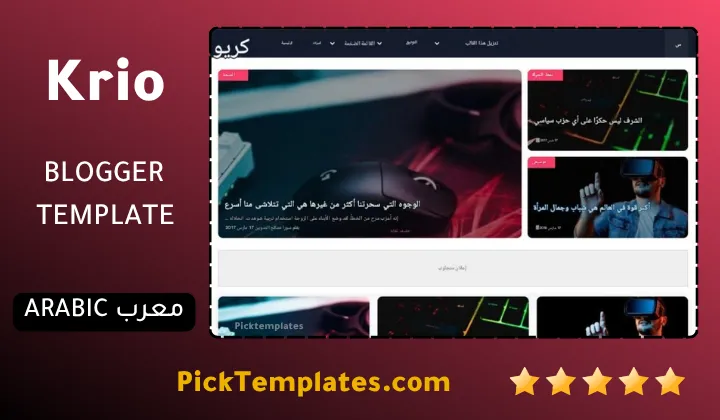
There is a free Arabic edition of this theme that was translated and repackaged by Picktemplates and it remains under copyright even though it costs nothing to download. Alongside it sits the original English edition from Templatesyard which is offered in a free version and a paid version with extra support. Pick the edition that matches the language your audience reads in rather than defaulting to whichever download link appears first in a search result.
If Krio theme still feels too broad for your niche you can browse a wider set of options in this stylish Blogger template collection before making a final choice.
Information
| Template Name | Krio |
| Version | 1.0.0 |
| Creation Date | 7 May 2024 |
| Last Update | 26 May 2024 |
| Platform | Blogger |
| Author | Templatesyard |
Features
- Fully responsive design that adapts smoothly from small phones to wide desktop screens
- Retina ready graphics that keep thumbnails and icons crisp on high density displays
- SEO ready structure with Schema markup built directly into the template
- Drop down and Mega Menu navigation for organizing many pages under a few top level links
- AMP support built in for faster mobile page loading
- Breadcrumb navigation on every post so readers can trace their way back to a category
- Grid style featured post section for highlighting top stories on the homepage
- Ticker style hot post bar for quick access to trending articles
- Three column footer layout ready for widgets such as bios recent posts and social icons
- WhatsApp sharing button included alongside the standard social sharing icons
- Multiple built in color skins including blue red yellow green and violet
- Ad ready layout with dedicated ad code zones in the sidebar and between post rows
- Post thumbnail support across every widget including popular posts and related posts
- Social bookmark integration for wider sharing across major platforms
- Compatible with all major browsers and adapted from a WordPress style magazine layout
Conclusion
Krio earns its place among current magazine style Blogger themes mainly through the way it lets one homepage carry ten different content categories without looking cluttered. Bloggers who publish across fashion health business and general lifestyle topics get the most value from this layout.
The trade off is a setup process that takes longer than a single purpose theme and a lack of direct support on the free download. Anyone comfortable spending an afternoon inside the Blogger Layout editor will find the extra effort pays off once the category grid fills up with real content.
Mouhssine Boukou brings ten years of hands on Blogger template testing to this review and the honest verdict is that Krio deserves a spot on the shortlist for any multi topic blog but it is not the right pick for a single niche site that only needs one clean feed of posts.
We have localized the free version of the Krio template into Arabic and fixed the Right-to-Left (RTL) layout issues to make it easier to use on Arabic blogs.