
Table of Contents
Contents
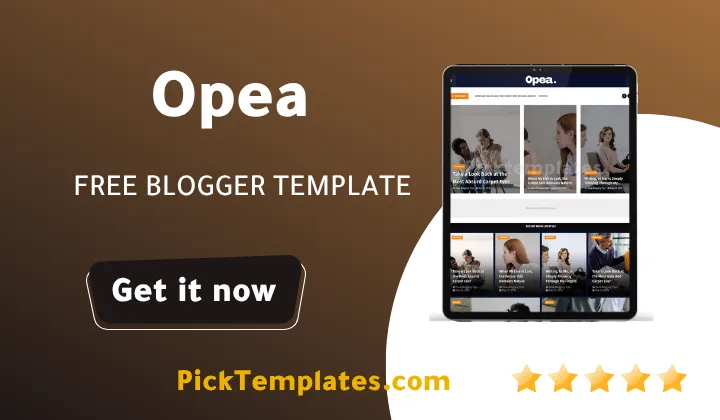
Welcome to this complete guide on the opea blogger template. If you create content around fashion beauty or everyday lifestyle topics you are probably wondering whether this theme fits your blog. Here is the short answer. Opea is a magazine style blogspot theme built by Templatesyard that gives lifestyle and fashion writers a clean fast loading layout complete with a grid homepage a mega menu and full mobile responsiveness. The template is available as a free copyright protected download a limited free Arabic build and a paid professional package through Picktemplates.
Before we go further here is what this guide covers.
- What the template actually looks like and who it suits
- A full breakdown of its features and how each one helps your blog
- Practical setup notes from our own testing
- A fair look at the strengths that stand out
- An honest list of the limitations you should know before downloading
What Opea Template Actually Offers
During our testing of this template the first thing we noticed was how much white space Templatesyard left around the post thumbnails. That single design choice makes fashion photography and beauty product shots look far more premium than most free blogspot themes manage. The typography is simple and readable which matters a lot for magazine style blogs where readers scan headlines before committing to a full article. If you have already looked at other magazine themes such as the Eon Template you will notice Opea takes a slightly more minimal direction while still keeping the grid heavy homepage that lifestyle bloggers rely on.
The theme was created on 22 July 2024 and received a fix update on 12 July 2025 so the codebase is not old or abandoned. It runs on the standard Blogger platform which means you do not need hosting or a domain purchase to start testing it.
Who This Template Actually Fits
Opea was built with fashion and beauty in mind but its structure is flexible enough for several other niches. Based on the widgets and layout options included here are the blog types where it performs best.
- Lifestyle and fashion magazines
- Beauty and daily tips blogs
- Online news and current affairs sites
- Food recipe blogs
- Travel diaries and destination guides
- Movie review and entertainment sites
- Tech review blogs
- Medical and hospital information pages
- Personal portfolio or online CV pages
If your content leans more toward health and beauty tips or creative design work the layout gives those posts enough visual room without feeling cluttered.
Core Features Breakdown
Opea ships with a long list of functions that normally cost extra on premium marketplaces. The table below groups the main ones together with a short note on what each does for your readers.
| Feature | What it does for your blog |
|---|---|
| Ajax Mega Menu | Loads dropdown navigation instantly without a page refresh |
| Grid Post Widget | Displays featured posts in a clean magazine style grid |
| Hot Post Section | Highlights trending articles automatically |
| Custom 404 Page | Keeps visitors on your blog even after a broken link |
| Google Rich Results Support | Helps your posts qualify for enhanced search listings |
| Whatsapp Sharing | Lets mobile readers share your posts in one tap |
| Template Customizer | Lets you change colors and fonts without editing code |
For a full walkthrough of every setting inside the customizer this step by step setup guide covers each option screen by screen.
Customization Depth
The built in customizer covers colors fonts and widget placement but it does stop short of deep code level editing. If your project needs heavier customization options a theme such as the Saxify Template gives more room to adjust individual section layouts. For most fashion and lifestyle bloggers though Opea covers everything needed without touching the XML editor.
A theme with fast loading speed keeps more visitors on the page long enough to read the full post which directly supports better search rankings over time.
Setting It Up From Our Own Testing
Installing theme follows the normal blogger process. Download the theme file from picktemplates go to your Blogger dashboard theme section and upload the XML file directly. A few practical notes from our own setup.
- Back up your current theme before uploading a new one
- Set your featured post widget first since several homepage sections pull from it
- Add your logo through the customizer rather than editing the header code
- Turn on the special ad spot only after your homepage layout is finalized
- Check the mobile preview after every major change since spacing can shift
Note There is no dedicated support included with the free version so keep your changes simple if you are not comfortable editing template code.
Honest Pros and Cons
No template fits every blogger and Opea is no exception. Here is a balanced look at where it succeeds and where it falls short.
What Stands Out
- Clean magazine layout suited to fashion and beauty content
- Fast loading pages even with multiple widgets active
- Passes Google testing tools without major warnings
- Simple customizer built for non coders
- Lifetime updates included with the license
Where It Falls Short
- Free version has no direct support from the author
- Deep code customization is limited compared to premium coded themes
- Arabic version is a limited build rather than the full feature set
- Built only for Blogger so it will not suit WordPress users
Free Version Versus the Professional Package
Picktemplates offers Opea in three forms. The free copyright protected download keeps the Templatesyard branding and footer credit. The limited free Arabic version trims some sections to keep translation clean. The paid professional package removes footer copyrights and unlocks the full widget set along with priority support. If your blog is an early project the free version is a fair starting point and you can always upgrade later. For readers comparing more magazine style options our full magazine templates collection lists several alternatives side by side.
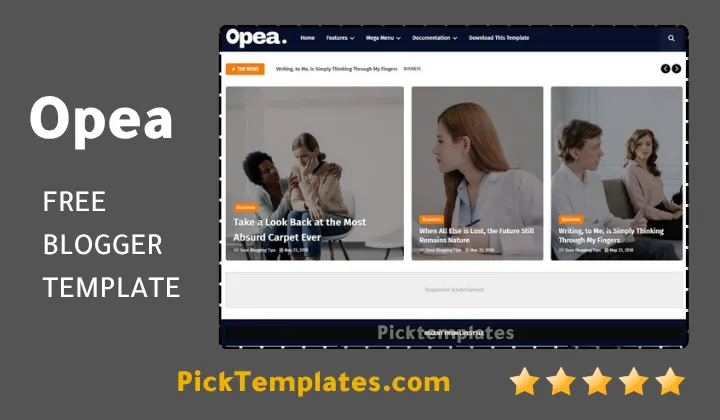
Opea theme earns its place among the better free magazine themes for Blogspot. It is not the most advanced coded theme available but for fashion beauty and lifestyle publishing it delivers a polished result without a steep learning curve.
Information
| Template Name | Opea |
| Version | 1.0.0 |
| Creation Date | 22 July 2024 |
| Last Update | 12 July 2025 |
| Platform | Blogger |
| Author | Templatesyard |
Features
- How To Setup Opea Blogger Theme
- Achieves a fully responsive design across every screen size
- Passes the Google structured data testing tool without errors
- Supports Google Rich Results for enhanced search snippets
- Includes a custom styled 404 error page
- Loads pages quickly thanks to optimized script placement
- Offers an optional boxed mode layout
- Comes with a dedicated hot post widget
- Provides a special ad spot for monetization
- Enables one tap Whatsapp sharing on every post
- Includes a grid style featured post widget
- Adds a clean post list widget for secondary content
- Runs on Blogger Disqus or Facebook comment systems
- Ships with a drop down navigation menu
- Is fully optimized for on page SEO
- Includes lifetime updates with no extra charge
Conclusion
From a structural standpoint Opea Blogger Template behaves like a well balanced content delivery system rather than a decorative skin. Its widget architecture separates featured content signals from standard post streams which keeps page weight low while still giving fashion and lifestyle publishers room to highlight priority articles.
The load path stays efficient because the mega menu and grid widgets pull data without forcing a full page reload which is exactly the kind of front end discipline search engines reward with better crawl efficiency and longer session times.
For bloggers weighing a free download against a paid upgrade the professional package removes the remaining friction points such as footer branding and support access. Either path still gives you a magazine style Blogspot theme built specifically for fashion beauty and lifestyle publishing under the Opea name.
We have localized the free version of the opea template into Arabic and fixed the Right-to-Left (RTL) layout issues to make it easier to use on Arabic blogs.