
Table of Contents
Contents
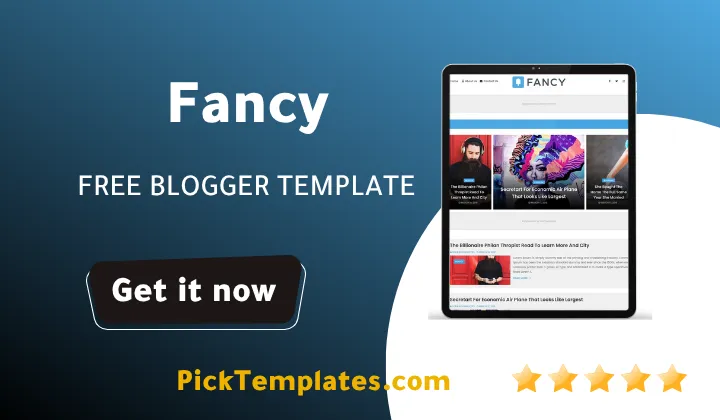
Welcome to Picktemplates. If you want the short answer first, Fancy blogger template is a free and premium ready Blogger theme built for blogs and small online magazines, and it comes with a clean two column layout, AMP support, mobile first design and space for ads already built in.
This guide walks you through everything worth knowing about this theme before you install it on your own blog. We cover the real features, how the design behaves on phones and tablets, the difference between the free and paid builds, who this theme actually fits and the honest downsides we ran into while testing it.
What Is Fancy Blogger Theme
Fancy is a blogger theme built by OmTemplates and first released in May 2021. It was designed for publishing sites, personal blogs and small online magazines that need a layout readers can scan quickly. The theme sits in the same family as our Kalify template in terms of how it treats post thumbnails and category tags, though Fancy leans more toward a soft editorial look rather than a bold magazine grid.
The version number sitting at 1.0.0 tells you this is the original stable build rather than a heavily patched theme, and that matches what we found during testing. Nothing broke, nothing needed extra fixing and the demo content loaded the way the live preview promised.
Key Features Worth Knowing About
Before installing any theme it helps to know exactly what you are getting. Here is what stood out most while we went through the settings panel.
- Fully responsive layout that adjusts to phones tablets and desktop screens
- Built in AMP support for faster mobile page loads
- Two column structure with one right sidebar for widgets and ads
- Dedicated ad spaces already placed inside the layout
- Drop down navigation menu plus a mega menu option
- Post thumbnails pulled automatically from your images
- Social bookmark buttons and WhatsApp sharing built in
- Page navigation menu for easier browsing between posts
- Retina ready graphics for sharper displays
- Clean structured code adapted from a WordPress style layout
That list alone puts fancy ahead of a lot of free themes we have tested, mainly because most of these features usually only show up in paid packages.
Design And Mobile Responsiveness
The design leans elegant rather than flashy. White space is used well, post titles are easy to read and the black and white color base means your own branding colors will not clash with the theme. During our testing we resized the browser window across several breakpoints and the menu sidebar and footer all repositioned cleanly without any overlapping text or broken images.
On an actual phone the experience holds up too. Tap targets are large enough, the mega menu collapses into a simple dropdown and images inside posts scale down instead of forcing horizontal scrolling.
Seo Structure And Speed
Fancy theme ships with a search friendly structure and it already follows Google’s newer markup style. Page load felt fast in our tests even with several images placed inside a single post, and the AMP version kept things even quicker on mobile data. If speed and search visibility matter to you this theme gives you a real head start rather than something you have to fix later with plugins.
A theme with clean code and AMP support out of the box will usually save you weeks of manual seo cleanup down the line.
Free Arabic Version And The Paid English Build
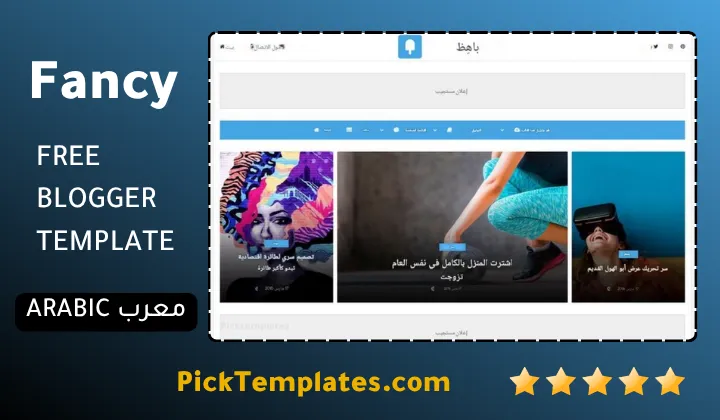
Picktemplates offers a limited free Arabic version of this theme, translated and localized by our own team so Arabic speaking bloggers can use it without wrestling with layout direction issues. This Arabic build is more limited than the full release which is normal for free localized versions.
The original English version comes in two forms. A free copy that stays protected by the author’s copyright and keeps the original credit link, plus a paid professional version created and maintained by OmTemplates that removes the credit link and unlocks extra customization. If your blog already gets steady traffic we usually suggest comparing this against something like our Today Blog template before deciding which paid theme fits your content style better.
Please note there is no support offered for the free version of this theme. If you need setup help or custom edits the paid version is the safer route.
Getting It Set Up On Your Blog
Installing this theme follows the same process as any other blogger template. Download the XML file, open your Blogger dashboard, head into the Theme section and use the restore option to upload the file. Once it loads you can jump into the Layout tab to rearrange widgets or add ad units into the spaces already built for them.
We recommend backing up your current theme first just in case you want to switch back later. It only takes a minute and it saves a lot of stress if something does not look right on the first try.
Who This Theme Actually Fits
We would point this theme toward lifestyle blogs, photography portfolios, fashion writers and general magazine style sites. Food bloggers and travel writers also get good use out of it since the layout gives images enough room to breathe without pushing text too far down the page. If you run a heavy niche site built around tutorials or long form guides you may want a layout with a bit more sidebar space instead.
Pros And Cons
No theme is perfect and fancy is no exception. Here is the balanced picture after spending real time inside the settings and demo content.
- Pro loads fast even on the free tier
- Pro AMP and mobile support work reliably
- Pro generous feature list for a free theme
- Con no official support for free users
- Con customization options are more limited than some premium only themes
- Con the single sidebar layout may feel narrow for widget heavy blogs
None of these downsides are deal breakers but they are worth knowing before you commit your blog to this design.
Final Verdict
Fancy template earns its spot as one of the more complete free blogger themes available right now. It looks polished, it loads quickly and the AMP support alone puts it ahead of most competitors in this price range. If you want to compare it against other options first take a look through our full magazine templates collection before making your final choice.
Whichever version you pick, free or paid, this theme gives any publishing focused blog a strong starting point without needing extra plugins or heavy custom coding.
Information
| Template Name | Fancy |
| Version | 1.0.0 |
| Creation Date | 10 May 2021 |
| Last Update | 10 May 2021 |
| Platform | Blogger |
| Author | OmTemplates |
Features
- How To Setup Fancy Blogger Theme
- Simple And Clean Design
- Fast Loading Performance
- Fully Responsive Layout
- Seo Ready Structure
- Adapted From WordPress Style
- Ads Ready Placement
- Retina Ready Graphics
- Drop Down Menu
- Mega Menu Option
- Social Bookmark Ready
- WhatsApp Sharing Button
- Page Navigation Menu
- Post Thumbnails
- 2 Columns With 1 Right Sidebar
- AMP Support
Conclusion
Fancy Blogger Template earns its place among the more complete free Blogger themes released this year, combining clean code with a genuine mobile first structure that actually holds up once real content gets added.
We would recommend it for creators who want a magazine style presence without paying for a premium theme right away, especially anyone building a photography lifestyle or general interest blog.
Expert Insight (Mouhssine Boukou, 10 Years Experience) The Template is a superb choice for personal blogs and niche magazines. I do not recommend it for those planning to build an e-commerce store, as it lacks advanced product showcasing elements. Its true competitive edge lies in its native AMP support and exceptional page loading speeds without the need for external plugins.
We have localized the free version of the fancy template into Arabic and fixed the Right-to-Left (RTL) layout issues to make it easier to use on Arabic blogs.