
Table of Contents
Contents
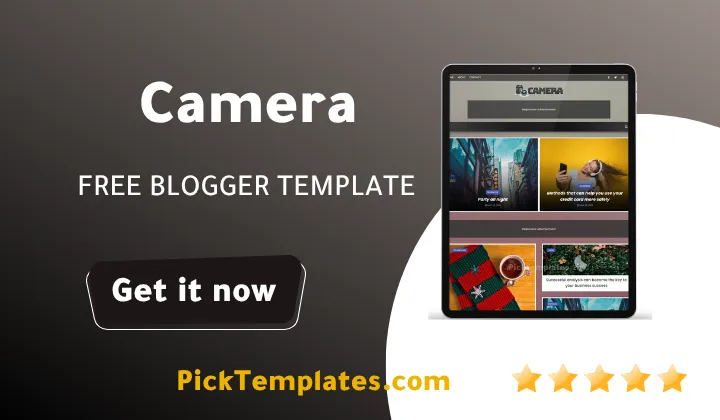
Welcome to our full guide on the Camera blogger template. If you only need one quick answer this is a free photography focused Blogger theme built by SoraTemplates with a dark stylish layout a full width slider and a masonry photo grid made for bloggers who publish images travel stories or product photos. It works well for photography blogs fashion diaries product galleries and news style magazines that depend on strong visuals rather than long blocks of text.
Inside this guide you will find every detail you need before you install the theme. We cover the main features the overall design an honest look at the pros and cons the installation steps and the different versions of the template that are currently available including the localized Arabic release.
What Is Camera Blogger Theme
Camera is a custom built blogger theme made for creators who want their photos to stand out on the page. It uses a dark background with a soft faded texture behind the text area so images stay sharp while written content remains easy to read. The homepage opens with a wide slider that highlights your best posts before visitors scroll into the main photo feed below.
If your blog leans more toward personal branding rather than photography our Facelink Blogger Template offers a similar dark aesthetic built around author profiles and social proof instead of a pure photo grid.
Who This Theme Fits Best
This layout suits photographers travel bloggers Instagram style creators recipe writers and anyone running a visually driven news or magazine site. Because the grid handles large images cleanly it also works well for product photography and simple portfolio pages.
Key Features Of Camera Template
During our review of this theme we tested most of its core functions on both desktop and mobile screens. Here is what stood out the most.
- Full width homepage slider for featured posts
- Masonry grid layout that keeps large photos sharp
- Retina ready images for high resolution screens
- AMP support built in for faster mobile loading
- Mega menu and drop down navigation
- Built in social sharing buttons including WhatsApp
- Three column footer with a widget ready right sidebar
- Clean code with strong browser compatibility
Design And Layout
The dark palette combined with white typography gives every photo strong contrast without extra editing on your side. Post thumbnails are cropped evenly so the grid stays balanced even when you mix portrait and landscape images together. The single post page keeps related articles visible under each story which helps readers stay on the site longer once they land on a post.
A dark theme like this performs best when your photos are well lit. Images shot in low light or heavy shadow can lose detail once placed against a dark background.
Honest Pros And Cons
No theme is perfect for every blog and this one is no exception. Below is a balanced look at what works well and what could be better before you commit to it.
What We Liked
- Photos load fast even in the masonry grid
- The dark design feels premium without extra plugins
- Setup is manageable for beginners who follow the documentation
- Works smoothly on both Android and iOS browsers
What Could Be Better
- Free users do not get direct support from the author
- Some widget styling needs manual CSS tweaks on older browsers
- The dark background is not ideal for text heavy niche blogs
Free users do not receive direct support from the author. Read the setup documentation carefully before you publish your blog live so you avoid common configuration mistakes.
How To Install Camera Theme
- Download the theme file from a trusted source and keep the zip in a folder you can find easily
- Extract the zip file and locate the xml file inside
- Log in to your Blogger dashboard and open the blog you want to update
- Click Theme on the left menu then open the dropdown next to Customize
- Select Restore then upload the extracted xml file from your computer
- Preview the blog and adjust your logo header links and widgets
If photography is not your main focus and you write more text based lifestyle content our Maggy Blogger Template balances readable typography with a lighter image layout that suits general blogging better.
Which Version Should You Choose
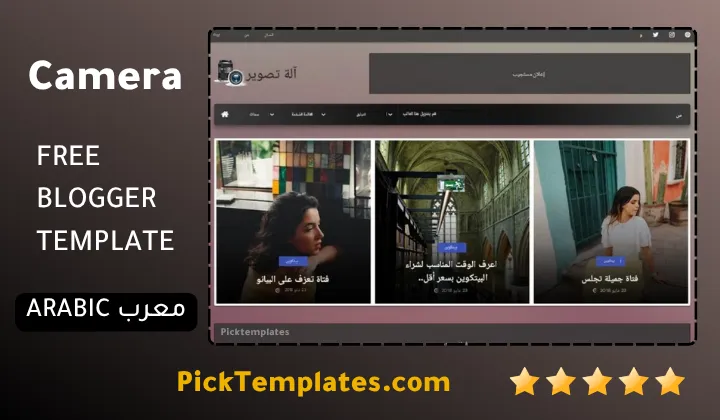
There are three ways to get this theme and each one fits a different type of user. The original free version was built and released by Soratemplates the author listed in the information box below. A paid professional edition adds extra sections and priority updates directly from the same author. For Arabic speaking users Picktemplates has translated and adapted a limited free Arabic version of this theme so the demo content and interface read naturally for local readers.
Browse More Blogger Templates
If galleries and image heavy layouts are what your project needs our full collection of portfolio Blogger templates includes several other themes worth comparing before you make a final decision.
Camera template remains one of the more complete free options for anyone who wants a photo first blog without touching much code. Pick the version that fits your project and follow the setup notes below to get everything configured the right way.
Information
| Template Name | Camera |
| Version | 3.0.0 |
| Creation Date | 11 April 2021 |
| Last Update | 23 February 2022 |
| Platform | Blogger / Blogspot |
| Author | Soratemplates |
Features
- How To Setup Camera Blogger Theme
- Page navigation menu for smooth browsing between posts
- Ads ready placement zones built into the layout
- Search engine friendly markup out of the box
- News and magazine style category sections
- Grid based homepage feed for quick photo scanning
- Optional white and black contrast styling
- Technology and lifestyle category support
- Adapted from the original WordPress design
- Cross browser tested on Chrome Firefox and Safari
- Semantic clean code for faster indexing
- Free and premium editions built from the same base
- One right sidebar dedicated to widgets and ads
- Mobile first responsive breakpoints
- Optimized image handling for quicker page loads
- Google AMP ready pages for mobile search traffic
Conclusion
Camera Blogger Template earns its place among the better free photography themes for Blogger because it handles large image sets without slowing the page down. The masonry grid and slider combination gives every post a magazine feel that plain text themes cannot match.
That said it is not built for every niche. A finance blog or a documentation heavy site will not benefit from a dark photo first layout the way a travel or fashion blog will. Match the theme to your content type first and the results will follow.
Camera theme is one of the stronger picks for image heavy blogs and the masonry grid rarely breaks even with mixed photo sizes. My only hesitation is recommending it for blogs that publish mostly long articles since the dark background works against long reading sessions.
We have localized the free version of the camera template into Arabic and fixed the Right-to-Left (RTL) layout issues to make it easier to use on Arabic blogs.