
Table of Contents
Contents
Welcome friend. If you are trying to decide whether SoraHive blogger template is worth installing on your Blogger site here is the short answer. SoraHive earns its place mainly because it puts trust signals front and center on the homepage instead of hiding them on a separate page. The stats counter the client logos and the testimonial slider all sit where a first time visitor sees them before they even reach your actual project gallery.
Most one page portfolio themes for Blogger stop at a gallery and an about section. SoraHive does something different. It borrows a layout pattern more common in agency sites and mixes it with a lightweight blog structure. If you already looked at a simpler theme such as the Sio template you will notice SoraHive adds an entire layer built around proving your credibility rather than only showing your work.
Why The Trust And Testimonial Layer Matters For Freelancers
Buyer behavior research keeps repeating the same lesson. Close to 93 percent of people check reviews or some form of proof before trusting a new brand according to BrightLocal survey data. A portfolio with zero social proof is asking a total stranger to take a leap of faith on the spot. SoraHive is built around removing that leap before it even happens.
The Social Proof Blocks Built Into The Homepage
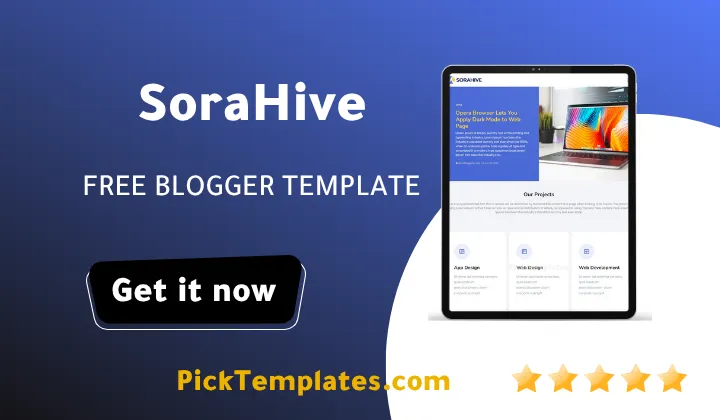
Open the live preview and you notice the homepage is broken into short focused sections rather than one long unstructured scroll. Before listing them it helps to see exactly what ships inside this SoraHive Template out of the box.
- An animated counter block showing completed projects total clients and years active
- A rotating testimonial slider with a photo a name and a short quote for each client
- A dedicated row for partner and client brand logos placed right above the footer
- A services section split into clear categories such as design development and branding
- A blog post grid so your recent articles reinforce authority next to your portfolio work
Every one of these blocks is optional so you are never forced to keep a section that does not fit your own niche.
Replace the placeholder numbers in the counter widget the same day you install the theme. The demo ships with a cheerful line about cups of coffee next to the project totals and it looks charming in a demo but instantly fake on a page you send to a paying client.
How The Layout Compares To Other Portfolio Themes
If you have already tested a theme like Inbio you know most portfolio templates lean either toward pure visuals or toward pure text. SoraHive tries to sit in between the two. Photography still gets full width space inside the project sections but the testimonial and logo rows keep pulling the reader back toward trust rather than pure aesthetics.
Setup Experience And Everyday Usability
The first time I set this SoraHive theme up for a photography client the tricky part was not the code at all. It was rewriting five different client quotes so they did not all start with the exact same sentence pattern. A small detail but it changes how genuine the whole slider feels to someone landing on the page for the first time.
- Download the XML file and the setup guide from the author page
- Upload the XML through the Blogger theme editor and wait for the restore to finish
- Open the layout tab and replace every widget starting with the hero and counter section
- Swap every demo testimonial with a quote from an actual past client
- Run the finished page through a speed test before sharing the link with anyone
None of these steps needs real coding knowledge and a patient beginner can usually finish the whole setup in under an hour.
Loading Speed And Search Friendliness
SoraHive ships with AMP support and a coding structure aimed at cutting bounce rate. That matters because a slow portfolio page loses visitors before the client logos even finish loading. In practice the theme feels light on both desktop and mobile connections though any oversized image or heavy custom font you add later can slow it right back down so keep your own media compressed.
Where SoraHive Gets It Right
After spending real time inside the layout editor a few strengths stood out clearly on this free blogger template.
- The trust focused sections give freelancers and small agencies an instant credibility boost
- The one page structure keeps everything within reach of a single scroll during a live client call
- Color variants in blue white violet and yellow cover different brand moods without custom coding
- Hot post and featured post widgets keep recent work visible without a cluttered menu
These strengths are exactly why this SoraHive theme keeps getting recommended for portfolio and small business blogs.
Where It Falls Short
No theme is flawless and SoraHive has a few rough edges worth knowing before you commit any real time to it.
- Free support is not offered so any customization past the documentation is entirely on you
- The fixed one page layout limits how much long form content you can add without feeling cramped
- Every demo image and line of placeholder text needs manual replacement or the trust sections lose their entire purpose
None of these points are true dealbreakers but they should shape how much time you budget for the initial setup.
Picking The Right Copy Of This SoraHive Template
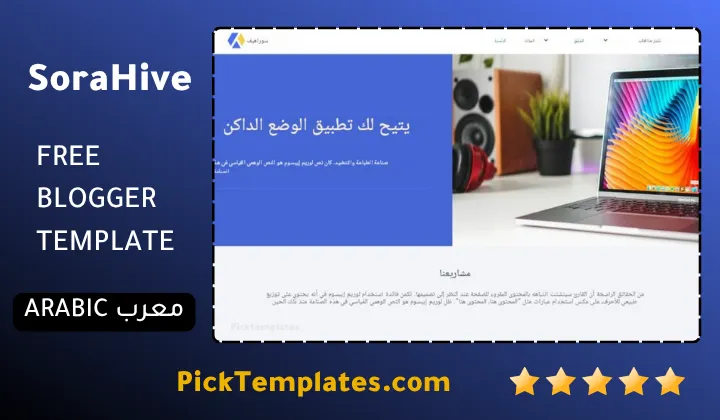
There is more than one version of SoraHive circulating online so a quick clarification helps before you download anything at all.
- A free Arabic version exists and it was translated and adapted by Picktemplates under its own copyright
- A free English SoraHive template also exists and it was built and released directly by the original author SoraTemplates
- A premium English version with extra widgets and priority support is sold directly by SoraTemplates
Match the version to your actual needs instead of grabbing the first download link you find since the free and paid builds are not identical in every widget.
If SoraHive still does not feel like the right match browse the wider set of portfolio blogger templates and compare a few layouts side by side before settling on one for your brand.
Information
| Template Name | SoraHive |
| Version | 1.0.0 |
| Creation Date | 30 October 2023 |
| Last Update | 30 October 2023 |
| Platform | Blogger |
| Author | Soratemplates |
Version Comparison
| Template Features | Free | Pro |
| 100% Responsive Design | ✔ | ✔ |
| Google Testing Tool Validator | ✔ | ✔ |
| Google Rich Results | ✔ | ✔ |
| Custom 404 Page | ✔ | ✔ |
| Fast Loading | ✔ | ✔ |
| Boxed Mode | ✔ | ✔ |
| Customer Reviews | ✖ | ✔ |
| Main Slider | ✖ | ✔ |
| Featured Images | ✖ | ✔ |
| Info Box 01, 02, 03 | ✖ | ✔ |
| Service List Widget | ✖ | ✔ |
| Hero Header | ✖ | ✔ |
| Featured Widget | ✖ | ✔ |
| Testimonials Info Boxes | ✖ | ✔ |
| Whatsapp Sharing | ✔ | ✔ |
| Brand Logos | ✖ | ✔ |
| Achievements (Counter) Boxes | ✖ | ✔ |
| Blogger, Disqus or Facebook Comments | ✔ | ✔ |
| Drop Down Menu | ✔ | ✔ |
| SEO Optimized | ✔ | ✔ |
| Social Sharing | ✔ | ✔ |
| Browser Compatibility | ✔ | ✔ |
| Remove Footer Copyrights | ✖ | ✔ |
| Awesome About Section | ✔ | ✔ |
| Post Shortcodes | ✔ | ✔ |
| Blogger Template Customizer | ✔ | ✔ |
| Lifetime Template Updates | ✖ | ✔ |
Features
- How To Setup SoraHive Blogger Template
- Fast loading pages built for a smooth first impression
- Fully responsive layout that adapts to phones tablets and desktops
- Clean one page design with no sidebar clutter
- Built in AMP support for faster mobile search results
- Drop down navigation menu with multiple levels
- Grid based project and blog post layout
- Hot post and featured post widgets on the homepage
- Multiple color skins including blue white violet and yellow
- Social bookmark and WhatsApp sharing buttons on every post
- SEO friendly coding structure aimed at better search visibility
- Post thumbnail support across the entire blog section
- Ads ready widget areas for monetization
- Suitable for portfolio photography business and magazine style blogs
- Optional right sidebar layout for extra widgets
- Cross browser compatibility across major browsers
Conclusion
SoraHive is a solid pick for freelancers photographers and small agencies who want a homepage that builds trust before a visitor even reaches the project gallery. The counter block the testimonial slider and the brand logo row do work that most free portfolio themes skip entirely.
The setup itself is beginner friendly and does not require coding knowledge. The real effort goes into replacing every demo testimonial counter number and placeholder logo with your own so the finished page never looks like an untouched demo.
Expert opinion (Mouhssine Boukou 10 years of experience) I have set up dozens of one page portfolio themes over the past decade and SoraHive earns a fair recommendation for anyone who needs to look credible fast. It will not replace a fully custom build for an established agency but for a solo designer or photographer creating their first real online presence it handles the trust building work that most free themes leave out completely. Just budget real time for swapping every demo testimonial and counter figure before sending the link to a paying client.
We have localized the free version of the SoraHive template into Arabic and fixed the Right-to-Left (RTL) layout issues to make it easier to use on Arabic blogs.