Table of Contents
Contents
Welcome to this honest look at the Sora CV blogger template. If you want a one page resume site that shows your skills and your career timeline without plugins or coding headaches then this template does the job well. It suits freelancers and job seekers who want a clean profile on Blogger in one afternoon. For another great alternative, you can also check out the Magic CV Template.
The design comes from SoraTemplates and it first appeared in November 2017. The author released a fix in January 2023 for minor CSS and responsiveness issues. It is old in internet years but it still runs well on Blogger. This guide focuses on the skills and timeline side because that is where the Sora CV theme stands out.
Why Sora CV Works for Skills and Career Timelines
The live demo opens with a profile header. You see a photo and a short bio and a list of personal details such as age address email and phone. Two buttons sit under the bio and they say Download CV and Contact Me. Right below that the page moves into a Professional Skills block and then a My Experience timeline. Everything lives on one scrolling page so a visitor gets your full story without clicking around.
How the page flows from top to bottom
The demo follows the same order a recruiter uses when reading a resume. This is the flow I saw on the live demo from the first screen to the footer.
- Profile header with photo and bio and personal details.
- Download CV and Contact Me buttons.
- Professional Skills block listing HTML and CSS and jQuery and Javascript.
- My Experience timeline grouped into three eras with year ranges.
- My Interest section with short tags such as Music and Gaming and Photo.
- Blog feed then Testimonials then Pricing then a Get in Touch form.
Most blocks are set up as Blogger widgets so you can rename or reorder them from the layout screen. Remember that every piece of demo text is filler.
Write each timeline entry as a result and not as a job title. A recruiter remembers “cut load time by half” much longer than “web developer”.
Preparing your resume content
Setup goes faster when your content is ready before you touch the layout. These are the steps that saved me the most time on a resume page like this one.
- Write your bio in three short sentences before you open the layout.
- Pick four to six skills that you can prove with real projects.
- Upload a PDF version of your CV so the Download CV button works.
- Replace the Bacon Ipsum text in every timeline entry.
- Swap the header background for an image that matches your field.
- Follow the official setup guide linked in the features box below.
Do not skip the placeholder cleanup. Leftover filler makes a page look unfinished and search engines will index it.
Important note. The demo meta description and keywords still read as placeholder text. Replace both in your Blogger search preferences before you publish so Google shows your own summary.
Extra sections that back up your skills
Skills alone rarely close a deal so the template adds proof around them. The Testimonials area holds three client cards with a photo and a name and a job title. The Pricing area shows three packs called Alpha and Bravo and Charlie at $10 and $15 and $25. You will change the names and the prices but the structure gives clients a clear picture before they write to you. The Carrer template also sits close to career style designs so it helps to compare both before you decide.
Keep your skills list short and honest. Four skills you can prove beat twelve you cannot defend in an interview.
What works well
After going through every section I found several strengths that matter for a personal resume site. These are the points I would highlight to a friend.
- Skills and timeline sit together on one page.
- Download CV and Contact Me buttons appear right under the bio.
- The blue and white palette looks clean and professional.
- The layout is responsive and has no distracting sidebar.
- Testimonials and pricing sections are ready to use.
- A free version is available for testing your idea.
These strengths make the Sora CV Template a practical pick when you need a simple profile online quickly.
What could be better
No template is perfect and this one shows its age in a few places. You should know these limits before you commit to it.
- The design roots go back to 2017 so it feels a little traditional.
- The demo viewport tag blocks pinch zoom which hurts accessibility.
- The skills block is short and you must plan how to show your levels.
- The demo shows a Price label before the post date and a Product Tags label.
- The author states that free users get no support.
- A single page layout is limiting for very large portfolios.
Most of these points are easy to fix with small edits except the support limit.
Available versions
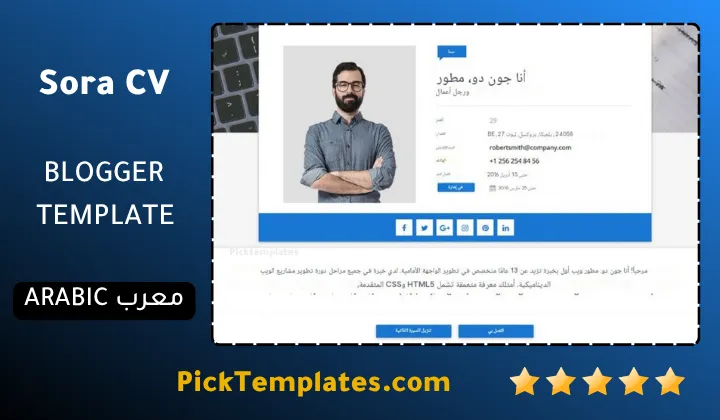
There is a free Arabic version that is copyright protected and was arabized by Picktemplates. There is also a free English version that is copyright protected and a paid English version. Both English versions were created by the Sora CV theme author SoraTemplates.
You can find more designs like the Sora CV theme inside the portfolio category on Picktemplates.
Information
| Template Name | Sora CV |
| Version | 2.0.0 |
| Creation Date | 01 November 2017 |
| Last Update | 24 January 2023 |
| Platform | Blogger |
| Author | Soratemplates |
Version Comparison
| Template Features | Free | Pro |
| 100% Responsive Design | ✔ | ✔ |
| Google Testing Tool Validator | ✔ | ✔ |
| Google Rich Results | ✔ | ✔ |
| Custom 404 Page | ✔ | ✔ |
| Fast Loading | ✔ | ✔ |
| Whatsapp Sharing | ✔ | ✔ |
| Featured Widgets by (Label, Recent or Random) | ✖ | ✔ |
| Blogger, Disqus or Facebook Comments | ✔ | ✔ |
| Drop Down Menu | ✔ | ✔ |
| SEO Optimized | ✔ | ✔ |
| Social Sharing | ✔ | ✔ |
| Browser Compatibility | ✔ | ✔ |
| Remove Footer Copyrights | ✖ | ✔ |
| Awesome About Section | ✔ | ✔ |
| Post Shortcodes | ✔ | ✔ |
| Blogger Template Customizer | ✔ | ✔ |
| Lifetime Template Updates | ✖ | ✔ |
Features
- Modern one page resume and portfolio layout
- Fully responsive design for desktop and tablet and mobile
- Profile header with photo and bio and personal details
- Download CV and Contact Me buttons under the bio
- Professional Skills section for your main tools
- My Experience timeline grouped by era and year
- My Interest section with short tags
- From the Blog area with thumbnails and labels
- Testimonials section for client feedback
- Pricing section with three package boxes
- Get in Touch contact form with contact details
- Multi level drop down menu
- Shortcodes page for post and page formatting
- Custom error page and sitemap support
- SEO ready and ads ready structure with fast loading
- Social icons and WhatsApp sharing support
Conclusion
Sora CV Blogger Template gives you a fast and simple way to publish a resume site with skills and a career timeline on one page. The Download CV button and the contact form make it easy for visitors to reach you.
It is not the right choice for a large agency or a photographer who needs full screen galleries. It also feels dated and free users get no support so you should be ready to edit the details yourself.
Expert opinion from Mouhssine Boukou with 10 years of experience. I rate Sora CV as a solid pick for a personal resume page and not for a big showcase. I would remove the placeholder labels and fix the zoom limit on day one and then spend my time on writing strong timeline entries.
We have localized the free version of the Sora CV template into Arabic and fixed the Right-to-Left (RTL) layout issues to make it easier to use on Arabic blogs.