
Table of Contents
Contents
Welcome to Picktemplates. Sora Paper is a free newspaper style Blogger template that can carry many topics on one homepage without looking crowded. It is a good pick for news sites and general magazines and it asks for very little setup. It is also an older design from 2019 so it has limits that you should read about before you download it. If you want to compare a similar clean grid look you can open the Magfolio Template review first.
The short answer is yes. Sora Paper Blogger Template is worth using if you want a calm and classic magazine look with strong category control and fast loading. It is not the right choice if you want modern sliders or animated blocks.
Why Sora Paper Suits Multi Category Magazines
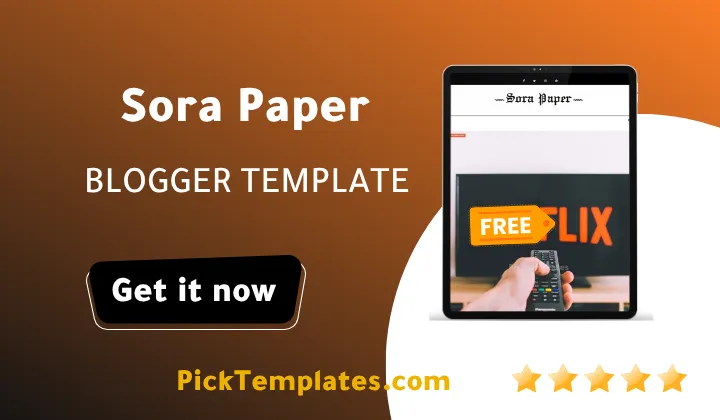
The live demo makes the idea easy to see. The header carries a mega menu and a multi level dropdown. Below it sits a featured post followed by a clean stream of posts. Each post wears a small colored label such as Technology or Fashion or People or Photography. That label system is the heart of the Sora Paper Template because it lets one homepage speak to many different readers.
The right sidebar keeps the same calm tone. It holds popular posts and categories and tags and a video subscribe box and a Facebook widget. The footer closes with a simple menu for Home and About and Contact Us. Nothing fights for attention. The greyish background and white cards and red accents make every headline easy to scan.
How the Homepage Handles Many Topics
A magazine that covers technology and fashion and learning at once usually turns into a messy wall of posts. Sora Paper avoids this with three habits. It keeps one column for the main feed. It uses colored labels to separate subjects. It pushes deeper browsing into the mega menu and the tag cloud. I would still plan your label names before publishing because the demo shows how random labels can confuse readers. A post about oil and gas jobs sits under a Fashion label there. That is dummy content but it proves that label discipline is your job and not the template job.
Key Features That Help Curators
These are the parts of the template that matter most when you mix many categories in one magazine. I picked the ones that really change how a visitor moves through your site.
- A mega menu that groups many categories under a single header link.
- Multi level dropdown menus for pages and sections.
- Colored post labels that show the topic at first glance.
- Popular posts and recent posts widgets in the sidebar.
- Email subscription widget support and WhatsApp sharing.
- An ads ready layout for banners.
Keep the mega menu to your five or six strongest topics. A giant menu with twenty items defeats the point of curation and slows down mobile visitors.
Sora Paper belongs to a family of newspaper themes from the same studio. If you need a heavier news layout with more homepage blocks you can read the Sora News Blogger Template review as a comparison.
Setting Up Sora Paper Step by Step
The setup is simple but the order matters. Follow these steps in this order and you will avoid the layout glitches that beginners often meet on a fresh install.
- Download the template and open the Blogger dashboard then go to Theme and use Backup to save your current design.
- Upload the XML file through the Restore option and wait for the theme to save.
- Create your categories as labels first and then publish at least ten posts with featured images.
- Open the Layout section and fill the sidebar widgets one by one.
- Build the mega menu links by following the designer documentation.
- Test the homepage on a real phone before you share it.
Always back up your old theme before restoring a new XML file. A backup takes ten seconds and can save a whole weekend of work.
Use landscape images with the same ratio for every post. Mixed image sizes are the fastest way to break the tidy rhythm that makes this template feel like a printed newspaper.
Performance and Mobile Behavior
The designer lists the template as fast loading and responsive with AMP support. The demo layout feels light because it relies on simple cards and small thumbnails instead of heavy sliders. That helps on weak mobile networks. One technical detail is worth knowing. The viewport tag in the demo blocks pinch zoom. Some readers with weak eyesight depend on zoom so you may want to relax that setting if you are comfortable editing the theme code.
Honest Weak Points
No template is perfect and Sora Paper theme is no exception. These are the issues I would weigh before building a serious publication on it.
- The design looks dated next to newer magazine themes.
- The last fix came in March 2022 so do not expect new features.
- The demo homepage shows no visible slideshow even though the feature list mentions one.
- There is only one right sidebar so layout variety is limited.
- Free users get no support from the designer.
- Pinch zoom is blocked by default on mobile.
If you need a hero slider or a modern card system you should compare other magazine templates before you commit to this one.
The demo uses placeholder text and mismatched labels. Your real site will only look as polished as the images and categories you prepare. Spend your first week on content and not on tweaking colors.
Who Should Use This Template
Sora Paper fits beginners who want a clean news style blog with little setup. It also fits small magazines that publish across travel and review and fashion and life style topics. It does not fit high budget news brands that need a full editorial toolbox.
Available Versions
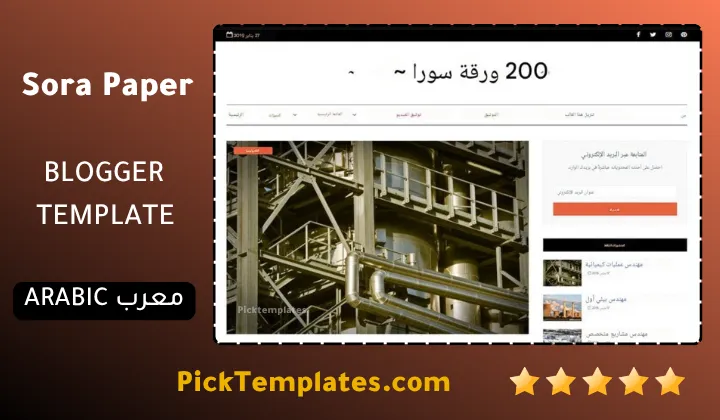
There is a free Arabic version that is copyright protected and was arabized by Picktemplates. There is also a free English version that is copyright protected and a paid English version. Both English versions were created by the designer SoraTemplates. Pick the version that matches your audience and your budget.
You can browse more options in the magazine Blogger templates collection if you want to compare several styles side by side.
Information
| Template Name | Sora Paper |
| Version | 2.0.0 |
| Creation Date | 15 January 2019 |
| Last Update | 11 March 2022 |
| Platform | Blogger / Blogspot |
| Author | Soratemplates |
Version Comparison
| Template Features | Free | Arabic | Pro |
| 100% Responsive Design | ✔ | ✔ | ✔ |
| Google Testing Tool Validator | ✔ | ✔ | ✔ |
| Google Rich Results | ✔ | ✔ | ✔ |
| Custom 404 Page | ✔ | ✔ | ✔ |
| Fast Loading | ✔ | ✔ | ✔ |
| Awesome Ajax Mega Menu | ✖ | ✖ | ✔ |
| Boxed Mode | ✔ | ✔ | ✔ |
| Customk Featured Post | ✖ | ✖ | ✔ |
| Whatsapp Sharing | ✔ | ✔ | ✔ |
| Featured Widgets by (Label, Recent or Random) | ✖ | ✖ | ✔ |
| Blogger, Disqus or Facebook Comments | ✔ | ✔ | ✔ |
| Drop Down Menu | ✔ | ✔ | ✔ |
| SEO Optimized | ✔ | ✔ | ✔ |
| Social Sharing | ✔ | ✔ | ✔ |
| Browser Compatibility | ✔ | ✔ | ✔ |
| Remove Footer Copyrights | ✖ | ✖ | ✔ |
| Awesome About Section | ✔ | ✔ | ✔ |
| Post Shortcodes | ✔ | ✔ | ✔ |
| Blogger Template Customizer | ✔ | ✔ | ✔ |
| Lifetime Template Updates | ✖ | ✖ | ✔ |
Features
- Newspaper style layout with a clean greyish look and a red action color
- Fully responsive design for phones and tablets
- Mega menu for grouping many categories
- Multi level dropdown navigation menu
- Colored post labels on every thumbnail
- Right sidebar with popular posts and recent posts widgets
- Tabbed widget ready
- Slideshow widget ready
- Email subscription widget ready
- WhatsApp sharing and social bookmark buttons
- Ads ready spaces for banners
- SEO ready structure with AMP support
- Fast loading code base
- Post thumbnails and gallery support
- Three column footer
- Shortcodes page for post formatting and a custom error page
Conclusion
Sora Paper Blogger template is a calm and practical choice for anyone who wants a classic newspaper look without paying anything. Its mega menu and colored labels make it a fair fit for sites that mix many topics. It loads lightly and it is easy to set up with the designer documentation.
It is not a template for creators who want modern sliders or animated blocks. The design dates from 2019 and the last fix is from 2022. If you accept those limits and focus on strong images and clear categories it can still serve a serious blog well.
Expert opinion by Mouhssine Boukou with 10 years of experience. I would recommend Sora Paper to beginners who value simplicity and speed over fancy effects. I would not pick it for a news brand that needs a full editorial toolbox. Test the demo on your own phone first and then decide.
We have localized the free version of the Sora Paper template into Arabic and fixed the Right-to-Left (RTL) layout issues to make it easier to use on Arabic blogs.