
Table of Contents
Contents
Welcome to Picktemplates. OneJob Blogger Template is a free one page portfolio and resume theme from SoraTemplates. It helps freelancers lead a visitor from a short intro to a contact form in one smooth scroll. If you want to compare it with another clean portfolio theme you can also look at the Ommi Template.
The short answer is yes. OneJob theme is a solid pick if you want a fast and simple site that helps you get hired. It is not the right pick if you need a sidebar or a heavy magazine style blog.
OneJob Template Review for Freelancers Who Want More Clients
How the One Page Flow Turns Visitors into Leads
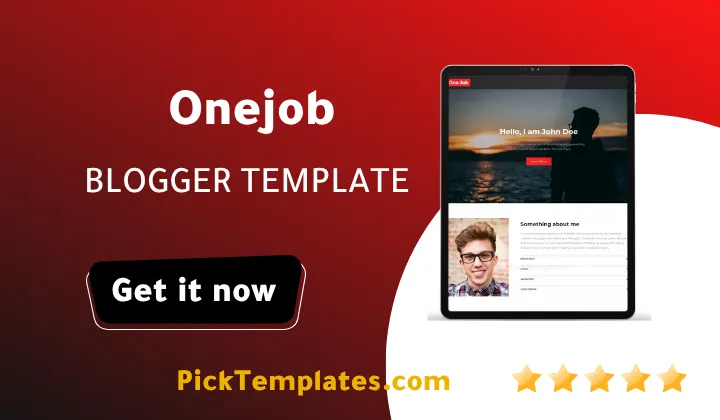
The live demo opens with a bold hero intro that says “Hello I am John Doe”. Right after it you get an about section and four skill progress bars. Then come three service blocks for branding and identity and web development and social media marketing. The page continues with a recent works grid and a client testimonials area and ends with contact info and a contact form.
This order matches the questions a client asks in their head. Who are you and what can you do and can I see proof and can I trust you and how do I reach you. Every section answers one of those questions and the last section gives the visitor a place to act. That is the real strength of OneJob for lead generation.
What You Get Inside the Template
OneJob Template is built around a small set of clear sections. Each one has a job to do in your sales story. Here are the parts you will use the most.
- A fast loading one page layout with a clean and minimal structure that never distracts the client.
- Skill progress bars that show your level in tools like Bootstrap and JavaScript.
- Service blocks that let you explain what you sell in one short sentence each.
- A recent works grid built from blog posts with thumbnails and a Show more button.
- A testimonials area with a client photo and a name and a job title.
- A contact area with a details list and a contact form and social icons.
- A red black and white color scheme with a customizer for other colors.
Remember that every block is plain text in the demo. You will need to replace all of it with your own words and photos before the page can convince anyone.
Write your hero line as a promise to the client and not as a job title. Say who you help and what result they get.
If you prefer a layout that feels more like a digital resume you can compare OneJob with the Inbio Blogger Template before you install anything.
How to Set It Up Without Mistakes
The setup is simple for anyone who has installed a Blogger theme before. Follow these steps in order and keep a backup of your old theme.
- Download the template from the SoraTemplates page and unzip the file.
- Back up your current theme from the Blogger theme menu.
- Upload the XML file using the restore option and wait for the page to reload.
- Replace the hero text and your photo and the about section.
- Update the skill labels and the service blocks with your real offers.
- Publish each project as a post with a thumbnail and a clear label so it appears in the works grid.
- Fill in your contact details and add the contact form widget.
Take your time with step six. The works grid is only as strong as the thumbnails you upload.
The demo skill list shows a label that reads HTML578%. This is a typing slip in the demo content. Check every skill name and percentage before you publish so a client never sees a careless detail.
Honest Pros and Cons
OneJob does a few things very well. It loads fast and it keeps the focus on you and it gives you a clear path from introduction to contact. The one page structure is easy to understand for both you and your visitors. It also works for agencies and schools and charities and product landing pages.
It also has limits you should know about before you choose it. Here are the weak points I would flag.
- The demo uses placeholder text so you have to write every section yourself.
- The design was created in 2018 and fixed in 2022 so it looks simple next to newer themes.
- The demo viewport setting limits pinch zoom on phones which can hurt accessibility.
- There is no built in pricing table or booking tool so you need external links for that.
- Free users do not get support from the author.
- A single page leaves little room for long case studies unless you write full blog posts.
None of these points is a deal breaker for a personal portfolio. They matter more if you plan to run a large agency site.
Who Should Use OneJob
OneJob theme fits freelancers and designers and developers who want a quick personal site that brings in messages. It also suits small service businesses that only need a clear page and a contact form. If you want a deep magazine blog with many categories you should look elsewhere.
Free and Paid Versions
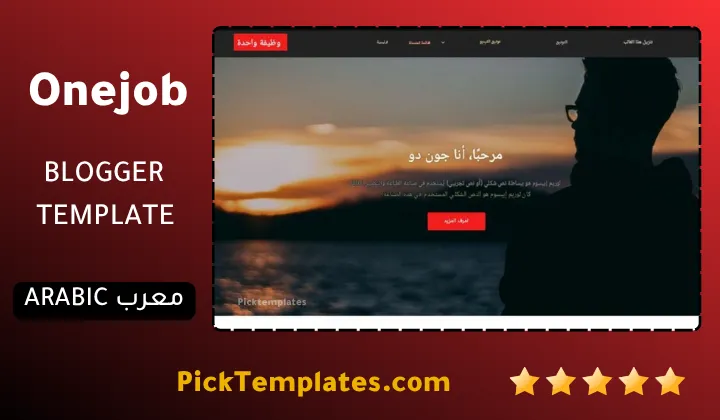
There is a free Arabic version that is copyright protected and was arabized by Picktemplates. There is also a free English version that is copyright protected and a paid English version both created by the designer SoraTemplates. Choose the version that fits your language and your budget.
You can explore more options in our portfolio Blogger templates category.
Information
| Template Name | OneJob |
| Version | 2.0.0 |
| Creation Date | 02 August 2018 |
| Last Update | 07 August 2022 |
| Platform | Blogspot |
| Author | Soratemplates |
Version Comparison
| Template Features | Free | Arabic | Pro |
| 100% Responsive Design | ✔ | ✔ | ✔ |
| Google Testing Tool Validator | ✔ | ✔ | ✔ |
| Google Rich Results | ✔ | ✔ | ✔ |
| Custom 404 Page | ✔ | ✔ | ✔ |
| Fast Loading | ✔ | ✔ | ✔ |
| Intro-Author | ✖ | ✖ | ✔ |
| Whatsapp Sharing | ✔ | ✔ | ✔ |
| Intro-Services | ✖ | ✖ | ✔ |
| Blogger, Disqus or Facebook Comments | ✔ | ✔ | ✔ |
| Drop Down Menu | ✔ | ✔ | ✔ |
| SEO Optimized | ✔ | ✔ | ✔ |
| Social Sharing | ✔ | ✔ | ✔ |
| Browser Compatibility | ✔ | ✔ | ✔ |
| Remove Footer Copyrights | ✖ | ✖ | ✔ |
| Awesome About Section | ✔ | ✔ | ✔ |
| Post Shortcodes | ✔ | ✔ | ✔ |
| Blogger Template Customizer | ✔ | ✔ | ✔ |
| Lifetime Template Updates | ✖ | ✖ | ✔ |
Features
- Clean one page portfolio layout with a smooth section flow
- Fast loading design with minimal code
- Fully responsive on phones and tablets and desktops
- Browser compatibility across all major browsers
- Skill progress bars for tools and services
- Service blocks for branding and web development and marketing
- Recent works grid with thumbnails and a Show more button
- Testimonials area with client photo and job title
- Contact info list and contact form section
- Social media icons in the footer
- Drop down menu for extra pages and documentation links
- Template customizer for unlimited color options
- Red black and white default color scheme
- SEO ready and AMP support
- WhatsApp sharing for posts
- Two columns footer and a no sidebar layout
Conclusion
OneJob blogger template is a simple and fast one page theme that turns a plain Blogger site into a personal portfolio. Its section order follows how clients think so it guides them from your intro to your contact form without friction.
It is not perfect. The design feels dated and it lacks pricing and booking tools and the free version has no support. If you can live with those limits and you are ready to write your own content it is a strong free starting point.
Expert opinion from Mouhssine Boukou with 10 years of experience. I would use OneJob for a freelancer who wants to launch in one afternoon. The structure is honest and easy to edit. But do not leave the demo text in place. A portfolio only wins clients when the words and the project images prove real work.
We have localized the free version of the OneJob template into Arabic and fixed the Right-to-Left (RTL) layout issues to make it easier to use on Arabic blogs.