
Table of Contents
Contents
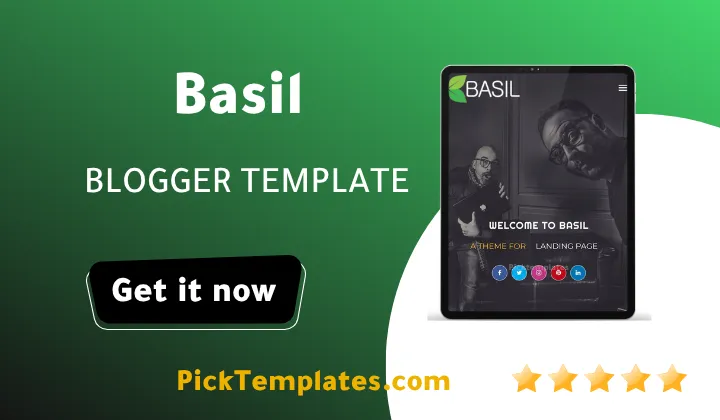
Welcome to this complete look at Basil Blogger Template. If you want a straight answer here it is. Basil is a solid portfolio and agency style template built by SoraTemplates and it works best for freelancers small studios and creative teams who want a single homepage that presents services team members and finished work without touching a line of code.
This review walks through every section of the Basil Template from the service blocks down to the contact form. It also points out a few rough edges you should know about before you install it on your own blog. You can also check out the Parallax Blogger Template.
A free Arabic copy of this theme exists online and it was translated and adapted by Picktemplates under its own copyright terms. The original English version stays free through SoraTemplates while a premium build with extra support is sold through the developer.
Why Basil Works So Well For Agencies And Freelance Teams
Basil was built around one idea. A single page can pitch a whole studio instead of scattering services across separate posts. The layout groups the offer the people and the finished projects into one scroll so a visiting client never has to dig for proof that the studio can deliver.
How The Service And Team Sections Work
The homepage opens with a services block split into three columns. Each column carries an icon a short title and a line of supporting text so visitors immediately understand what the studio actually does.
Right below the services block sits a full team display built for agencies that want to put real faces next to real names. Here is what ships inside that section.
- A dedicated photo and name for every listed team member
- Job title space right under each name for quick context
- Social icons linking straight to each member profile
- A short background block placed above the team photos
Small studios often skip this kind of display because building it by hand takes real effort. Basil hands it over already wired up which saves a good amount of setup time.
Keep every team photo cropped to the same aspect ratio before upload. Mismatched image sizes are the fastest way to make an otherwise clean agency page look unfinished.
The Working Process Timeline And Client Trust Signals
Under the team section Basil places a four step working process timeline labeled Concept Prepare Retouch and Finalize. This kind of visual walkthrough helps a new client understand how a project moves from first call to final delivery before they ever reach out.
Setting Up Basil On Your Own Blog
Installing Basil follows the same routine as most Blogger themes. Upload the XML file through the theme settings then swap out placeholder text images and links section by section.
The developer also published a full written walkthrough alongside a video guide for anyone who prefers to watch each step performed live. Setup generally follows this short sequence once the file is uploaded.
- Back up the current theme before uploading the new XML file
- Open the layout editor and replace every placeholder image
- Update the services team and testimonial widgets with real content
- Connect the contact form to a working email address
- Preview the mobile view before publishing any changes live
None of these steps demand coding knowledge on their own. The one place beginners tend to get stuck is the multi level dropdown menu since it hides extra options that are easy to miss on a first pass. Once every widget is updated, the Basil Theme homepage is ready to publish and share with real clients. For another great alternative, explore the Cybor Blogger Template.
Feature Table And Customization Guide
The table below sums up where Basil sits as a working tool along with a link to the full setup and customization guide published by the developer.
| Setup And Customization | Full Basil Blogger Template Setup Guide |
| Layout Style | One page portfolio and agency scroll |
| Best For | Freelancers small studios and creative agencies |
Where Basil Still Delivers
Several parts of Basil hold up well even years after its original release in 2017. The following points stood out the most while going through the template section by section.
- Clean one page structure that loads fast on most hosting setups
- Built in team and testimonial sections save real design time
- AMP support helps mobile pages open faster in search results
- Wide social media icon set covers most common platforms
These strengths make Basil a fair pick for anyone who wants a working agency style page without hiring a separate developer.
Where Basil Falls Short
No template stays perfect forever and Basil is no exception here. A few limits are worth knowing before committing to it.
- The visual style has not changed much since the 2017 launch
- Project counters and stats need manual editing since they are static
- The multi level dropdown menu can confuse first time visitors
- Free support is limited so paid buyers get priority help
None of these issues are dealbreakers on their own but they do explain why some users move to a newer premium option after a while.
Final Verdict
Basil theme still earns its place among free portfolio themes for Blogger mostly because it packages services team display and client trust signals into one clean scroll. It fits freelancers small creative studios and anyone who needs a fast professional looking homepage without custom coding. Anyone who wants more options can browse further picks through the Blogger Templates portfolio collection before making a final choice.
Information
| Template Name | Basil |
| Version | 3.0.0 |
| Creation Date | 26 August 2017 |
| Last Update | 18 February 2023 |
| Platform | Blogger |
| Author | Soratemplates |
Version Comparison
| Template Features | Free | Pro |
| 100% Responsive Design | ✔ | ✔ |
| Google Testing Tool Validator | ✔ | ✔ |
| Google Rich Results | ✔ | ✔ |
| Custom 404 Page | ✔ | ✔ |
| Fast Loading | ✔ | ✔ |
| Whatsapp Sharing | ✔ | ✔ |
| Blogger, Disqus or Facebook Comments | ✔ | ✔ |
| Drop Down Menu | ✔ | ✔ |
| SEO Optimized | ✔ | ✔ |
| Social Sharing | ✔ | ✔ |
| Browser Compatibility | ✔ | ✔ |
| Remove Footer Copyrights | ✖ | ✔ |
| Awesome About Section | ✔ | ✔ |
| Post Shortcodes | ✔ | ✔ |
| Blogger Template Customizer | ✔ | ✔ |
| Lifetime Template Updates | ✖ | ✔ |
Features
- Fully responsive layout that adjusts to phones tablets and desktop screens
- Clean HTML5 and CSS3 code base built for easy editing
- Built in contact form widget ready for client messages
- Dedicated team member section with photo and social links
- Rotating testimonial slider for client feedback display
- Four step working process timeline for agency style pitching
- Multi level dropdown navigation menu for larger menus
- SEO ready markup structure for better search visibility
- AMP support for faster loading on mobile search results
- Custom styled 404 error page included in the package
- Right sidebar option available for standard blog posts
- Social bookmarking icons built into every post footer
- Related posts widget shown under each published article
- Cross browser support tested across major modern browsers
- Free lifetime updates provided directly by the developer
Conclusion
Basil Blogger Template remains a dependable choice for freelancers and small creative teams who need a working portfolio site without writing custom code. The service blocks team display and testimonial slider work together to build trust with new visitors from the very first scroll.
The design shows its age in a few places and the free version comes with limited support but the core layout still performs well for a fast professional looking homepage. Anyone comfortable with basic Blogger settings should be able to launch a finished site within a single afternoon.
In the opinion of Mouhssine Boukou who brings 10 years of experience to this niche Basil still holds up as a practical free pick for new freelancers who need to look established from day one but the missing free support should be treated as a real limitation rather than a minor detail.
We have localized the free version of the Basil template into Arabic and fixed the Right-to-Left (RTL) layout issues to make it easier to use on Arabic blogs.