
Table of Contents
Contents
Welcome back to the blog. If you only have one question about Generik blogger template here is the short answer. Generik is a free multi category Blogger theme built for magazine style sites that publish across topics such as beauty business fashion travel and technology all on the same homepage without the layout turning into a mess.
People who first look at a business style layout like the Metronic Blogger Template often ask which theme actually handles a wide topic spread better and for a true multi niche magazine the answer leans toward Generik theme because almost every widget inside it was built around sorting content rather than promoting one single brand voice.
A Homepage Built Around Many Categories At Once
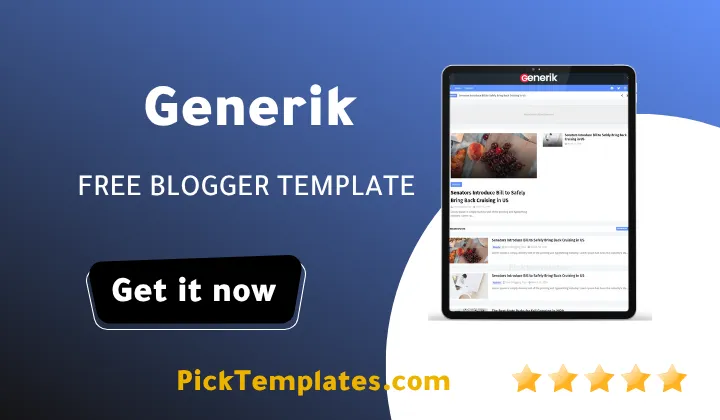
The live demo makes this purpose obvious the moment it loads. Categories such as Beauty Business Fashion Learn Nature Photography and Technology all sit on one homepage grid and every post card keeps its own label so a reader never loses track of which section they landed in.
The navigation bar carries a full mega menu with several dropdown levels so a magazine covering dozens of subtopics can still keep its header short. A separate mega menu demo page inside the theme shows exactly how deep this navigation can go before it starts to feel crowded.
Running a site with several unrelated topics usually turns into a fight against homepage clutter. Generik Template handles most of that fight through a short set of built in tools that any editor can switch on from the Blogger layout screen without touching a single line of code.
- A mega menu widget that groups subcategories under clear parent labels
- A popular posts widget that pulls the best performing articles regardless of category
- A featured post block that lifts one story above the rest of the grid
- A tags widget paired with a categories widget that shows a live post count for each label
- A newsletter subscribe box next to an embedded video for returning visitors
None of these widgets need custom code and every one of them can be dragged into place through the standard Blogger layout editor in a few minutes.
Where The Speed Comparison Comes In
A homepage carrying this many thumbnails and widgets naturally raises questions about loading time. Placed next to a speed first option like the Nitro Blogger Template Generik trades a small amount of raw speed for a much richer homepage and that trade tends to pay off once a blog grows past three or four active categories.
SEO And Technical Notes Worth Knowing
Generik ships with AMP support and markup built to help search engines read category and post pages correctly. Sites that have run the theme for a full year report steady indexing on Google with no unusual crawl errors though AMP performance on Blogger still depends heavily on how many extra scripts get added later on.
Keep the number of homepage widgets close to what the free demo ships with. Every extra script added later slows the mega menu down more than any single image ever will.
Setting Up Categories Before The First Post Goes Live
Editors switching from a single topic blog to a multi category magazine often make the same mistake early on. They start publishing before deciding how many top level labels the mega menu should actually carry and end up rebuilding the navigation twice within the first month. Generik makes that rebuild easy since every dropdown level lives inside the layout editor rather than the template code but planning five or six core categories on paper before the first post still saves real time later.
New users moving files over from a single niche blog should also check how the tags widget behaves once dozens of labels pile up. Generik shows a live count next to each tag and category which looks clean with ten or twelve labels but starts to feel noisy past thirty so grouping smaller topics under a shared parent label inside the mega menu keeps the sidebar readable.
Social Sharing And Building A Return Audience
Every post template includes social bookmark buttons along with WhatsApp sharing which matters for magazines targeting readers who share stories through messaging apps rather than traditional social feeds. The newsletter subscribe box sitting near the sidebar video works the same way turning a one time visitor arriving from a shared link into someone who comes back for the next roundup post.
None of this replaces a dedicated email platform but as a starting point built directly into a free Blogger theme it covers the basics that a growing multi category magazine actually needs during its first year.
Honest Strengths And Weak Points
Here is what stands out after spending real time inside the demo and the layout editor itself.
- Clear category separation across Beauty Business Fashion Learn Nature and Technology
- A mega menu that stays readable even with several dropdown levels active
- The free version already includes AMP support and social sharing buttons
- Fast loading pages despite a homepage full of thumbnails
These four points explain why the theme keeps showing up on best of lists for multi topic Blogger magazines.
No template is perfect and Generik has a few rough edges worth knowing before installation.
- The free version limits certain widget positions that the premium release unlocks
- Deep mega menu structures need manual editing inside the layout screen which can confuse first time Blogger users
- A few category icons in the demo are placeholders and need to be swapped for real images
- Support is not included with the free download so troubleshooting falls on the site owner
Weighing these points against the organizational strengths above still leaves Generik as a solid pick for a category heavy blog running on a limited budget.
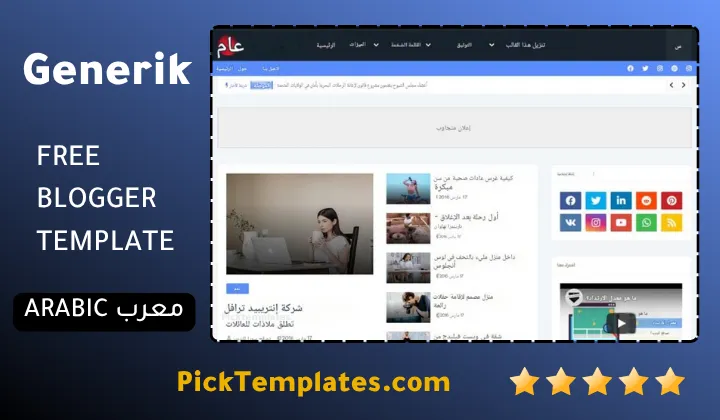
One more thing worth knowing before downloading anything relates to the editions in circulation. A free Arabic version exists and it was localized by Picktemplates under its own copyright terms while the original free English release along with its paid upgrade both come directly from the template author Templatesyard.
Anyone still comparing category heavy magazine layouts before making a final choice can browse the full list of magazine Blogger templates to see how Generik Theme stacks up against similar options.
Information
| Template Name | Generik |
| Version | 2.0.0 |
| Creation Date | 18 August 2021 |
| Last Update | 20 January 2022 |
| Platform | Blogger / Blogspot |
| Author | Templatesyard |
Features
- How To Setup Generik Blogger Template
- Clean magazine layout built around a blue and white color palette
- Full mega menu with multiple dropdown levels for large category lists
- Dedicated right sidebar for ads popular posts and newsletter signup
- SEO friendly structure aimed at Google Bing and Yahoo
- Fully responsive design across phones tablets and desktops
- Google AMP support for faster mobile page loading
- Social bookmark buttons including WhatsApp sharing
- Lightweight code built to keep pages loading fast
- Blogger Layout Version 3.0 support for easier widget management
- Three column footer with extra room for links and widgets
- Post thumbnail support across the homepage and category pages
- Cross browser compatibility across all major browsers
- Free and premium editions available for different budgets
- Dedicated technology and general magazine category pages
- Minimalist design that keeps ad space visible without clutter
Conclusion
Generik earns its place among the better free Blogger magazine themes because it solves the one problem most multi topic blogs actually run into which is too many categories and not enough structure to hold them together. The mega menu the popular post widget and the live category counter work with each other instead of competing for the same sidebar space.
A new Blogger user can be up and running within an afternoon using nothing but the layout editor while a more experienced editor will likely want the paid edition for the extra widget positions it unlocks. Either path keeps the homepage readable even once the post count climbs into the hundreds.
After ten years reviewing Blogger themes for a living Mouhssine Boukou puts it plainly. Generik will not win a design award next to a premium magazine theme built from scratch but for a free download it handles category heavy chaos better than templates costing far more and that alone makes it worth installing on a new multi topic blog.
We have localized the free version of the Generik template into Arabic and fixed the Right-to-Left (RTL) layout issues to make it easier to use on Arabic blogs.