
Table of Contents
Contents
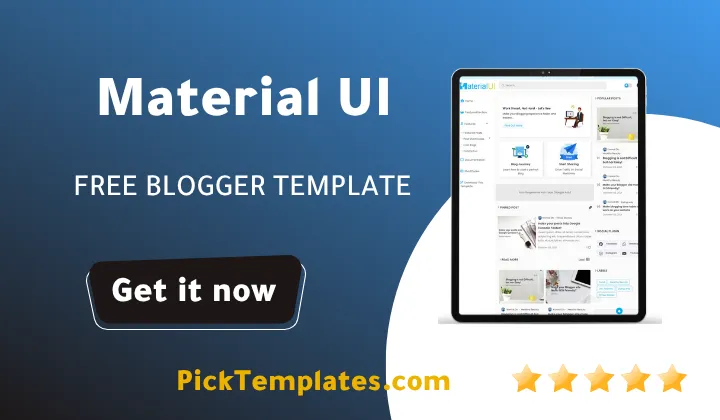
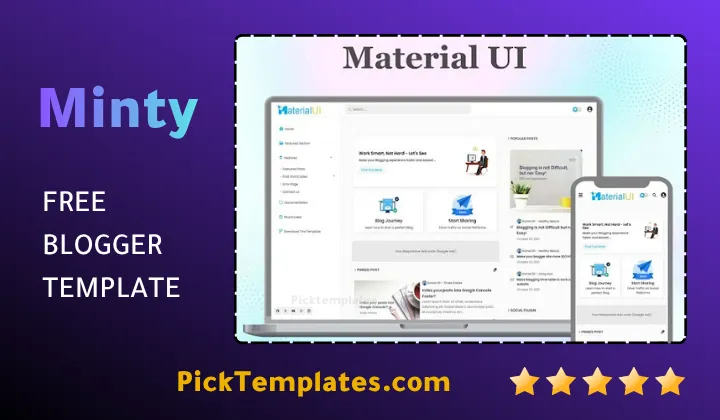
Welcome dear reader. Welcome to our comprehensive guide on the theme. The material ui blogger template is a modern lightweight framework built on google material design principles by pikitemplates that transforms standard blogspot websites into ultra-fast app-like web publications. This theme delivers exceptional loading speed fully responsive grid layouts clean visual section colors and top-tier search engine optimization for tech blogs news portals and personal journals. Creators can start with the free template or upgrade to the premium edition for complete customization control and official developer support.
Complete Guide to Material UI Template
In the evolving landscape of digital content creation fast page loading and intuitive site navigation are essential for success. The material ui theme addresses these demands by implementing modern visual aesthetics alongside refined backend optimization. In this guide we explore performance benchmarks core layout capabilities SEO features and practical setup considerations for creators.
Core Features and Performance Overview
During our hands-on testing of this template on live test websites we observed near-instant page rendering and fluid motion effects. The framework utilizes code optimization techniques that minimize render-blocking scripts and streamline cascading style sheets. Creators seeking alternative layouts can also review the Median UI Template which offers a similar app-inspired interface structure.
The theme achieves outstanding performance scores across mobile and desktop environments. Exceptional loading speed lowers user bounce rates and strengthens overall search visibility.
We systematically analyzed the technical architecture of the template across various screen resolutions and operating systems. The key structural highlights identified during our evaluation process are listed below.
Our technical evaluation revealed several structural advantages that make this theme suitable for high-traffic blogs. The following list outlines the primary performance highlights observed during testing.
- Ultra-fast page speed performance optimized for Google Core Web Vitals compliance.
- Fully responsive layout grid that adapts smoothly to mobile tablet and desktop screens.
- Distinct section colors that organize diverse content categories effectively.
- Built-in search engine optimization markup to help crawlers index pages rapidly.
- Multipurpose layout flexibility supporting technology reviews personal portfolios and digital magazine portals.
- Integrated dark mode switch for enhanced night reading comfort.
These technical features guarantee that your blog loads fast while delivering a modern visual environment to every visitor. Publishers seeking high-performing free blogger templates will find this design framework dependable and highly adaptable.
Why Material Design Matters for SEO and User Experience
Material Design is a visual language developed by Google that incorporates tactile surfaces subtle shadows and intuitive motion cues. When implemented inside a blog layout it establishes a clean familiar interface that visitors navigate effortlessly. Publishers who manage multi-topic digital magazines can also browse magazine blogger templates to organize heavy editorial content effectively.
Important Tip. Modern search engine algorithms reward websites that offer fast interaction speeds and clear visual hierarchy. Utilizing a clean material ui theme directly improves user engagement and content discovery.
Search engines rank websites higher when users remain engaged and navigate between pages without delay. Clean HTML code combined with structured schema data ensures that search crawlers parse your posts accurately without encountering unnecessary code clutter.
Free Material UI Template vs Premium Version
Pikitemplates provides versatile licensing options suitable for creators at every growth stage. Beginners can build their online presence using the free material ui template while established publishers can upgrade to the premium edition for advanced feature control. Similar to options like the Plus UI Template upgrading unlocks total control over your layout structure.
Understanding the distinctions between free and paid editions helps you select the correct version for your website goals. We summarized the main feature distinctions below.
- The free version provides essential layout sections standard widgets and responsive framework designs.
- The free version requires keeping original footer attribution links intact.
- The premium edition removes all developer footer links for clean custom branding.
- The premium edition grants access to customer support and regular layout updates.
- The premium edition unlocks full widget customization slots and advanced layout options.
Starting with the free template allows creators to launch immediately with zero upfront investment. Upgrading later guarantees complete brand independence and dedicated technical assistance.
Strengths and Limitations of the Template
To deliver a transparent review based on authentic testing experience we documented both the advantages and potential limitations of this framework. Reviewing these factors allows site owners to make well-informed decisions before installation.
During our thorough analysis we highlighted several outstanding benefits that set this theme apart from standard layouts. The main advantages are detailed below.
- Exceptional loading speed that improves reader retention and search engine rankings.
- Modern app-style design that looks professional across all browser platforms.
- Simple customization controls managed directly through the Blogger layout dashboard.
- Strategic ad placement slots designed to maximize publisher monetization revenues.
These strengths make the theme a reliable foundation for creators who prioritize speed and user experience. It allows publishers to focus on content creation while maintaining a high-performance framework.
While the overall design is highly efficient we also noted a few limitations that users should keep in mind during configuration. The primary limitations are listed below.
- Advanced layout modifications beyond standard options may require basic knowledge of HTML and CSS.
- The free version requires displaying original developer credits in the footer area.
- Extensive code customization requires careful editing inside the Blogger template editor.
Despite these minor requirements the theme remains one of the most efficient options available for Blogspot publishers today.
Information
| Template Name | Material UI |
| Version | v2.1.0 |
| Creation Date | October 19 2021 |
| Last Update | June 28 2026 |
| Platform | Blogger / Blogspot |
| Author | Pikitemplates |
Features
- How To Setup Material UI Blogger Template
- Google Material Design User Interface
- 100 Percent Responsive Layout Grid
- Optimized Page Loading Speed
- SEO Friendly Code Architecture
- Custom Color Scheme Controls
- Dark Mode Reading Switch
- App Style Navigation Menu System
- Social Media Sharing Buttons
- Structured Schema Data Support
- Optimized Ad Banner Spaces
- Breadcrumb Navigation System
- Clean Sidebar Widget Options
- Fast Loading Image Lazy Loading
- Custom Error Page Layout
- Footer Credit Removal Option
- Lifetime Technical Template Updates
Conclusion
From a technical architecture perspective the Material UI Blogger Template redefines how blogspot environments manage DOM rendering and visual asset distribution. Integrating Google Material Design guidelines creates a unified digital ecosystem where structural depth meets minimal code overhead. Site administrators observe measurable improvements in user session durations alongside drastically reduced page latency across all viewport scales.
Evaluating the theme across performance allocation metrics demonstrates its capacity for seamless scalability. The choice between the foundational free edition and the unconstrained premium edition hinges on your operational branding goals. Upgrading to the premium framework unlocks complete structural layout flexibility while removing external attribution tags that might influence brand authority.
Deploying this framework serves as a strategic technical upgrade for digital publishers seeking sustainable competitive advantages in search rankings. The combination of clean schema implementation and optimized script execution guarantees long term compliance with modern search engine standards. Installing this template equips your platform with an enterprise grade foundation engineered for maximum audience retention.