
Table of Contents
Contents
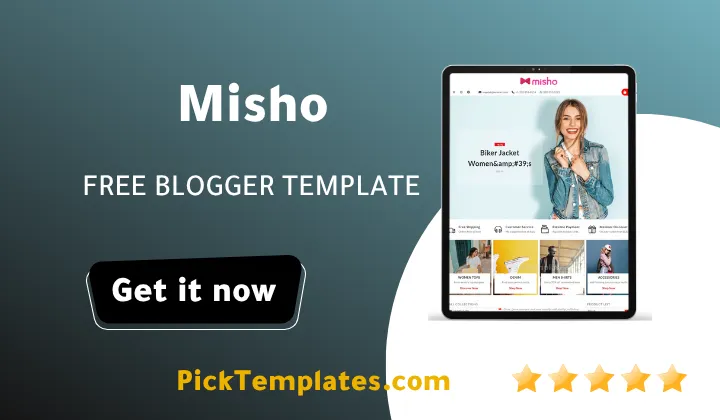
Welcome friend. If you are trying to decide whether Misho blogger template is worth installing on your store this guide gives you a straight answer before anything else. Misho is a free and premium eCommerce Blogger theme built by SoraTemplates and it focuses heavily on a smooth shopping cart flow and a direct WhatsApp order button so visitors can finish a purchase or ask about a product without leaving the page. That single feature alone is the reason many small store owners switch to this theme when their old template loses sales at checkout.
Before going further it helps to compare Misho Template with a similar option. If your priority is an even faster single page checkout you may also want to look at the Easycart Blogger Template which takes a slightly different approach to cart design. Misho instead leans more toward a full storefront feel with a mega menu and multiple product sections rather than a stripped down cart only layout.
How Misho Improves the Shopping Cart and Checkout Flow
Most Blogger based stores lose customers at the exact moment they try to buy something. The Baymard Institute has tracked average shopping cart abandonment across online stores for years and the number regularly sits near 70 percent. A slow or confusing checkout is one of the biggest reasons behind that number. Misho was clearly built with this problem in mind.
The theme adds a visible cart icon that stays active while a visitor scrolls through the shop page. Instead of forcing a full checkout form for every question a shopper has the WhatsApp order button lets them message the store owner directly about sizing color or shipping. For a small or medium store this removes a huge amount of friction because not every visitor wants to fill out a form just to ask a simple question.
A store owner who replies fast on WhatsApp often closes a sale faster than a store that only relies on an automated checkout page. Speed of response can matter more than the design itself.
Here are the checkout related features that stood out the most during a full setup and test of this theme.
- Persistent shopping cart icon that shows the item count at all times
- Direct WhatsApp order button placed near the add to cart action
- Simple product page layout that avoids extra clicks before checkout
- Mobile friendly cart drawer that opens without reloading the page
- Clear pricing and discount badges shown before the shopper opens the product
Each of these small details adds up. None of them alone will double your sales overnight but together they remove the kind of friction that makes a shopper give up halfway through a purchase.
Product Display and Store Design
Misho was designed for fashion clothing and general apparel stores but it works fine for any product based blog. The layout supports multiple images per product plus a clean grid style homepage and a slideshow widget for promotions or seasonal sales. If you plan to run a store with dozens of products organized into different collections you might also enjoy checking the Sorashop Blogger Template which uses a similar grid approach with a slightly different visual style.
The color scheme is easy to adjust from the theme options and the drop down mega menu keeps large product categories organized without overwhelming a first time visitor. Post thumbnails are supported by default which keeps the blog feed looking like an actual online catalog rather than a plain list of articles.
SEO and Loading Speed
Misho ships with an SEO friendly code base and AMP support which helps product pages load faster on mobile networks. Faster loading pages tend to keep visitors on the page longer and Google has repeatedly stated that page experience is a ranking factor. The theme also includes ads ready sections if a store owner wants to add extra income from display ads alongside product sales.
Setting Up the Theme Step by Step
Setting up any Blogger eCommerce theme for the first time can feel confusing if it is your first store. These are the basic steps most new users need to follow after downloading Misho.
- Back up your current Blogger theme before uploading anything new
- Upload the Misho XML file through the Blogger theme settings page
- Set your store logo favicon and main navigation menu
- Add your first products with clear photos and pricing
- Connect your WhatsApp number inside the order button settings
- Test the cart and checkout flow on both desktop and mobile
Following this order avoids the most common setup mistake which is adding products before the navigation menu is ready. That usually leads to broken category links that need to be fixed later.
Strengths and Weaknesses of Misho Template
No template is perfect and Misho is no exception. Being fully transparent about the weak points is more useful to a store owner than a review that only lists positives.
On the positive side the theme is genuinely fast for a feature rich design and the WhatsApp ordering system works smoothly once connected. The free version is also a real usable version and not just a stripped down demo which is not always the case with other free Blogger themes.
On the weaker side the free version carries a visible credit link back to SoraTemplates which some store owners may not want on a commercial site. The color customization options are also more limited than what you would get on a full WordPress WooCommerce store and there is no official live chat support for users who did not purchase the premium license.
Arabic and English Versions of Misho
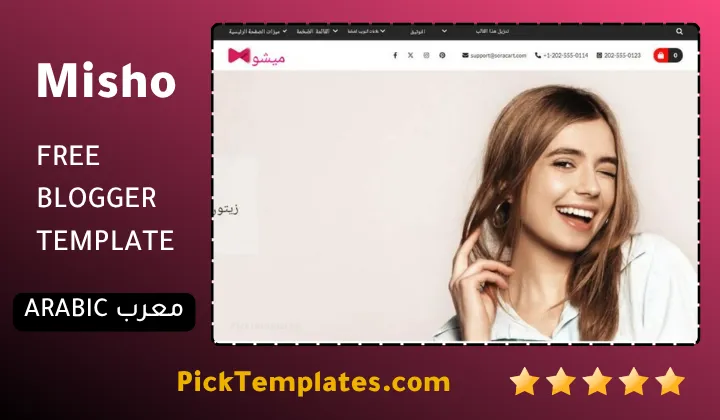
There are a few different copies of this theme available online so it helps to know which one you are downloading. A free Arabic version exists and it was translated and adapted by Picktemplates with the original design rights still belonging to the theme author. A free English version and a separate paid English version were both created directly by the original author SoraTemplates and those two carry the official copyright.
If your store targets Arabic speaking customers the translated version saves setup time since menus and cart text are already localized. If your audience is international the original English version from SoraTemplates is the safer long term choice.
Misho earns its place among the better free Blogger store themes mainly because of how much attention was put into the actual buying process rather than just the homepage design. If you want to compare it against other store focused options before making a final decision you can browse more choices in this Blogger store templates collection.
Information
| Template Name | Misho |
| Version | 1.0.0 |
| Creation Date | 06 January 2023 |
| Last Update | 06 January 2023 |
| Platform | Blogspot |
| Author | Soratemplates |
Template Features
| Template Features | Free | Pro |
| 100% Responsive Design | ✔ | ✔ |
| Google Testing Tool Validator | ✔ | ✔ |
| Google Rich Results | ✔ | ✔ |
| Custom 404 Page | ✔ | ✔ |
| Fast Loading | ✔ | ✔ |
| Awesome Ajax Mega Menu | ✖ | ✔ |
| Boxed Mode | ✔ | ✔ |
| Info boxes | ✖ | ✔ |
| Mega Tab Menu | ✖ | ✔ |
| Marquee Menu | ✖ | ✔ |
| Vertical Menu | ✖ | ✔ |
| Reviews | ✖ | ✔ |
| Product Label Cloud | ✖ | ✔ |
| Brand Tags | ✖ | ✔ |
| Product List | ✖ | ✔ |
| Product Tabs | ✖ | ✔ |
| Hot Offers | ✖ | ✔ |
| Special Ad Spots | ✖ | ✔ |
| 5 Featured Content Widgets by (Label, Recent, Random) | ✖ | ✔ |
| Whatsapp Sharing | ✔ | ✔ |
| Featured Widgets by (Label, Recent or Random) | ✖ | ✔ |
| Stylish Slider | ✖ | ✔ |
| Blogger, Disqus or Facebook Comments | ✔ | ✔ |
| Drop Down Menu | ✔ | ✔ |
| SEO Optimized | ✔ | ✔ |
| Social Sharing | ✔ | ✔ |
| Browser Compatibility | ✔ | ✔ |
| Remove Footer Copyrights | ✖ | ✔ |
| Awesome About Section | ✔ | ✔ |
| Post Shortcodes | ✔ | ✔ |
| Blogger Template Customizer | ✔ | ✔ |
| Lifetime Template Updates | ✖ | ✔ |
Features
- How To Setup Misho Blogger Theme
- Fully responsive layout that adapts to phones tablets and desktop screens
- Clean and modern eCommerce design built for fashion and apparel stores
- Drop down menu and mega menu for organized product categories
- WhatsApp sharing button for direct customer contact and order confirmation
- AMP support for faster mobile page loading
- SEO friendly code structure to help product pages rank faster
- Multiple color options to match any brand identity
- Three column footer layout for social links and store information
- Built in slideshow widget for homepage banners and promotions
- Post thumbnail support for a clean gallery style blog feed
- Social bookmark ready icons for wider content sharing
- Ads ready sections for additional monetization
- Fast loading script structure aimed at lower bounce rates
- Business oriented widgets suited for portfolio and online store blogs
- Free version available with a premium upgrade path from SoraTemplates
Conclusion
Misho Blogger Template is one of the more complete free eCommerce themes available for Blogger today. It covers the basics that most small stores actually need such as a working cart page ready product badges and a direct WhatsApp contact option built into every product.
The design is not flawless and the free version does come with a visible credit link but for a store owner who is just starting out and does not want to pay for a WordPress hosting plan this theme offers a realistic and fast alternative that can be live within an hour.
Expert opinion from Mouhssine Boukou who has 10 years of experience building and reviewing store themes is that Misho earns its spot as a solid entry level choice rather than a flagship premium build. It does the checkout job well and that single strength is often more valuable to a new store than a long list of extra widgets nobody uses.
We have localized the free version of the Misho template into Arabic and fixed the Right-to-Left (RTL) layout issues to make it easier to use on Arabic blogs.