
Table of Contents
Contents
Welcome friend. If you run a blog that mixes several topics under one roof then Paperify blogger template is a solid choice because its layout was built from day one to hold many news categories side by side without turning into a cluttered mess.
Compared with a template such as Plexify Paperify leans harder into wide category coverage which makes it a better match for a magazine style blog that covers tech sports and general news inside the same feed. The short answer is that Paperify theme handles a busy multi topic newsroom well as long as the site owner keeps the widget list under control.
How Paperify Handles Multiple News Categories At Once
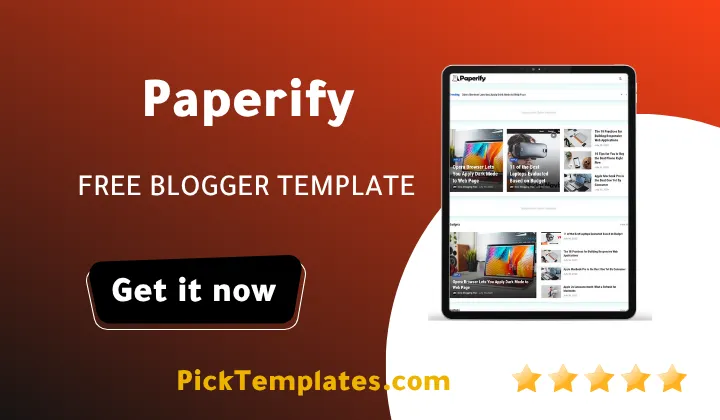
The live demo splits its homepage sidebar into small labeled blocks such as Trending Gadgets Laptops Android and Reviews. Each block pulls its own feed straight from a Blogger label so a reader scanning the page can jump into a topic without wading through everything else first. This kind of separation matters more on a news style blog than on a personal blog because a returning visitor usually wants one category and nothing more from a single visit.
A few structural choices make this kind of separation possible and they are worth listing out.
- Dedicated label based sidebar widgets for each major topic area
- A post counter shown next to every entry inside the main tags list
- A mega menu built with nested dropdown groups for deeper subtopics
- Automatic thumbnail pulling so each category still feels visually distinct
- A search bar paired with an off canvas mobile menu for smaller screens
None of these pieces is unique on its own but stacked together they let one single Blogger install behave like several small sites stitched into one address.
Grid And List Views For Daily Content Load
The Latest Post section on the homepage ships with a toggle between a grid view and a plain list view plus a Load More button that pulls in fresh posts without a full page reload. For a blog publishing a dozen or more articles a day across different sections this small feature saves a real amount of scrolling. A team covering both a product review and a sports recap on the same afternoon can keep both visible near the top instead of burying one under the other.
Setting the homepage to show a healthy mix of categories only takes a few steps.
- Open the Blogger layout editor and find the Latest Post gadget
- Decide how many posts should load per category
- Switch the default homepage view between grid and list
- Assign a label to every article the moment it gets published
- Test the Load More button on an actual phone before the page goes live
Skipping that last step is a common mistake among first time users since a homepage that reads fine on a wide desktop screen can still feel cramped once it lands on a small phone display.
Keep your label list short and steady from the very first week because renaming categories later breaks old permalinks and leaves returning readers confused about where their favorite section went.
Mega Menu And Multi Level Navigation
Anyone who has already tested a heavier layout like Blindz Template will notice that Paperify Template keeps its dropdown tree a bit shallower which actually helps a mobile visitor land on the right subtopic in two taps instead of three. The demo menu shows a Features tab branching into a Multi DropDown group with three separate dropdown columns underneath it which is roughly how a site owner running Tech Sports and General News verticals would want to split things once real content gets added.
Supporting Different Content Types Without Extra Plugins
A multi niche blog rarely lives on text alone and Paperify Theme covers that need without asking the owner to bolt on extra plugins. A dedicated video category widget keeps embedded clips separated from photo heavy posts. The grid post format works well for a gadget roundup while the dark mode toggle gives night time readers a softer screen. A full right to left Arabic mirror sits one click away from the footer which matters for any owner planning to run parallel Arabic and English sections from the same install.
Where This Template Might Fall Short
No template earns a perfect score and Paperify has a few rough edges worth knowing about before download. The scripts behind the dark mode toggle and the mega menu sit on an older jQuery base which can feel harder to touch directly for a total beginner who wants to change more than colors. Sidebar widget stacking also starts to look busy fast if a site owner switches on every gadget the theme offers instead of picking a handful.
The demo itself still carries plenty of placeholder lorem ipsum text inside the About widget and inside several sample posts so a new owner should expect to spend a fair chunk of the first afternoon swapping dummy content for real copy. And like most free releases support simply stops once the download link has been used so anyone stuck on a setup question is largely on their own outside of the linked documentation.
A Quick Look At Setup Related Features
| Documentation | Full setup walkthrough |
| Menu type | Mega menu with multi level dropdown groups |
| Content views | Grid and list toggle for the latest post section |
| Editions | Free Arabic edition free English edition and a paid English edition |
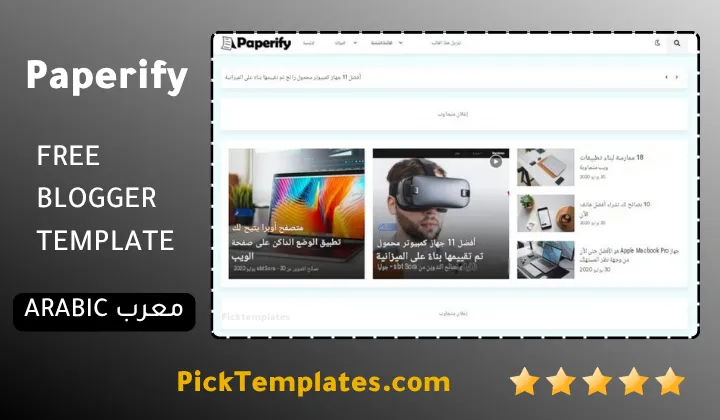
This Paperify also comes in a few different editions worth knowing about before you download anything. A free Arabic edition exists and it was translated by Picktemplates while it stays fully protected under copyright rules. A separate free English edition and a paid premium English edition were both built by the original author Templateify and neither one should be treated as interchangeable with the Arabic release.
Browse more layouts built for the same kind of multi topic newsroom inside the news template collection if Paperify still does not feel like the right fit for your project.
Information
| Template Name | Paperify |
| Version | 2.0.0 |
| Creation Date | 28 November 2021 |
| Last Update | 22 January 2022 |
| Platform | Blogspot |
| Author | Templateify |
Features
- How To Setup Paperify Blogger Template
- Includes a full dark mode toggle for comfortable night time reading
- Ships with a dedicated video category widget for multimedia posts
- Offers a complete right to left Arabic version accessible from the footer
- Comes with a mega menu built around multi level dropdown groups
- Uses a load more button so new posts appear without a page reload
- Supports AMP pages for faster loading on mobile search results
- Includes a homepage slideshow slider for featured stories
- Built with a clean SEO friendly code structure for easier indexing
- Loads quickly even with several sidebar widgets active at once
- Ready for Adsense with dedicated ad slots built into the layout
- Adds social bookmark buttons plus a direct WhatsApp sharing option
- Displays crisp retina ready images across every post thumbnail
- Includes a page navigation menu for easier access to older posts
- Uses a two column layout with one right hand sidebar
- Tested across major browsers for consistent visual behavior
Conclusion
Paperify earns its place among the better free options for anyone building a multi topic news blog on Blogger. The category separation feels deliberate rather than bolted on and that shows the most once real content starts filling every section.
Choose this template if your blog covers more than one beat and you want a homepage that can display all of it without looking like a pile up. Skip it if you only ever publish inside a single narrow topic since several of its best features simply will not get used.
After ten years spent reviewing Blogger themes for a living my honest take Mouhssine Boukou is that Paperify sits closer to a real newsroom layout than most free templates manage. The rough edges are minor next to how well it holds a busy multi category site together.
We have localized the free version of the Paperify template into Arabic and fixed the Right-to-Left (RTL) layout issues to make it easier to use on Arabic blogs.