
Table of Contents
Table
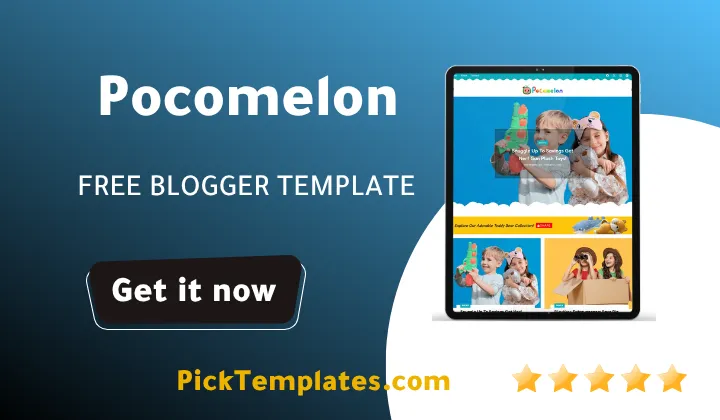
The Pocomelon blogger template is a colorful child-focused responsive theme designed specifically for educational blogs nurseries and toy shops. During our hands-on testing on a live Blogspot site we found that this layout provides great page speeds and a clear mobile view while using playful design elements to connect with parents. If you want a visual platform that displays preschool content cleanly without slowing down your server this template is a highly reliable layout choice.
Many creators struggle to find a balance between a playful visual design and strong technical performance. Often themes that feature bright colors and custom shapes are poorly coded which leads to slow page loading times and high bounce rates. In this comprehensive guide we analyze how this layout behaves under real testing conditions and look at its customization features to help you decide if it suits your blog.
The Visual Appeal and Practical Design of the Pocomelon Layout
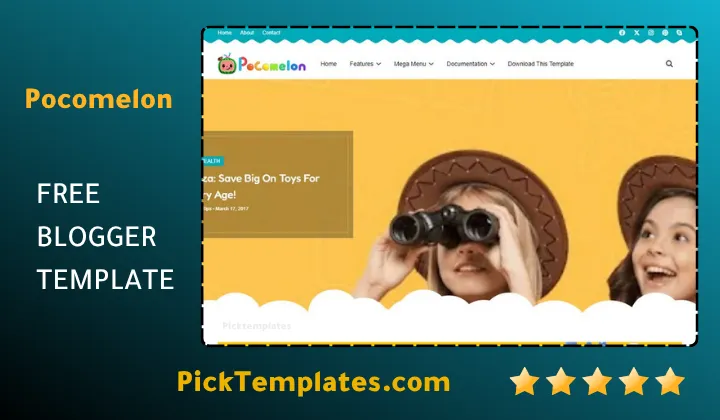
Childhood education blogs require a completely different design approach than standard corporate websites. While a business site relies on dark neutral tones an educational portal needs to feel warm welcoming and safe for families. Pocomelon theme achieves this by using soft rounded borders and a pastel multi-color scheme that feels cheerful yet professional. This visual environment immediately signals to parents that your platform is dedicated to early childhood development.
When we examined the structure of the homepage we noticed how well it handles different media types. Whether you are sharing daily preschool activities or downloadable worksheets the layout places your images in the spotlight. Many successful educational bloggers structure their sites like online publications using layouts from the magazine blogger templates collection to present diverse topics. Pocomelon Template replicates this strategy by allowing you to display multiple category feeds on a single homepage.
The layout also places a heavy emphasis on clear typography because parents often search for nursery details on their mobile phones while multitasking. Large readable fonts ensure that your school hours location and lesson plans are easy to find even on smaller screens. This focus on practical usability helps you build trust with your audience from the moment they land on your site.
Technical Performance and Search Engine Optimization
Beyond its colorful appearance a theme must meet modern technical standards to rank well on search engines. During our technical tests we loaded a standard setup of this layout to see how well it performs under pressure. We found that the code is lightweight and matches current SEO best practices. This ensures that search engine crawlers can scan your educational content without encountering broken scripts.
Many designers worry that adding colorful widgets will slow down their website loading times. While some bright layouts suffer from slow rendering speeds our testing showed that this theme uses optimized scripts to keep page weights low. If you have previously managed a minimalist site using the Sera Blog Template you will find that Pocomelon maintains a surprisingly fast response time despite having a more complex visual layout.
However we recommend that you compress all your blog images before uploading them. Because child-oriented blogs use many colorful photos uploading raw files can quickly slow down your page speed. Using modern web formats like WebP will help you maintain the fast loading speeds that both users and search engines expect from high-quality platforms.
Core Functional Features of the Template
We analyzed the administrative dashboard of this Pocomelon to evaluate how easy it is to manage for beginners who do not know how to code. The template uses the standard Blogger Layout manager which allows you to drag and drop different widgets into place without touching the underlying HTML files.
- Responsive layout structures that adapt smoothly to smartphones tablets and desktop computers
- Cheerful child-friendly design features that match early childhood branding requirements
- Dedicated advertisement spaces that make it easy to monetize your educational content
- Pre-installed social sharing widgets that allow parents to distribute your articles quickly
- Clean main menu navigation that supports custom drop-down links for complex site categories
These built-in features reduce the time you spend on technical setup so you can focus on writing parenting tips and lesson plans. If your school portal requires a more formal layout you might want to look at the Nestspot Template which offers a highly structured alternative. But if your goal is to present a friendly and approachable brand Pocomelon is difficult to beat.
A Balanced Look at the Strengths and Weaknesses
To help you make an informed choice we want to share a balanced view of our findings during the testing process. No layout is suitable for every single type of blog and understanding the limitations beforehand will save you time.
- The cheerful design creates an immediate friendly connection with young families
- Highly optimized code structure helps your educational articles rank better on search results
- Easy widget customization options allow fast updates to contact details and nursery programs
- The lightweight design loads quickly even on slower mobile network connections
These advantages make the layout an excellent choice for any creator who is focused on the childhood development niche. It provides a professional foundation that looks like a custom-built website without the high development costs.
At the same time we identified some aspects of this layout that might not work well for certain publishers. We highlight these issues to ensure that you select a theme that matches your long-term business goals.
- The highly colorful aesthetic is not suitable for formal corporate or technical blogs
- The free version requires you to keep the developer attribution links in the footer area
- Advanced design modifications might require some basic understanding of CSS stylesheets
These small limitations are common among free blogger templates but they are easy to manage. If you need complete design freedom upgrading to the premium version will remove the footer limits and give you more control.
Comparing the Free Premium and Arabic Editions
This layout is available in three separate configurations to fit different budgets and project requirements. The free Pocomelon is a great option for new bloggers who want to test the design before investing money. It includes the core responsive features but requires you to keep the footer credits intact to support the original designers.
The premium version offers complete access to advanced customization features and removes all footer restrictions. This is ideal for established preschools and nurseries that want to present a fully branded online portal. Additionally developers who work with schools in the Middle East can utilize the Arabic version which features right-to-left alignment to display localized content properly.
Information
| Template Name | Pocomelon |
| Version | 1.0.0 |
| Creation Date | 30 May 2024 |
| Last Update | 2026 |
| Platform | Blogspot |
| Author | Soratemplates |
Features
- How To Setup Pocomelon Blogger Theme
- Fully responsive layout tailored for mobile tablet and desktop screens
- Cheerful multi-color styling ideal for nurseries and toy shops
- Fast loading speed optimized to pass essential web performance tests
- Standard Blogger Layout customization using drag and drop tools
- Clean main menu navigation that supports simple drop-down links
- SEO friendly structure to help articles find search engines easily
- Integrated ad placement slots designed for strategic monetization
- Social share buttons to assist parents in sharing posts quickly
- Readable kid-friendly typography that keeps visitors engaged
- Support for custom sidebars and search query widgets
- Breadcrumb navigation paths to improve overall user exploration
- Cross-browser compatibility to ensure uniform display across platforms
- Lightweight and clean code that helps avoid server performance drops
- Visual grid configurations that highlight childhood media assets
- Available in free premium and Arabic RTL configurations
Conclusion
The Pocomelon Blogger Template offers a practical balance between visual customization and modern technical standards. It effectively helps educational content creators build a welcoming online portal without dealing with complex website development issues. This friendly layout ensures that your community of parents and learners enjoys an engaging experience on any device.
What makes Pocomelon really outstanding is how well it combines child-friendly aesthetics with fast performance. Whether you are running a local preschool site or starting a busy parenting resource portal this theme provides the solid structure you need to grow. It turns a simple Blogspot blog into an inviting digital hub that parents can rely on.
In conclusion this layout provides a smooth path toward launching your early childhood website. With its responsive framework optimized ad spaces and easy customization options you can dedicate your energy to writing helpful parenting guides while the template handles the presentation. It is a highly reliable choice for modern educational publishers.
We have localized the free version of the Pocomelon template into Arabic and fixed the Right-to-Left (RTL) layout issues to make it easier to use on Arabic blogs.