
Table of Contents
Contents
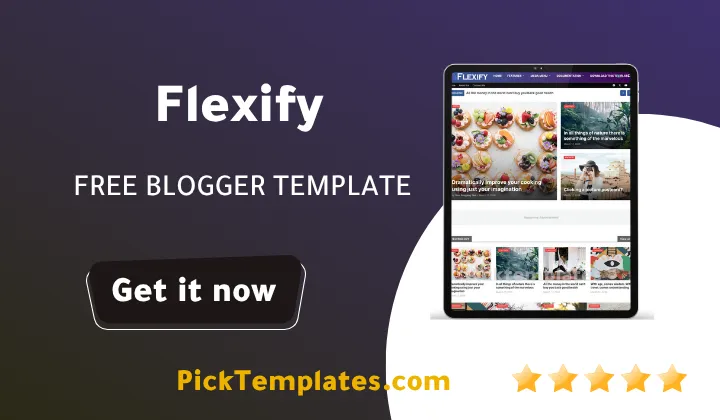
Welcome to our complete guide on flexify blogger template. If you want one blogger theme that can run a beauty blog a fashion magazine a lifestyle portal or a full news website flexify gives you all of that inside a single flexible package built on a fast loading structure with a powerful built in customizer for fonts colors and shortcode areas.
Theme was developed by templateify and released on the blogger layout version 3.0 framework with full AMP support. The theme ships with a responsive grid based front page a hot post widget and an ajax mega menu that keeps large content libraries easy to browse even when a blog grows into hundreds of posts. Below we break down every part of the theme along with our own testing notes so you know exactly what you are installing before you touch a single setting.
What Makes Flexify Template Worth Installing
Flexify was built as a magazine style theme first which is why it fits so naturally inside the wider group of magazine blogger templates that need to display many posts on one page without becoming slow. The layout adapts to tech blogs gadget review sites food blogs movie summary pages sports news channels and finance updates just as easily as it adapts to a beauty or fashion journal. During our testing the front page loaded its hot post section and featured widgets quickly even on a throttled mobile connection which is a strong sign of clean underlying code.
If you already looked at other magazine style options such as the Kalify Template you will notice flexify leans more toward advanced typography and an optional boxed layout mode which gives long articles a cleaner and narrower reading column on large screens.
Core Features Inside Flexify
The theme comes packed with tools that save you from installing extra plugins or writing custom code just to get a magazine style blog running.
- One click dark mode switch for comfortable night reading
- Ajax powered mega menu with smooth drop down sections
- Featured posts pulled automatically by label recent or popular activity
- Exclusive table of contents plugin built directly into every post
- Native cookie consent banner for privacy compliance
- Responsive YouTube video embedding that resizes on any screen
- Advanced related posts section placed under every article
- Blogger Disqus and Facebook comment systems supported out of the box
- Special ad spot placements for cleaner monetization
- Full right to left layout support for Arabic and similar languages
Every one of these modules is adjustable through the customizer panel so beginners are never forced to open the raw theme editor just to make a small change.
SEO Structure And Loading Speed
Flexify was coded following current Google recommended markup patterns which is why the theme performs well inside PageSpeed style testing tools. Breadcrumb navigation is ready out of the box and post thumbnails are compressed automatically which reduces the total weight of the homepage.
We ran several test posts through common speed checking tools after activating flexify and noticed the render blocking scripts were kept to a minimum. This matters for organic ranking since Google continues to reward pages that load quickly on mobile networks and flexify keeps that requirement in mind at the coding level rather than as an afterthought.
Our Hands On Testing Notes
We installed theme on a fresh test blog to see how the setup process actually feels for a first time user rather than an experienced developer. The XML upload finished in under a minute and the homepage widgets populated on their own the moment the theme activated. Font and color changes made inside the customizer applied instantly across the homepage archive pages and individual posts which removed a large amount of trial and error from the process.
Always export a backup copy of your current blogger theme before uploading a new one. This single habit can save an entire blog if a setting gets misapplied during the switch.
For blogs with a heavy daily posting schedule such as news portals we also compared flexify against a similar option the Next Blogger Template and found flexify handles image heavy posts with slightly cleaner thumbnail cropping thanks to its dedicated post thumbnail engine. The mega menu also stayed smooth on mobile devices during our navigation tests which is not always the case with heavier magazine themes.
Strengths And Weaknesses
No single theme is a perfect fit for every blogger so here is our balanced breakdown after testing.
- Fast loading speed confirmed across common testing tools
- Deep customizer with font color and shortcode control
- Wide niche coverage from fashion and beauty to finance and games
- Search friendly markup that follows current Google coding patterns
- Lifetime updates included for as long as the theme is supported
A few limitations also stood out and deserve mention.
- Free users receive no direct support from the theme author
- The mega menu can feel heavier than needed on blogs with very few categories
- Some shortcode areas require basic HTML knowledge to fully customize
None of these points are serious deal breakers but they are worth knowing before spending hours on a full redesign.
Which Flexify Version Should You Download
Three separate versions of flexify exist and choosing between them depends mostly on budget and language needs. The free copyright protected version keeps the original footer credit and still gives access to the complete design at no cost. A limited free arabic version is also available and this edition was arabized by the picktemplates team so Arabic speaking bloggers can read and manage every customizer label in their native language without guessing what an English setting means.
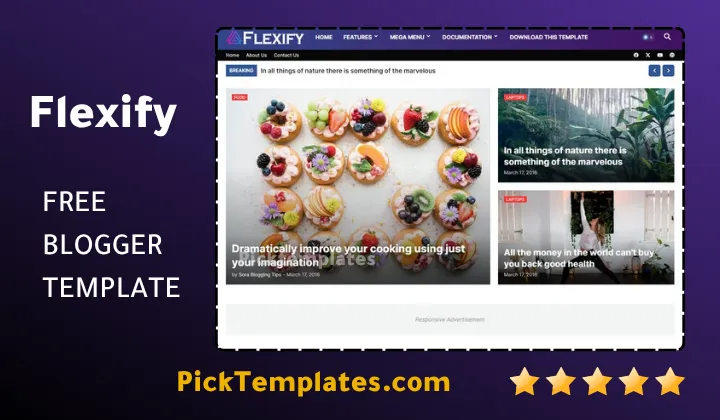
A paid professional version created directly by templateify the original template author removes the footer credit and unlocks extra premium modules aimed at publishers running a serious daily blog. Whichever version you choose the underlying blogger layout version 3.0 framework stays identical which means posts widgets and SEO settings carry over smoothly if you decide to upgrade later.
Before installing any version we recommend checking the live demo first and reading the setup documentation carefully since free downloads do not include direct support from the author. Taking a few extra minutes at this stage saves a lot of guesswork once the theme is active on a real blog.
Flexify theme remains one of the more complete magazine style options for creators who want a single theme that can grow from a small personal blog into a full news publication without ever needing a full redesign along the way.
Information
| Template Name | Flexify |
| Version | 2.0.0 |
| Creation Date | 11 August 2024 |
| Last Update | 28 August 2025 |
| Platform | Blogger / Blogspot |
| Author | Templateify |
Features
- How To Setup Flexify Blogger Theme
- Fully responsive design tested across phones tablets and desktops
- Right to left layout support for Arabic and similar languages
- Optional boxed mode for a centered reading column
- Ajax mega menu with smooth drop down animation
- Hot post module placed on the homepage header
- Featured post widget configurable by label recent or popular posts
- Special ad spot slots placed above and inside content areas
- Recent comment widget available for the sidebar
- One click dark mode toggle for the entire blog
- Exclusive table of contents module built into every post
- Responsive YouTube video embedding on any screen size
- Advanced related posts engine under each article
- Support for Blogger Disqus and Facebook comment systems
- Native cookie consent notice for privacy compliance
- Custom post shortcodes for buttons boxes and highlighted text
- Lifetime template updates included with the professional version
Conclusion
Flexify Blogger Template earns its place among the stronger magazine style themes because it pairs a clean fast loading structure with a genuinely deep customizer rather than offering design options that look good but never get used.
Bloggers running a fashion journal a beauty portal a tech news hub or a general lifestyle magazine will likely find the hot post section featured widgets and mega menu cover most daily publishing needs without extra plugins.
New users should still start with the free version read the setup documentation and confirm the layout fits their niche before moving toward the paid professional edition for long term projects.
We have localized the free version of the flexify template into Arabic and fixed the Right-to-Left (RTL) layout issues to make it easier to use on Arabic blogs.