
Table of Contents
Contents
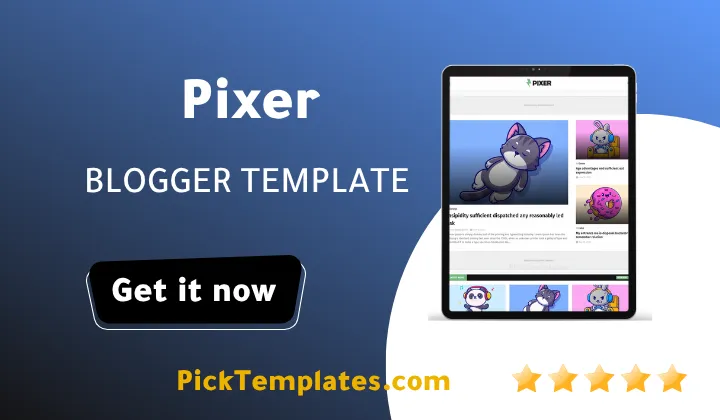
Welcome to our Pixer Blogger Template review. Pixer is a free news and magazine theme from Templatesyard that lets one homepage hold many topics without turning into a mess. It gives you a news ticker and an Editors Choice area and category blocks for food and sleep and space and lifestyle plus a mega menu and a load more button. It suits small and mid size magazines well but free users get no support so you must follow the setup guide on your own.
If you want a lighter layout for comparison you can also look at the Mago Blogger Template which targets magazine style blogs too. Pixer theme takes a different path because it focuses on sorting many topics into clean blocks. That is the angle I will use in this review.
How Pixer Handles Multi Category Curation
Most magazine blogs struggle with one thing. They cover technology and food and travel and lifestyle but the homepage shows everything in one long stream. Readers get lost fast. Pixer Template solves this with separate homepage sections that each pull posts from a single label. On the live demo I found a Latest News ticker and an Editors Choice block and a Food block and a Sleep block and a Space grid and a lifestyle feature area. Each block has its own heading and its own layout style.
One detail I liked is the widget title pattern. In the demo the titles follow a count then label then layout format such as 4/Food/grid-small or 3/Space/grid-big or 6/recent/ticker-posts. That means you choose how many posts to show and which label to pull and which layout to use right inside the widget title. It is quick once you understand it but it is not obvious for a complete beginner.
Homepage Blocks You Get
The list below shows the main sections I saw on the demo homepage. Treat it as a map of what you can assign to different topics in your own magazine.
- News ticker that shows the latest posts at the very top of the page.
- Editors Choice area for hand picked stories that deserve extra attention.
- Label based blocks with small grid and big grid and feature layouts.
- Recent posts list with a Load More button instead of old style pagination.
- Most Popular and Popular Posts and Random Posts widgets for the sidebar.
- Featured post widget plus tags and categories lists with post counts.
Keep in mind that every section only looks good when you have enough posts under that label. An empty block looks worse than no block at all.
Setting Up Your Category Blocks
Follow this order when you install the theme for the first time. It keeps you from breaking the homepage while you learn how the widgets behave.
- Download the template from Templatesyard and back up your old theme before you upload the new XML file.
- Create your labels first so every category block has real posts to pull from.
- Open the Layout page and place a widget in each homepage section.
- Write each widget title with the count and label and layout pattern.
- Build your menu with drop down items and the mega menu by following the setup guide.
- Add your ad code to the responsive advertisement spots after the layout looks right.
Step two matters most. Ten solid posts per label will always beat twenty thin posts spread across too many labels.
Practical tip. Limit your homepage to five or six labels at the start. A focused magazine looks more trustworthy than a homepage that tries to cover everything on day one.
If your magazine leans toward recipes and kitchen content you can compare Pixer with the Fooddy Blogger Template before you decide. Pixer is the better fit when your food section is only one part of a bigger mix.
Menu and Navigation
The demo menu includes a multi level drop down and a separate mega menu page and links for shortcodes and a sitemap and an error page. There is also a documentation entry that points to a web guide and a video guide. This is useful because a magazine with many labels needs a menu that does not hide your best sections. The mega menu helps readers jump straight to a topic in one click.
Important note. Do not add every label to the mega menu. Pick your strongest topics only. A crowded menu makes a multi category theme feel messy again.
Speed and SEO Basics
The designer describes Pixer as lightweight and lists pre installed SEO meta tags and breadcrumb navigation and AdSense friendly code. The feature list also mentions AMP and WhatsApp sharing and a three column footer. I cannot give you speed scores because they change with your hosting of images and widgets. Test your own blog with PageSpeed Insights after setup and remove any widget you do not use. The Facebook box and the YouTube embed seen in the demo sidebar load outside content so they deserve a second look.
Pros and Cons
No theme is perfect and Pixer is no exception. Here are the strong points I would count in its favor after studying the demo and the feature list.
- Clear block based homepage that keeps many topics organized.
- Free download with a web guide and a video guide.
- Mega menu and drop down menu for big label structures.
- Ad ready spots and AdSense friendly code for monetization.
- Responsive design for mobile and tablet and desktop screens.
These strengths matter most for new magazines that want a clean structure without paying for a premium theme.
Now the weak points. You should read them before you commit to this template.
- No support for free users so every problem is yours to solve.
- Version 1.0.0 dates from July 2022 so test it with current Blogger features.
- The widget title pattern takes time to learn if you are a beginner.
- The demo uses placeholder text so real typography is hard to judge.
- External embeds and many widgets can slow the page if you keep them all.
Most of these issues can be managed with patience and a short test period on a draft blog.
Free and Paid Versions
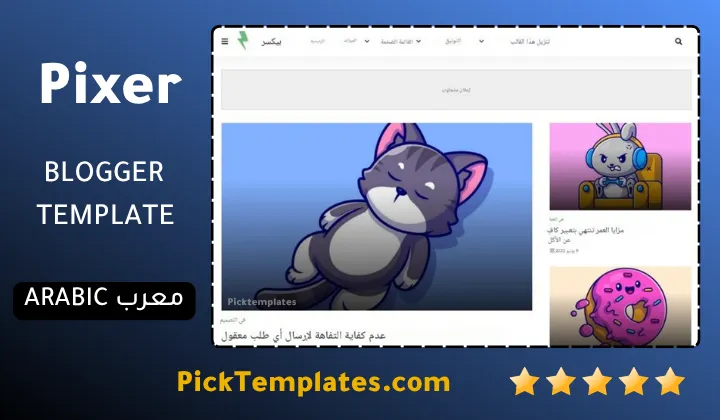
There is a free Arabic version that is copyright protected and was arabized by Picktemplates. There is also a free English version that is copyright protected and a paid English version and both were created by the designer listed as Templatesyard. Read the license terms before you edit any footer credit.
Final Verdict
Pixer theme is a sensible choice if your goal is to organize many topics into one tidy magazine homepage. It is not a flashy theme and it is not built for heavy custom design work. Browse more options in the magazine Blogger templates category and compare a few demos before you decide.
Information
| Template Name | Pixer |
| Version | 1.0.0 |
| Creation Date | 18 July 2022 |
| Last Update | 18 July 2022 |
| Platform | Blogger |
| Author | Templatesyard |
Version Comparison
| Template Features | Free | Pro |
| 100% Responsive Design | ✔ | ✔ |
| Google Testing Tool Validator | ✔ | ✔ |
| Google Rich Results | ✔ | ✔ |
| Custom 404 Page | ✔ | ✔ |
| Fast Loading | ✔ | ✔ |
| Boxed Mode | ✔ | ✔ |
| Awesome Ajax Mega Menu | ✖ | ✔ |
| Special Ad Spot | ✖ | ✔ |
| Hot Post | ✖ | ✔ |
| Custom Featured Post | ✖ | ✔ |
| Whatsapp Sharing | ✔ | ✔ |
| Featured Widgets by (Label, Recent or Random) | ✖ | ✔ |
| Blogger, Disqus or Facebook Comments | ✔ | ✔ |
| Drop Down Menu | ✔ | ✔ |
| SEO Optimized | ✔ | ✔ |
| Social Sharing | ✔ | ✔ |
| Browser Compatibility | ✔ | ✔ |
| Remove Footer Copyrights | ✖ | ✔ |
| Awesome About Section | ✔ | ✔ |
| Post Shortcodes | ✔ | ✔ |
| Blogger Template Customizer | ✔ | ✔ |
| Lifetime Template Updates | ✖ | ✔ |
Features
- News ticker that shows the latest posts at the top of the blog
- Editors Choice block for hand picked stories
- Label based category blocks with grid and list layouts
- Multi level drop down menu and a separate mega menu
- Load More button for the recent posts section
- Pre installed SEO meta tags for search engines
- AdSense friendly code with ready ad spots
- Social sharing buttons including WhatsApp
- Breadcrumb navigation ready
- AMP support listed by the designer
- Responsive layout for mobile and tablet and desktop
- Three column footer with a footer menu widget
- Shortcodes page and custom error page included
- Support for multiple languages approved by Google
- Sidebar widgets for popular and random and featured posts
- Subscribe area with video embed and social plugin widget
Conclusion
Pixer blogger template does one job well. It takes many topics and places them into clear homepage blocks with a ticker and an Editors Choice area and a mega menu. It is free and easy to read and friendly to ads and social sharing.
It also has limits. Free users get no support and the version is from 2022 and the demo uses dummy text. Test it on a draft blog and keep only the widgets your readers really need.
Expert opinion from Mouhssine Boukou with 10 years of experience. I would recommend Pixer to a new magazine owner who wants a tidy multi topic homepage on a zero budget. I would not pick it for a brand that needs a unique visual identity or guaranteed help from the designer. Start with a few strong labels and measure speed after every change.
We have localized the free version of the Pixer template into Arabic and fixed the Right-to-Left (RTL) layout issues to make it easier to use on Arabic blogs.