
Table of Contents
Contents
Welcome to this Neeon Blogger Template review. Neeon is a colorful and playful Blogger theme from SoraTemplates that handles many topics on one blog without turning into a mess. It suits food fashion travel and business bloggers who publish across several categories. It is less suited to a serious hard news desk because of its bright red and pink accent.
If you are still comparing options you can also look at the OnePress Blogger Template for a calmer layout. Neeon theme is the better choice when you want energy and variety on the homepage.
How Neeon Handles a Blog With Many Topics
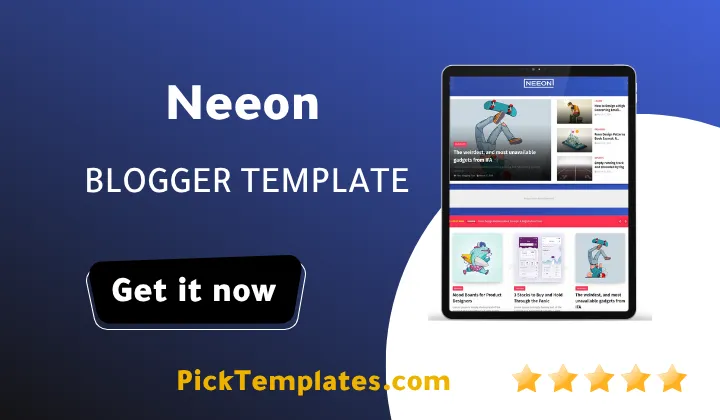
The demo homepage shows a four post highlight strip at the top and a Latest News list with ten items beside it. Below them sits a large grid of posts with a colored label above every headline. In the demo those labels read Beauty Business Sports Fashion Food and Learn. A reader can see at a glance which section a post belongs to. That one small detail does a lot of work when a blog covers six or seven niches.
Where the Layout Helps Large Blogs
These are the parts of the layout that matter most when you publish across many categories every week. Each one removes a job you would otherwise solve with extra widgets.
- The top highlight strip pushes your four best posts above the fold so new visitors meet your strongest work first.
- Colored category labels let readers jump between topics without opening the menu.
- The Latest News block keeps fresh posts visible even when the main grid is full of evergreen articles.
- The Featured Post and Popular Posts widgets in the footer area give older articles a second life.
- A Load More button replaces classic page numbers and keeps the grid feeling light.
Remember that every block can be edited from the Blogger layout screen. You do not need to touch code to rearrange them.
A blog with many topics only works when every category has its own clear identity. Pick one label color per niche and never change it later because readers learn your map by habit.
Menus and Built In Pages
The demo menu includes a multi level dropdown and a mega menu. It also links to a ShortCodes and Typography page and a SiteMap page and a custom Error Page. This is more than most free themes give you on day one. The mega menu is especially handy because you can send readers straight into a big category with one click.
- The multi dropdown can hold sub categories for a niche that grows quickly.
- The ShortCodes page shows the available formatting elements so you can copy them into your posts.
- The SiteMap link helps both readers and search engines find deeper pages.
- Web documentation and a video guide sit right inside the demo menu.
I suggest keeping the top menu to six items at most. A crowded menu on a colorful theme feels loud very quickly.
Speed and Search Performance
SoraTemplates describes Neeon Template as lightweight and built on the latest Blogger framework. It ships with built in SEO meta tags and a breadcrumb ready structure and AMP in its feature list. Those claims match what I expect from a theme of this size. Still no template can rescue heavy images. Compress every photo before upload and keep thumbnails consistent so the grid stays smooth on slow phones.
Ads and Earning Potential
The demo shows an Ad Code area near the top of the page and the theme is described as AdSense friendly. You can place your own banner there or use any partner network. Do not stack too many units though. A multi niche grid already has a lot going on and a crowded page will push readers away.
Honest Pros and Cons
No template is perfect and Neeon is no exception. Here is a fair summary of what stood out after studying the demo and the setup notes.
- Strong point is the bright and clear grid that makes six or more niches feel organized.
- Strong point is the rich menu with a mega menu and a multi dropdown and ready made helper pages.
- Strong point is the fully responsive layout that works on phones and tablets and desktops.
- Weak point is that free users get no support so you must read the documentation carefully.
- Weak point is the Load More button which can hide older posts from visitors who never click it.
- Weak point is the viewport setting that blocks pinch zoom and that is a drawback for accessibility.
- Weak point is the strong color style which feels too playful for a formal news brand.
Fix the zoom limit yourself if accessibility matters to your audience. It is a one line change in the Neeon theme head but always back up your theme first.
Which Version Should You Download
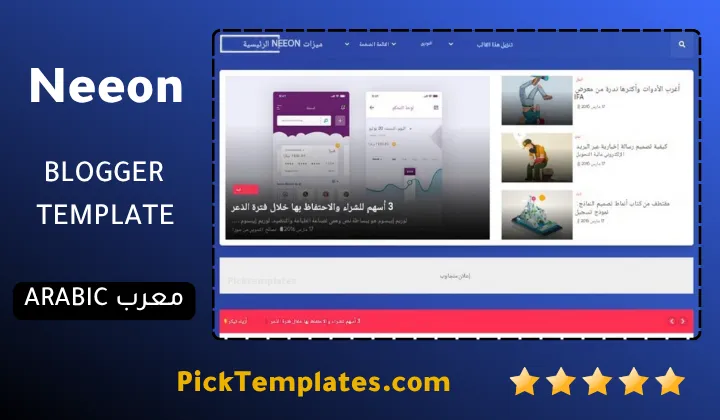
There are three versions to know about. A free Arabic version exists that was translated by Picktemplates and it is protected by copyright. A free English version protected by copyright is available from the original designer SoraTemplates. A paid English version created by the same designer also exists for people who want extra support and cleaner licensing.
If your readers speak Arabic the translated version saves you hours. If you plan to grow into a business pick the paid version so you are covered. You can also browse more picks in the news Blogger templates collection before you decide.
Quick Setup Tips for Beginners
- Back up your current theme before you upload anything.
- Upload the XML file from the Theme menu in Blogger and restore the default widgets.
- Create your labels first and name them exactly as you want them to appear on the grid.
- Set the highlight strip and the Latest News block to one main label each.
- Add your logo and your footer menu and your social links last.
Take your time with the label names. Changing them later means editing every widget again.
Another theme worth a look for a different feel is the Blindz Blogger Template. It shows how much a simple layout choice can change a reader’s first impression.
Information
| Template Name | Neeon |
| Version | 1.0.0 |
| Creation Date | 02 May 2022 |
| Last Update | 02 May 2022 |
| Platform | Blogspot |
| Author | Soratemplates |
Version Comparison
| Template Features | Free | Pro |
| 100% Responsive Design | ✔ | ✔ |
| Google Testing Tool Validator | ✔ | ✔ |
| Google Rich Results | ✔ | ✔ |
| Custom 404 Page | ✔ | ✔ |
| Fast Loading | ✔ | ✔ |
| 3 Sidebar Option (Left / Right / Full) | ✔ | ✔ |
| Whatsapp Sharing | ✔ | ✔ |
| Featured Widgets by (Label, Recent or Random) | ✖ | ✔ |
| Hot Post by (Label, Recent or Random) | ✔ | ✔ |
| Mega Menu | ✖ | ✔ |
| Special Ads Spot | ✖ | ✔ |
| Blogger, Disqus or Facebook Comments | ✔ | ✔ |
| Drop Down Menu | ✔ | ✔ |
| SEO Optimized | ✔ | ✔ |
| Social Sharing | ✔ | ✔ |
| Browser Compatibility | ✔ | ✔ |
| Remove Footer Copyrights | ✖ | ✔ |
| Awesome About Section | ✔ | ✔ |
| Post Shortcodes | ✔ | ✔ |
| Blogger Template Customizer | ✔ | ✔ |
| Lifetime Template Updates | ✖ | ✔ |
Features
- Colorful multi niche grid layout
- Four post highlight strip at the top
- Latest News list with ten items
- Colored category labels on every post
- Multi level dropdown menu
- Mega menu for big categories
- Featured Post and Popular Posts widgets
- Random Posts widget
- Load More button for post loading
- Built in SEO meta tags
- Breadcrumb navigation ready
- AdSense friendly ad areas
- Fully responsive on all devices
- ShortCodes and Typography helper page
- Footer menu and social icons ready
Conclusion
Neeon Blogger Template is a bright and flexible theme for bloggers who cover many subjects. Its labeled grid and mega menu and Latest News block keep a busy blog readable and easy to browse.
It is not flawless. Free users get no support and the Load More button and the zoom limit need attention. If you can live with those points Neeon gives you a lot of style for a free download.
Expert opinion from Mouhssine Boukou with 10 years of experience. I would recommend Neeon to any beginner who wants a lively multi topic blog with little setup effort. I would not use it for a formal news brand without changing the colors first. Fix the zoom setting and pick one label color per niche and publish real content before launch. Do that and Neeon will serve you well.
We have localized the free version of the Neeon template into Arabic and fixed the Right-to-Left (RTL) layout issues to make it easier to use on Arabic blogs.