
Table of Contents
Contents
Welcome to this hands-on look at the Beautly blogger template from OmTemplates. If you only need the short answer Beautly is a genuinely solid choice for a photography-led lifestyle fashion beauty or travel blog on Blogger and the layout still feels current even though the file itself has not been touched since 2021.
The template leans on large photography and a single right sidebar rather than a busy multi widget homepage and that one choice tells you exactly who it was built for. Readers comparing a few options before committing might also want to glance at the Renique Blogger Template since it targets a similar audience with a slightly different layout approach.
A Magazine Style Home Built Around Photography And Personal Style
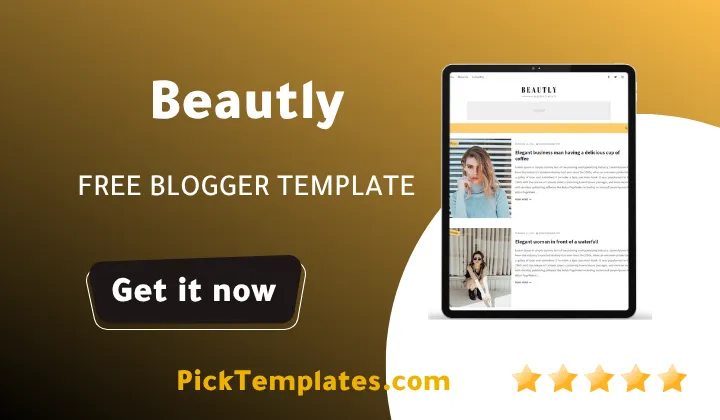
Open the live demo and the design goal becomes obvious fast. Post thumbnails are large near-square and framed content sits inside one column beside a single right sidebar so the whole homepage reads closer to a printed lifestyle magazine than a typical blog feed. Category labels such as Fashion Food Music Nature People and Photography sit in the sidebar with a post count next to each one so a returning visitor can jump straight into the section they came for.
High Resolution Images And Gallery Style Posts
Because Beautly theme was designed with beauty and fashion content in mind image handling gets more attention than on a generic magazine theme. A few details stand out once real photography goes into the posts instead of placeholder text.
- Large landscape thumbnails that crop cleanly across the homepage grid
- A left-sidebar full-width and right-sidebar tag system that can be applied to any single post
- An About Us widget built to pair a portrait photo with a short personal bio
- A social top bar supporting Instagram Pinterest WhatsApp and more than twenty other icon sets
None of this replaces a proper photo editor on its own. It does mean a fashion or beauty blogger will spend far less time fighting the theme just to make a photo grid look intentional.
Upload images at a consistent width before publishing the first few posts. Beautly crops thumbnails automatically and a mismatched batch of image sizes is the fastest way to make an otherwise elegant grid look uneven.
Typography And Reading Comfort
The typography is where Beautly template earns most of its praise in the original documentation and it is not an empty claim. Body text sits at a comfortable size with generous line height so longer fashion write ups or travel diaries stay easy to scan on a phone screen. Headings inside a post use enough contrast to break up long sections without turning a simple outfit post into something that looks like a technical manual.
Menus Mega Menu And Everyday Navigation
Beautly ships with a proper mega menu alongside a simpler dropdown menu and both are controlled from the same widget in the Blogger layout editor. Sub links use an underscore prefix system where one underscore builds a first level dropdown and two underscores nest a second item beneath it so a multi column menu can be built without touching template code directly.
Bloggers who want an even denser navigation setup with more built in homepage sections might prefer the Maverick Blogger Template which trades some of Beautly’s minimalism for a busier layout.
Breadcrumb navigation is already wired into the template so search engines and readers can see the path back to a category without installing an extra widget. Leave it switched on unless your niche genuinely does not need it.
What A Beginner Should Check Before Launch
Beautly is not a difficult theme to install but a handful of settings live outside the normal Blogger interface and skipping them tends to cause most of the setup questions. The developer exposes these through paired name and value fields inside the Layout section rather than a dedicated settings panel.
- Choose a boxed or full width version through the Default Variables widget
- Set a fixed or scrolling sidebar to match the header style being used
- Pick a comments system from Blogger Disqus Facebook or hidden entirely
- Add a Disqus shortname when that is the comments system selected
- Use the post-list shortcode to pull recent random or label based posts into any sidebar or footer gadget
Working through this short checklist before writing the first real post saves a second round of formatting later once actual content and images are already in place.
Where Beautly Shows Its Age
No review is complete without the rough edges and Beautly has a few worth knowing about before download. The free version has not received a feature update since April 2021 so anyone hoping for the newest Blogger widgets will not find them here. Official support for the free download has also been discontinued which pushes troubleshooting toward community forums the developer’s video documentation or a paid installation service.
The layout is fixed to one right sidebar so a blog that wants a left sidebar or a fully widget free homepage will need a different template altogether. Icons for platforms like Twitter and Instagram are present in the demo but are not linked to real profiles by default so every social button needs to be set manually during setup.
Free Arabic And Premium Editions
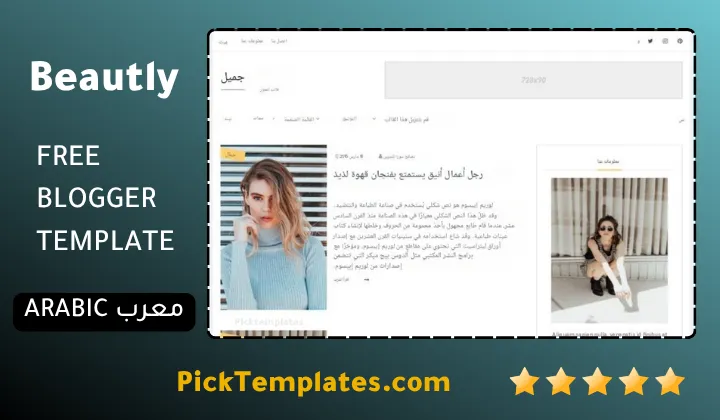
Three editions of this template circulate online and it helps to know which one is being downloaded. A free copyrighted version distributed directly by OmTemplates the original designer. A limited free Arabic translated build produced by Picktemplates for readers who prefer a localized interface. And a free plus paid English release maintained by the template author listed in the information box below which adds lifetime updates on its premium tier.
Beautly earns its place among the better free magazine themes for Blogger even with a 2021 timestamp attached to it. If it does not fit a particular niche the wider magazine blogger template collection has several newer alternatives worth comparing before settling on a layout.
Information
| Template Name | Beautly |
| Version | 2.0.0 |
| Creation Date | 16 April 2021 |
| Last Update | 22 April 2021 |
| Platform | Blogger |
| Author | OmTemplates |
Features
- How To Setup Beautly Blogger Template
- Fully responsive layout that adapts cleanly from phone to desktop
- AMP ready pages for faster mobile loading
- Mega menu with underscore based dropdown and sub dropdown levels
- Breadcrumb navigation built in for every post and category
- Single right sidebar with widget ready sections
- WhatsApp Pinterest and more than twenty other social sharing icons
- Three column footer with open widget space
- Boxed or full width layout toggle through Default Variables
- Post-list shortcode for recent random or label based widgets
- Choice of Blogger Disqus Facebook or hidden comments system
- Left-sidebar full-width and right-sidebar tags for individual posts
- Category pages with automatic post counts
- About Us widget paired with a portrait style image
- Google AdSense host ready ad slots
- Free and premium editions with lifetime template updates
Conclusion
Beautly holds up well for a template that has not been touched since 2021 and that says something about how solid the original build was. The photography first layout the built in mega menu and the flexible post-list shortcode system still cover most of what a lifestyle or fashion blogger needs without hunting for extra plugins.
The trade off is support. Free users are largely on their own if something breaks and the fixed single sidebar layout will feel limiting to anyone running a busier multi topic site. For a focused beauty fashion or travel blog though the theme does exactly what it sets out to do.
In Mouhssine Boukou’s view after comparing dozens of Blogger magazine themes over ten years Beautly remains a fair recommendation for a first time fashion or lifestyle blogger who wants a clean start without a steep learning curve. It is not the newest theme on the market but it is an honest one and that still counts for more than most flashy alternatives.
We have localized the free version of the Beautly template into Arabic and fixed the Right-to-Left (RTL) layout issues to make it easier to use on Arabic blogs.