
Table of Contents
Contents
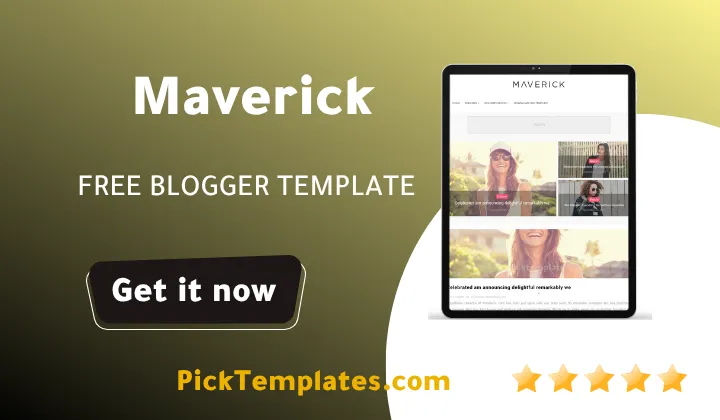
Welcome, if you landed here wondering whether Maverick blogger template is worth installing on a fashion, travel, or personal lifestyle blog, the short answer is yes for anyone who wants a photo led, minimal magazine feel, and no for anyone who needs heavy e-commerce widgets or a busy multi sidebar dashboard. Maverick strips the layout down to what a lifestyle editor actually needs, large imagery, a calm single sidebar, and enough widgets to make a personal blog feel like a small independent publication.
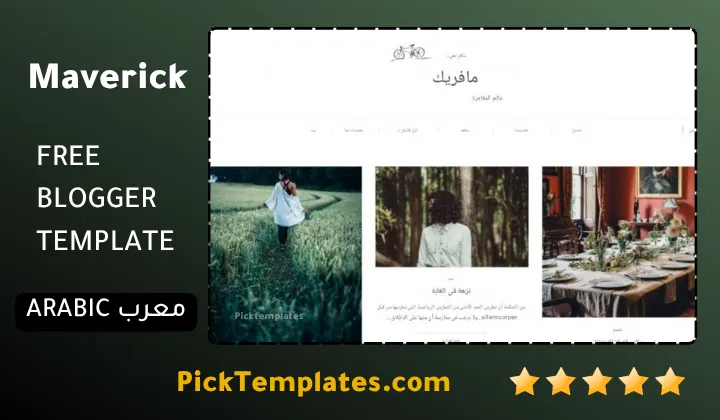
Before going further it helps to know that this template circulates online in three different forms. There is a free copy that is protected by copyright and passed around on various download hubs, a limited free Arabic edition that was localized by Picktemplates for readers who prefer working in Arabic documentation, and a free plus premium English edition produced directly by the original author SoraTemplates, which carries the fullest widget set along with an optional paid tier for extra customization support.
How Maverick Handles A Fashion And Lifestyle Reading Experience
Lifestyle and fashion readers scroll for the picture first and the paragraph second, and Maverick theme is built around that habit. Every post card on the homepage leans on a large thumbnail, a short title, and just enough white space around it that the page never feels cluttered. The demo shows a single column feed rather than a cramped three or four column grid, which keeps photography from beauty shoots, outfit posts, or travel diaries readable at a proper size instead of shrinking them into thumbnails nobody can actually study.
Photography Galleries And Slideshow Ready Posts
The template ships with gallery and masonry post formats plus a slideshow ready structure, which matters for anyone documenting outfits, travel routes, or interior styling where a single hero photo rarely tells the whole story. Post images are handled through a thumbnail cropping system, so photos of mixed sizes still line up cleanly on the homepage instead of distorting the grid.
A practical habit worth adopting early is to export all lifestyle and fashion photography at the same aspect ratio before uploading. Maverick crops thumbnails automatically, but starting from consistent source images keeps faces and product details from being cut off in the homepage feed.
Readers who like this clean, image forward aesthetic and want to compare it against other niche options before committing sometimes browse the Neesi Blogger Template, which takes a similarly minimal approach but with a slightly different homepage rhythm.
Instagram Integration And Social Presence
Maverick is listed as Instagram ready, which lets a lifestyle blogger pull a recent grid of Instagram posts directly into the sidebar or footer, turning first time visitors into social followers without extra plugins. Paired with the built in social bookmark buttons on every post, a single outfit photo or travel snapshot can move from the blog to Facebook, Twitter, Pinterest, and WhatsApp in one click, which is exactly the kind of cross platform push that fashion and beauty content depends on.
Navigation Widgets And Everyday Setup
Underneath the visual polish, Maverick template relies on a fairly simple set of building blocks that a beginner can learn in one afternoon. Getting the essentials right early saves a lot of frustration later.
- Install the template file through Blogger’s own theme upload option before editing any widget.
- Build the Main Menu widget using the underscore shortcode system, one underscore for a dropdown link and two underscores for a nested sub link.
- Add the Hot Posts widget as an HTML JavaScript gadget and point it at a label, at recent posts, or at a random rotation using the documented shortcode format.
- Generate the built in sitemap widget so search engines and readers can browse the full archive from one page.
- Switch the theme between boxed and fluid layout from the Theme Options section depending on whether a wide, edge to edge magazine feel is preferred.
None of these steps require touching the raw template code, and the live color customizer under Template then Customize covers most branding changes a fashion or lifestyle blogger would want to make.
For anyone comparing niche blog templates side by side before choosing one, it can also help to look at the Sera Blog Blogger Template, since it targets a similar personal and lifestyle audience with a different homepage structure and widget mix.
Where Maverick Falls Short
No template is flawless, and it would be dishonest to present Maverick as a perfect fit for every kind of publisher. A few limitations are worth flagging plainly before download.
- The homepage skips a sidebar entirely, which some bloggers running ad units or newsletter widgets on every page will find restrictive.
- Free version buyers get no direct author support, so any bug fix depends on self study or community help.
- The design leans heavily toward fashion, beauty, and personal content, so a technology, finance, or business blog will likely feel visually mismatched.
- Some third party download mirrors distribute altered or outdated copies, so file source matters more than usual with this template.
Weighed against those points, the strengths still hold up well for the audience Maverick was actually designed for.
- Clean, single column layout that puts photography first without visual clutter.
- SEO ready markup, AMP support, and responsive behavior across desktops, tablets, and phones.
- Built in author bio box, sitemap widget, dropdown navigation, and Instagram integration with no extra coding.
According to W3Techs, Blogger currently powers roughly 0.4 percent of all websites tracked worldwide and about 70 percent of dedicated blogging engines specifically, which keeps the platform relevant enough that a well built template like Maverick still has a real audience to serve.
Who Should Actually Install This Template
Maverick makes the most sense for a solo fashion writer, a travel journal, a beauty and skincare diary, or a personal photography portfolio that wants to look like a small magazine without hiring a designer. It is a weaker match for multi author news sites, review heavy affiliate blogs that need dense homepage grids, or any niche where readers scan for text more than images.
Anyone still comparing options after reading this review can browse the full magazine template collection to see how Maverick stacks up against other editorial style Blogger themes before making a final decision.
Information
| Template Name | Maverick |
| Version | 2.0.0 |
| Creation Date | 26 July 2017 |
| Last Update | 08 March 2023 |
| Platform | Blogger |
| Author | Soratemplates |
Features
- How To Setup Maverick Blogger Template
- Light and minimal design built for fashion, travel, and personal lifestyle blogs
- Single column homepage feed with large post thumbnails and no home sidebar
- Gallery and masonry post layouts for photo heavy content
- Slideshow ready post format for outfit and travel photo stories
- Instagram ready widget for pulling a live photo grid into the sidebar or footer
- Dropdown and multi level dropdown Main Menu using a simple underscore shortcode system
- Hot Posts widget with label, recent, and random shortcode options
- Built in Sitemap widget for full archive browsing
- Custom branded error page for broken links
- Author bio box for a personal, editorial touch on every post
- Boxed or fluid theme layout toggle from the theme options
- Live color customizer accessible from Template then Customize
- Social bookmark buttons for Facebook, Twitter, Pinterest, and WhatsApp sharing
- Fully responsive layout for desktops, laptops, tablets, and phones
- SEO ready markup with AMP page support
- Three column footer widget area for extra navigation or branding
Conclusion
Maverick earns its place among the better free lifestyle themes for Blogger because it commits fully to one visual idea instead of trying to serve every niche at once. The single column feed, the gallery and slideshow formats, and the Instagram ready sidebar all point toward the same audience, a fashion, travel, or personal blogger who wants their photography to carry the page.
The trade off is real though. Publishers who need a sidebar on every page, heavy affiliate product grids, or guaranteed developer support after installing the free version should look elsewhere, since none of those needs sit at the center of what Maverick was designed to do.
My honest opinion after reviewing this theme closely is that Maverick still holds up years after its original release because its layout choices were never trend driven in the first place, they were built around good photography and clean typography, and those two things rarely go out of style on a lifestyle blog.
We have localized the free version of the Maverick template into Arabic and fixed the Right-to-Left (RTL) layout issues to make it easier to use on Arabic blogs.