
Table of Contents
Contents
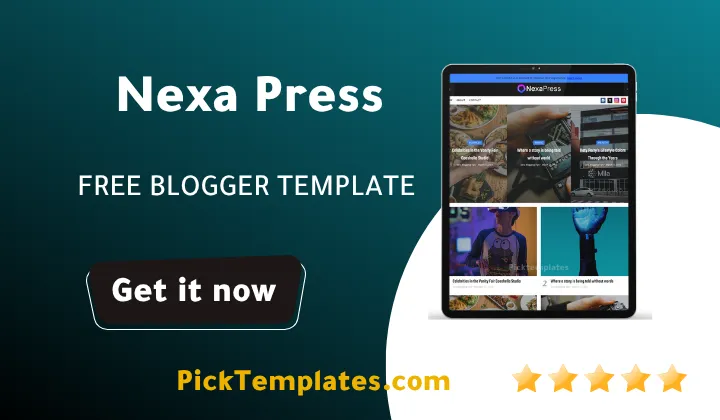
Welcome, if you publish across several categories and need a homepage that still feels organized on a busy afternoon, Nexa press blogger template is built exactly for that job. It is a magazine style Blogspot theme that pulls featured stories, category rows and popular posts into one clean layout, and it works whether the topic is fashion, technology, health tips or general news.
Search for free blogger templates long enough and most results start looking the same after the first ten posts, a wall of thumbnails with no real hierarchy. Nexa Press theme solves that specific problem by giving each content type its own section on the homepage instead of forcing everything into one long scroll.
How Nexa Press Keeps a Multi Category Homepage Readable
The core idea behind Nexa Press Template is simple. Instead of stacking every new post in one endless feed, the homepage is broken into labeled zones. A slider or featured block sits at the top, a hot posts row follows, and category blocks for topics like tech, lifestyle or business sit underneath, each pulling only its own posts. If you have looked at grid based options before, the Paramag Template uses a similar sectioned approach, though it leans more toward a portfolio feel while Nexa Press stays closer to a traditional news magazine.
This structure matters more than it sounds. A blog covering five or six topics usually ends up looking chaotic once post volume grows, because a plain chronological feed cannot separate a fashion post from a finance post. Nexa Press avoids that by design rather than by asking you to install extra widgets after the fact.
Featured Slider and Hot Posts Keep Attention Moving
The slider area rotates a small set of manually or automatically selected posts, which works well for breaking news or seasonal features. Below it, the hot posts widget surfaces whatever is getting the most traffic right now rather than what was simply published most recently. Together they give returning visitors a reason to scroll past the header instead of bouncing after the first screen.
Keep your featured slider to five or six posts at most. A crowded slider slows the first impression down instead of speeding it up, and readers rarely wait for a seventh slide.
Category Blocks That Do Not Fight Each Other
Each category row on Nexa Press pulls a fixed number of posts with its own thumbnail size and heading style, so a technology section and a beauty section can sit one above the other without visually blending together. This is the part of the theme that earns its magazine label rather than just borrowing the name.
A few structural choices make this multi topic layout hold together on a real publishing schedule rather than only in a demo.
- Separate homepage blocks for each major category label
- A sidebar built around popular posts and tag clouds instead of clutter
- Author boxes that credit whoever wrote each article
- A mega menu that can list dozens of subcategories without breaking the header
None of these pieces are unusual on their own, but having them work together out of the box is what saves setup time for a new magazine style blog.
Setting Up Nexa Press Without Losing Your Existing Posts
Installing any new theme on an active blog carries some risk, and the general process for Nexa Press follows the same pattern most Blogger themes use.
- Export a backup of your current theme before touching anything
- Upload the theme XML file through the Blogger theme editor
- Rebuild your menu links to match the new header structure
- Assign labels to the homepage category widgets so each block pulls the right posts
- Preview the site on a phone screen before publishing changes live
Publishers who need something with a heavier ticker style news layout sometimes look at the Newzy Template instead, but for a general interest or lifestyle magazine Nexa Press stays lighter and easier to configure.
What Works Well
- Homepage sections stay organized even with several active categories
- AMP support helps mobile pages load faster on slower connections
- Navigation options cover breadcrumbs a drop down menu and a mega menu
- Footer widgets and sharing buttons are already built into the layout
- Several built in color options avoid a full redesign for a simple palette change
Where Nexa Press Falls Short
No free theme is without trade offs, and Nexa Press is no exception.
- Free users get no direct support so mistakes during setup are on you to fix
- Deeper visual changes still require comfort editing the theme code rather than a simple settings panel
- Widget positions are fairly fixed, so a very different homepage order takes manual editing
- Documentation assumes some prior familiarity with the Blogger layout editor
None of these are unusual for a free magazine theme, but they are worth knowing before you spend an afternoon on setup.
Which Nexa Press Version Should You Download
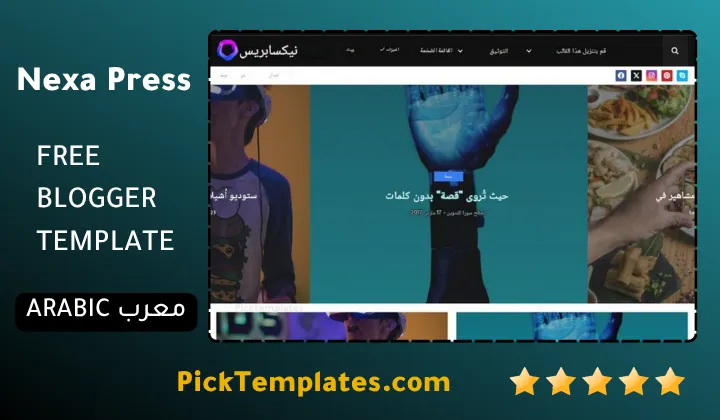
There are a few different copies of this theme floating around, and it helps to know which one you are getting. There is a free version protected by the original copyright, a limited free Arabic version localized by Picktemplates for Arabic speaking publishers, and a free plus paid English version produced directly by Templatesyard, the original template author, with additional support options attached to the paid tier.
Before downloading from any third party mirror, it is worth checking the full collection of magazine Blogger templates to compare Nexa Press against a few alternatives in the same category.
Information
| Template Name | Nexa Press |
| Version | 1.0.0 |
| Creation Date | 11 August 2026 |
| Last Update | 11 August 2026 |
| Platform | Blogger / Blogspot |
| Author | Templatesyard |
Features
- How To Setup Nexa Press Blogger Theme
- Fully responsive layout that adjusts to phones tablets and desktops
- SEO ready structure built for better search visibility
- AMP support for faster loading mobile pages
- Mega menu for organizing many categories at once
- Post slider for highlighting featured stories
- Breadcrumb navigation for easier browsing
- Hot posts and popular posts widgets
- WhatsApp and social bookmark sharing buttons
- Three column footer with widget areas
- Multiple color scheme options including black white blue red yellow green and violet
- Minimalist magazine style grid layout
- Ads ready sections for monetization
- Drop down navigation menu
- Post thumbnails on every homepage section
- Built on Blogger Layout version 3.0
Conclusion
Nexa Press Blogger Template earns its place among the better free options for anyone running a multi category site rather than a single topic blog. The homepage layout does the organizational work that most bloggers would otherwise handle with a stack of separate plugins or widgets.
It is not a theme built for a personal diary or a single niche blog with three posts a month. Its real strength shows up once you are managing several content categories and need the homepage to present them without turning into a cluttered grid of thumbnails.
Expert Opinion by Mouhssine Boukou 10 Years Experience. After years of testing Blogger magazine themes for client sites, my honest take is that Nexa Press hits a good balance between visual polish and practical structure. It will not replace a custom built WordPress magazine setup for a large publication, but for a growing Blogger magazine it removes most of the early homepage headaches without asking for a developer budget.
We have localized the free version of the Nexa Press template into Arabic and fixed the Right-to-Left (RTL) layout issues to make it easier to use on Arabic blogs.