
Table of Contents
Contents
Welcome to this honest review of the Leafy Blogger Template. Leafy is a free one page portfolio theme from SoraTemplates that gives small agencies and design teams a ready made studio website with a services section a team grid and a contact form. It will not replace a fully custom agency site but it gets a Blogger based studio online quickly and cleanly.
I went through the live demo section by section and the layout feels lighter than the Basil Blogger Template while keeping the same business friendly tone. The rest of this guide shows what you get and what you must fix before going live.
Why Leafy Suits Agencies and Multi Disciplinary Studios
The editorial angle I chose here is the agency and multi disciplinary showcase. The demo is not built around one person. It presents a group with services a process a team and shared results. That makes it a natural match for web studios small creative agencies and freelancer collectives who sell several skills under one name.
A One Page Layout With Anchor Navigation
The top menu contains Home Services Works Portfolio Testimonial About and Contact. Each item scrolls to a section on the same page. A visitor can understand your whole offer in one scroll and reach the contact form without opening a new page. A second dropdown menu holds shortcodes and sitemap and error page and documentation links.
Here is the order of sections I found on the demo homepage. Each block has a clear job and together they guide a visitor from curiosity to contact.
- Hero welcome area with a short introduction and social icons.
- Services block titled What Do We Offer with three cards.
- Working process block with four numbered steps.
- Most Popular Projects slider.
- Counter strip with four big numbers.
- Portfolio grid built from blog posts.
- Testimonial strip with three customer quotes.
- Meet The Team block followed by a contact form.
Keep this order unless you have a strong reason to change it. Moving the contact form too high can feel pushy while burying it too low costs you leads.
Services and Working Process
The services block shows three cards named Web Designing and App Development and Web Application. Above them sits a row of tool names such as HTML and CSS and jQuery and SCSS and Javascript and PHP and XML. Right after that comes a four step process called Concept and Prepare and Retouch and Finalize. Agencies benefit from this because clients love to see how a project moves before they send a message.
Rewrite the dummy service text in plain client language. Say what the client receives and how long it takes. Leave technical jargon out of the first sentence.
Social Proof Through Numbers Quotes and People
The demo counters show 3000 projects completed and 50 happy customers and 324 cups of coffee and 1234 awards. These are sample values. Replace them with real numbers only. A made up award count damages trust faster than a small honest number ever could.
Below the counters you will find a testimonial strip with three quotes and a Meet The Team block with three members. Each member has a photo and a role and social links. If you want a bolder scroll effect for a similar studio site you can also compare it with the Parallax Template.
Portfolio Grid and Blog Posts
The portfolio grid is powered by normal Blogger posts with thumbnails. In the demo these posts are unrelated sample articles about hearing aids and DSL so they say nothing about real projects. Replace them with one post per project and give each a cover image and a clear title and a label for the service. This also lets you run a real blog next to the studio pages.
These are the strengths I would highlight after reviewing the demo and the theme description. They explain why Leafy theme still works for studio websites today.
- Fast loading structure without heavy extras.
- Pre installed SEO meta tags for major search engines.
- Responsive layout for phones and tablets and laptops.
- Slider and service list widgets included in the package.
- Support for all languages approved by Google.
- A studio homepage and a normal blog combined in one theme.
Do not treat these points as a guarantee. Your final speed still depends on image sizes and the widgets you add.
Compress every project image before upload. The slider and the portfolio grid load many thumbnails and large files will slow even a light theme.
Honest Limitations
No template is perfect and Leafy Template has clear weak points. Knowing them early saves you from unpleasant surprises after launch day.
- The demo meta description still reads YOUR DESCRIPTION HERE so you must write your own.
- There is no filterable portfolio so visitors cannot sort projects by service.
- The counters look like static values on the demo page.
- No pricing table or booking tool is included.
- The template dates from June 2022 so test speed again with current tools.
- Free users receive no direct support from the author.
If you need filters or booking you will have to add them with outside tools or choose another theme.
Setup Advice for Beginners
Start with a backup and work through the changes in a calm order. This keeps your live blog safe while you replace the placeholder content.
- Back up your current Blogger theme before uploading anything.
- Upload Leafy and open the layout page to see every widget area.
- Create labels for your services and project types.
- Replace all demo text and images and contact details.
- Write your own meta description and check the mobile view.
Follow the official guide linked in the table below for the exact widget settings.
Free and Paid Versions
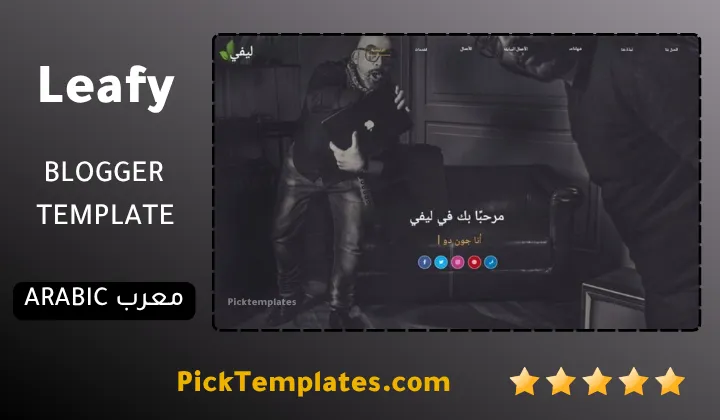
There is a free Arabic version that is copyright protected and was arabized by Picktemplates. There is also a free English version that is copyright protected and a paid English version both created by the template author SoraTemplates. Check the footer credit rules before you edit anything.
You can find more options in the portfolio Blogger templates category.
Information
| Template Name | Leafy |
| Version | 1.0.0 |
| Creation Date | 24 June 2022 |
| Last Update | 24 June 2022 |
| Platform | Blogger |
| Author | Soratemplates |
Version Comparison
| Template Features | Free | Arabic | Pro |
| 100% Responsive Design | ✔ | ✔ | ✔ |
| Google Testing Tool Validator | ✔ | ✔ | ✔ |
| Google Rich Results | ✔ | ✔ | ✔ |
| Custom 404 Page | ✔ | ✔ | ✔ |
| Fast Loading | ✔ | ✔ | ✔ |
| Skill Bar’s | ✖ | ✖ | ✔ |
| Skill Details | ✖ | ✖ | ✔ |
| Whatsapp Sharing | ✔ | ✔ | ✔ |
| Slider | ✖ | ✖ | ✔ |
| Counters | ✔ | ✔ | ✔ |
| Service List Widget | ✖ | ✖ | ✔ |
| Featured Listings (Hot Post) | ✖ | ✖ | ✔ |
| Featured Widget | ✖ | ✖ | ✔ |
| Testimonials | ✖ | ✖ | ✔ |
| Blogger, Disqus or Facebook Comments | ✔ | ✔ | ✔ |
| Drop Down Menu | ✔ | ✔ | ✔ |
| SEO Optimized | ✔ | ✔ | ✔ |
| Social Sharing | ✔ | ✔ | ✔ |
| Browser Compatibility | ✔ | ✔ | ✔ |
| Remove Footer Copyrights | ✖ | ✖ | ✔ |
| Awesome About Section | ✔ | ✔ | ✔ |
| Post Shortcodes | ✔ | ✔ | ✔ |
| Blogger Template Customizer | ✔ | ✔ | ✔ |
| Lifetime Template Updates | ✖ | ✖ | ✔ |
Features
- One page layout with smooth anchor menu
- Services section with three editable cards
- Tool icon strip for skills and technologies
- Four step working process block
- Most Popular Projects slider
- Counter strip for achievements
- Portfolio grid with post thumbnails
- Testimonial section for customer quotes
- Meet The Team block with social links
- Built in contact form section
- Fully responsive on phones and tablets
- Pre installed SEO meta tags
- Fast loading Blogger framework
- Multi level dropdown menu
- Shortcodes page and error page included
Conclusion
Leafy is a simple and friendly choice for agencies and small studios that want a clear one page presentation on Blogger. Its services block and process steps and team section tell a complete business story without any coding work.
The Leafy also has real gaps. You need to replace all placeholder content and write your own meta description and accept that there is no filter or pricing tool. If you can live with those limits Leafy is a good starting point.
Expert opinion from Mouhssine Boukou with 10 years of experience. I would use Leafy for a small studio that needs a fast and honest first website. I would not use it for a large agency with dozens of projects because the missing filter becomes painful quickly. Add real numbers and real testimonials and the template will do its job well.
We have localized the free version of the Leafy template into Arabic and fixed the Right-to-Left (RTL) layout issues to make it easier to use on Arabic blogs.