

Table of Contents
Table of Contents
Welcome to our comprehensive theme review guide. Lightspot blogger template is a high-speed, fully responsive news and magazine layout designed by pikitemplates that allows content creators to organize posts across multiple homepage sections using distinct category labels. It features lightweight code structure for fast page loading, integrated SEO microdata, customized ad display zones, and full RTL language support in its Arabic release. Available in both free and premium versions, it gives site owners complete control over layout adjustments directly from the Blogger admin dashboard without requiring advanced coding knowledge.
In this guide, we will examine the design structure, performance metrics, installation steps, and edition variations of this template so you can decide if it fits your blogging requirements.
Core Architecture and Visual Layout Options
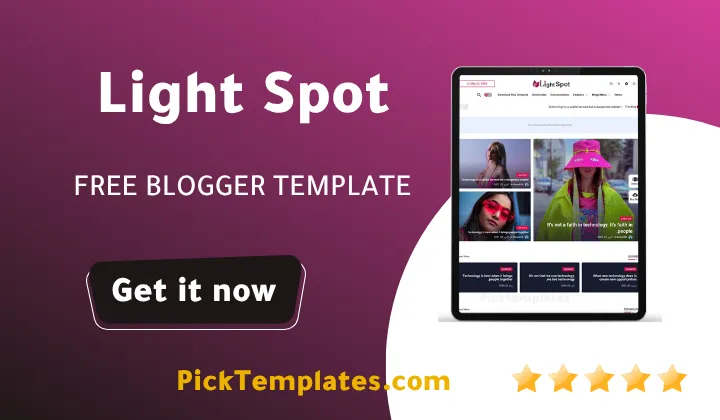
The layout of a website plays a major role in keeping readers engaged. During our visual inspection of LightSpot, we observed that its flexible homepage design easily accommodates diverse content types. The wide homepage layout ensures that images and text headers display cleanly across wide desktop monitors as well as small smartphone screens. The theme uses dynamic content blocks that pull recent posts from specified labels automatically. Digital publishers seeking a reliable news blogger template will appreciate how lightspot organizes large volumes of posts across main categories without creating visual clutter.
The color palette of the template is vibrant yet organized. Each category block can be assigned distinct visual highlights, helping readers differentiate between tech news, lifestyle tips, or entertainment updates. The main header space contains an optimized area for custom brand logos alongside a standard top-bar widget slot ideal for search bars, social media icons, or advertisement banners.
Performance Speed and Search Engine Optimization
Page loading velocity directly influences user retention and search rankings. During our practical speed evaluation using standard performance tools, Lightspot theme achieved high Core Web Vitals scores due to clean scripts and minified CSS styling. Quick server response combined with optimized rendering paths helps load posts and pages within seconds, significantly lowering bounce rates when visitors arrive from search results.
Search engine optimization relies heavily on structured data and clean markup. Lightspot incorporates built-in schema tags, automated breadcrumb navigation, and clean heading hierarchies right out of the box. While options like the pixonic template emphasize sleek modern styling, lightspot focuses heavily on high speed coupled with vibrant multi-section content blocks. This structural foundation gives search engine crawlers easy access to index site pages effectively across Google, Bing, and other major platforms.
Edition Breakdown Free Premium and Arabic Versions
Pikitemplates distributes LightSpot in three specific editions to accommodate varying developer budgets and portal needs. Understanding the differences between these versions ensures you select the right package for your website growth. (Important Selection Guidance).
The Free Version serves as an entry point for beginner bloggers who want to test the theme capabilities. It includes essential responsive features and basic widget areas, but it mandates keeping copyright attribution links intact in the footer. The Premium Version unlocks advanced customization tools, removes all footer restrictions, and grants access to priority developer updates. For creators targeting Middle Eastern audiences, the specialized Arabic Version provides full Right to Left language alignment without broken margins.
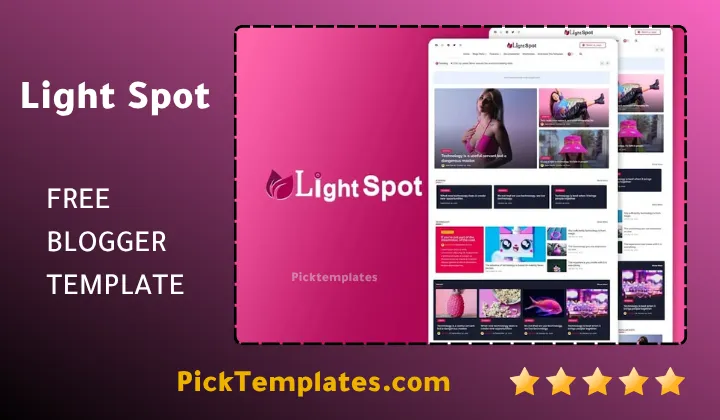
Having full control over layout elements allows site administrators to adjust post arrangements, modify color schemes, and manage header advertisements directly through standard widget controls in the Blogger layout panel.
Step by Step Setup and Configuration Strategy
Setting up your portal using this theme requires following a systematic process to ensure all label widgets and featured sections load correctly.
- Download the verified XML theme file from the official source package.
- Log into your Blogger dashboard and navigate directly to the Theme section.
- Backup your existing site template before applying any structural changes.
- Upload the LightSpot XML file using the restore option in the dashboard.
- Configure the main menu navigation links using standard layout gadgets.
- Assign specific category labels to homepage widgets to display targeted posts.
- Insert your tracking scripts and custom banner code into designated advertisement zones.
Completing these configuration steps creates an organized layout that rivals professional content hubs. This high adaptability makes it one of the top choices among specialized magazine blogger templates currently available for the Blogspot platform.
Objective Evaluation Strengths and Potential Drawbacks
Every website theme presents balanced advantages and trade-offs depending on project requirements. We evaluated the overall user experience to highlight key operational factors.
- Fast page loading speeds improve user retention and lower bounce rates.
- Multiple homepage sections allow clear category division for large magazines.
- Full responsiveness ensures smooth display across mobile and desktop devices.
- Free version requires keeping developer footer copyright credits visible.
- Multi-section configuration requires configuring category labels accurately.
Evaluating these factors ensures site owners make an informed choice based on long-term publishing goals and platform requirements.
Information
| Template Name | LightSpot |
| Version | v3.1.0 |
| Creation Date | March 12, 2022 |
| Last Update | June 28, 2026 |
| Platform | Blogspot |
| Author | Pikitemplates |
Features
- How To Setup LightSpot Blogger Template
- Fully Responsive Layout Grid
- Ultra Fast Loading Performance
- Built in SEO Microdata Schema
- Multi Label Homepage Content Sections
- Custom Header and In Text Ad Banner Slots
- Featured Post Carousel Widget
- Multi Level Drop Down Navigation Menu
- Clean Grid and List Layout Options
- Integrated Social Share Buttons
- Thumbnail Enabled Related Posts Section
- Custom Error 404 Page Design
- Newsletter Subscription Box Integration
- Breadcrumb Navigation Trail Included
- Right To Left Language Optimization for Arabic
- Footer Copyright Editor in Premium Edition
- Lifetime Theme Updates and Developer Support
Conclusion
LightSpot Blogger Template offers a solid combination of aesthetic vibrant design and fast core performance. Its wide layout and structured label sections allow digital magazines to organize diverse post categories with clarity and ease.
The availability of free, premium, and specialized Arabic editions provides flexible options for publishers at every stage. Webmasters can build scalable portals while maintaining search engine optimization standards across major search platforms.
For bloggers seeking a colorful, high-performing theme with flexible layout management, LightSpot stands out as a reliable choice for long-term project growth on the Blogger platform.
We have localized the free version of the lightspot template into Arabic and fixed the Right-to-Left (RTL) layout issues to make it easier to use on Arabic blogs.




where your wildest fantasies come alive! Experience a vibrant collection of ultra-clear content.
Wow! This platform is absolutely great!