
Table of Contents
Contents
Welcome to this complete look at Mitti blogger template. If you are searching for a quick answer here it is. Mitti works best for bloggers who publish across several topics such as lifestyle food fashion and technology because it gives each category its own clean spot on the homepage instead of forcing everything into one crowded feed.
We have reviewed many magazine style Blogger themes on this site including the Hoom Blogger Template. Mitti theme stands out among them for how naturally it organizes a growing blog once dozens of categories start piling up on the homepage.
Why Mitti Suits Multi Topic Magazines And Blogs
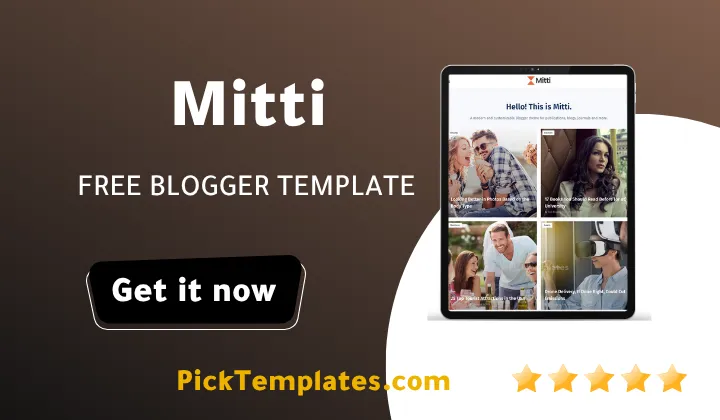
The homepage opens with a row of round category icons for sections like Health Food and Lifestyle so a first time visitor understands the scope of the blog within seconds of landing on the page.
Below that row a grid of full width post cards mixes topics such as beauty travel business and learning without any single subject dominating the page or pushing the others out of sight.
Who Mitti Works Best For
Because the layout is built around category variety rather than one narrow subject Mitti Template fits publishers who cover more than a single lane of content and still want the homepage to look intentional.
Consider these common cases before you decide.
- A lifestyle blog that mixes food fashion and beauty posts under one roof
- A regional news site that covers business technology and local culture in the same feed
- A travel blog that also publishes photography tips and gear reviews between trip reports
- A general interest magazine run by more than one contributor across different beats
If your blog fits closer to a single niche such as pure fitness coaching or one product category a narrower theme may serve you better than a full magazine layout like this one.
How The Homepage Keeps Many Topics Organized
Mitti packs several small tools into the homepage that work together to keep a multi topic blog tidy for readers scrolling from a phone screen or a laptop browser window.
- Round category icons at the top point new visitors toward major sections in one glance
- Full width post cards show a large thumbnail a category badge and a short excerpt
- An author byline and publish date sit under every title for quick context
- A dedicated Most Popular widget in the sidebar highlights top performing posts
- A live post counter next to each category label shows how much content sits inside
Together these pieces let a blog with health posts sitting next to technology posts still feel like one coherent magazine rather than a pile of unrelated articles thrown together.
Navigation Built For Growing Content Libraries
Setting up navigation that matches this multi topic approach takes a bit of planning but Mitti gives you the pieces needed to do it well right out of the box.
- Turn on the Mega Menu widget from the theme layout so major categories appear across the top bar
- Add each core topic as its own top level menu item and place smaller subtopics inside a dropdown
- Enable the breadcrumb trail so readers always see which category they are currently browsing
- Link the sitemap page from the footer menu so search engines and visitors can find older posts fast
Once these four steps are done new posts slot into the right place automatically and the menu stays readable even after the blog passes a few hundred published articles.
Keep your category names short and consistent from the very first post because Mitti mirrors those exact labels across the homepage grid the mega menu and the tag cloud.
The free version of Mitti loads a YouTube subscribe embed and several social icons by default so it is worth removing any widget you do not plan to use before launch to keep the page light.
Design Details And Small Touches
Mitti leans on a calm teal and white color palette that keeps photography and post thumbnails as the real focus of every page rather than the theme chrome around them. A YouTube powered subscribe box sits in the sidebar next to a full row of social icons covering Facebook Twitter Instagram and more so readers have several ways to keep following the blog after they leave.
AMP support and WhatsApp sharing are both built in which matters for magazine style blogs where mobile traffic usually makes up the majority of total visits. Thumbnail images across the homepage load at a compact size which keeps early page rendering fast even on a post heavy blog with hundreds of published articles across many categories.
A simple footer widget links back to the homepage an about page and a contact page which gives the blog a finished professional feel without any extra setup on your part. If your content leans more toward personal storytelling than a full magazine format the Fabulous Blogger Template is another free option worth comparing before you commit to Mitti.
Where Mitti Could Improve
No theme is perfect and Mitti has a few rough edges worth knowing about before installation begins.
The sidebar can feel busy once every default widget is active at the same time and new users often need to remove two or three sections to keep the page from feeling cluttered.
The homepage uses a Load More button powered by JavaScript instead of standard pagination which some publishers may prefer to swap out for their own SEO reasons.
Editing the default teal color scheme or restructuring the drop down menu requires comfort with the Blogger template editor since there is no built in customizer panel included.
Support for the free version is limited so anyone who runs into a coding issue should expect to solve it independently or bring in outside help.
Which Version Should You Download

A free Arabic language version of this template translated by Picktemplates exists for readers who prefer that language. The original free and paid English editions come directly from the template author Way2Themes. For more ready to use magazine layouts you can browse the full magazine template collection on Picktemplates before making your final choice.
Mitti earns its place among the better free magazine themes for Blogger because it solves the real problem of organizing many topics under one roof without the homepage turning chaotic.
Information
| Template Name | Mitti |
| Version | 1.0.0 |
| Creation Date | 19 08 2026 |
| Last Update | 20 08 2026 |
| Platform | Blogspot |
| Author | Way2themes |
Features
- How To Setup Mitti Blogger Template
- Fully responsive layout that adapts to phones tablets and desktop screens
- Search engine friendly structure with clean markup for faster indexing
- AMP ready pages for quicker mobile loading
- Built in mega menu for organizing large category lists
- Working drop down menu for secondary navigation links
- Breadcrumb navigation that shows readers their exact location
- WhatsApp sharing button included on every post
- Social bookmark icons ready for Facebook Twitter and more
- Post thumbnail support with automatic image cropping
- Two column layout with a dedicated sidebar
- Ads ready sections placed between content blocks
- Compatible across all major modern browsers
- Adapted from a WordPress style magazine design
- Multiple color accents suited to fashion and beauty topics
- Grid based homepage sections for a clean minimal look
- Built on Blogger Layout Version 3.0 for long term stability
Conclusion
Mitti succeeds at the one job most magazine style Blogger themes struggle with which is keeping a blog with many different topics looking organized rather than random.
It suits food bloggers fashion writers and general lifestyle publishers who plan to grow past a single niche and need a homepage that can hold that variety without a full redesign.
Mouhssine Boukou who has spent ten years testing Blogger themes for real client projects says Mitti is one of the more dependable free options for multi topic blogs even though the sidebar needs some pruning right after installation to avoid clutter.
We have localized the free version of the Mitti template into Arabic and fixed the Right-to-Left (RTL) layout issues to make it easier to use on Arabic blogs.