
Table of Contents
Contents
Welcome to the Pickshoes Blogger Template review. Pickshoes is a free Blogger theme that turns a Blogspot site into a sports shoe store where visitors browse a product grid and send an order with pay on delivery or through WhatsApp. It suits small sellers who want a clean and quick store without paying for a hosted platform.
Two free versions exist. One is Arabic and the other is English. Both were created by Kalibnet as open source files with no copyright limits. If you want to compare it with another store layout first read the EasyCart Blogger Template review and then come back here.
Pickshoes Template Review for Pay on Delivery Stores
I chose pay on delivery and direct checkout as the lens for this review because it is the first thing every product card in the demo shows. Each card carries an orange banner that mentions fast delivery and pay on delivery and 100 percent authentic sports shoes. That banner tells you exactly what the Pickshoes theme was built to do.
What You See When You Open the Demo
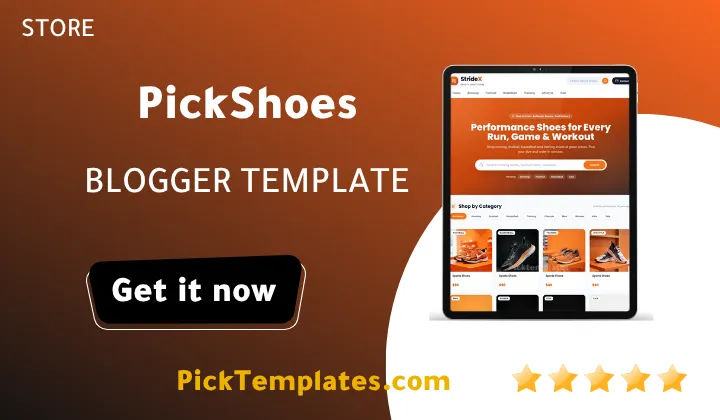
The demo is a store called StrideX. A slim bar on top promises free shipping on orders over 100 dollars and links to a WhatsApp chat. Under it you get a clean header and a menu split by sport with Running Football Basketball Training Lifestyle and Sale. The hero section adds a search box and trending labels. A Shop by Category row follows and it also adds Men and Women and Kids. Then the product grid starts with a visible price on every card and a Load More Shoes button at the end.
The footer adds a Why StrideX block and customer care pages for Shipping and Delivery and Returns and Exchanges and Size Guide and Contact. Privacy Policy and Terms and DMCA pages are listed too. For a shoe store these pages matter more than any animation.
Why Cash Payment Suits Shoe Buyers
Shoes are a fit sensitive purchase. A buyer who has never ordered from your blog will hesitate to pay online before touching the product. Pay on delivery removes that fear and the WhatsApp link lets the buyer ask about sizes before ordering. This is how a small Blogger store earns first order trust without a payment gateway.
The checkout approach in Pickshoes template brings several practical benefits for a seller who is just starting out and wants fewer moving parts.
- The pay on delivery banner sits on every product card so the promise is never hidden.
- The WhatsApp chat link in the top bar lets buyers ask about sizes and stock before they commit.
- The order form lives inside the product post so the buyer stays on one page.
- Prices show on the grid cards so visitors judge value before they open anything.
- No payment gateway means no monthly fee and no approval waiting time.
These points reduce friction but they also move the trust burden onto you. Answer messages fast and confirm every order by phone or chat.
Strategic tip. Put your real delivery time and your exchange rule right next to the pay on delivery banner. A buyer who knows when the parcel arrives and how to swap a wrong size will order more often and refuse the parcel less often.
Product Cards and Navigation That Stay Simple
Each shoe card is a normal Blogger post. You add a product by writing a post with a label such as Running or Kids and the grid and category pages update on their own. The label system gives you sport based browsing and audience based browsing at the same time. A buyer can look for Football shoes or jump straight to Women. The search box and trending labels help shoppers who already know what they want.
If you need a template with a different storefront personality compare it with the PickStore Blogger Template before you decide.
Design and Speed Impressions
The layout uses rounded cards and an orange accent and large square product images. The code shows lazy loading on product photos so the first screen should not wait for every picture. The pulsing dot in the order banner draws the eye without covering the product. The design feels modern and sporty and it works well for shoes where the photo does most of the selling.
How to Prepare the Store for Real Orders
Follow this short setup sequence before you share the store link anywhere so every order reaches you without a problem.
- Replace the placeholder WhatsApp number in the top bar and in the order form with your own number.
- Edit the shipping bar text so the free shipping amount matches your real delivery policy.
- Rewrite the Shipping and Returns and Size Guide pages with true information.
- Publish three or four product posts with real photos and correct labels.
- Place a test order from a phone and confirm that the message arrives complete.
Do not skip the last step. A broken form or a wrong number costs real sales and you will not notice it until a buyer complains.
Important note. The demo uses a placeholder phone number and sample brand text. Replace everything before you publish or your first customers will message a number that does not exist.
Where Pickshoes Could Be Better
No template is perfect and Pickshoes is no exception. These are the limits I noticed while going through the demo and thinking about daily use.
- Payment options stay basic because the buying flow centers on pay on delivery and WhatsApp with no card or PayPal integration.
- The order form markup appears inside each card on the home feed with a repeated identifier so a developer may want to tidy it up.
- Pagination relies on a Load More button so visitors cannot jump to a numbered page.
- I did not find automatic stock tracking in the demo so you must update posts by hand when a size sells out.
- Sample brand text and contact details need manual replacement.
None of these are deal breakers for a small catalog. They simply show that Pickshoes is a lightweight storefront and not a full e-commerce platform.
Who Should Use It
Pickshoes theme works best for local sellers of sports shoes and sneakers and similar fit based items who sell to buyers that prefer paying at the door. If you plan to sell internationally with card payments choose a platform with a real checkout instead. You can browse more options in the Blogger store templates category.
Information
| Template Name | Pickshoes |
| Version | 1.0.0 |
| Creation Date | 2026 |
| Last Update | 2026 |
| Platform | Blogger |
| Author | Kalibnet |
Features
- Free sports shoe store design built for Blogger
- Pay on delivery banner on every product card
- Direct WhatsApp chat link in the top bar
- Order form inside each product post
- Free shipping announcement bar at the top
- Sport based category menu for easy browsing
- Extra labels for Men and Women and Kids
- Built in search box with trending labels
- Visible price tags on every product card
- Load More button for the home feed
- Lazy loaded product images
- Why choose us section to build buyer trust
- Customer care pages for shipping and returns and size guide
- Privacy Policy and Terms and DMCA pages in the footer
- Responsive layout for phones and tablets
- Free Arabic and English versions with no copyright
Conclusion
Pickshoes is a focused and honest store theme. It does one job well by helping a small seller present sports shoes and collect orders with pay on delivery and WhatsApp.
It is not a full e-commerce engine and that is fine. Treat it as a fast launch pad then replace the placeholder content and test the order flow and keep your promises about delivery and exchange.
I would pick Pickshoes for a catalog of a few dozen models where the owner answers messages quickly. If you need card payments and automatic stock control move to a platform built for that.