
Table of Contents
Contents
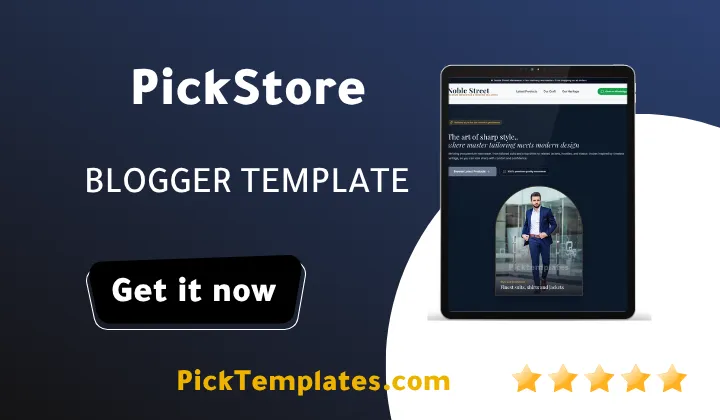
Welcome to our review of the PickStore Blogger Template. If you want a free Blogger store theme that keeps the path from product page to order short then PickStore is a strong choice for a small shop. It suits sellers who want to turn visitors into buyers without paying for a heavy ecommerce platform. It does have limits that you should know before you install it.
You can compare it with the Misho Blogger Template which also follows a free store approach. Availability matters too. A free Arabic version exists. It was arabized by Picktemplates and it is copyright protected. A free English version also exists and it is copyright protected. A paid English version was created by the designer Kalibnet.
PickStore Template Review Built Around Checkout Conversion
Every store owner meets the same problem. Visitors like the products but they leave before they pay. A template cannot fix a weak offer but it can remove the small frictions that push buyers away. This review looks at PickStore theme only through that lens. We look at how the cart feels and how fast a visitor can reach an order and whether the design earns trust at the moment of payment.
Why Checkout Friction Matters
The Baymard Institute has long reported that the average documented cart abandonment rate sits near 70 percent. The main causes include surprise costs and forced account creation and long or confusing checkout steps. These numbers come from large ecommerce studies so a small Blogger shop will see its own results. The lesson still holds. Every extra field costs you orders.
Blogger has no built in checkout. That is why a store template matters so much. The theme decides how a customer moves from a product card to a confirmed order. With PickStore Template the idea is to keep that movement visible and simple.
How PickStore Shortens the Buying Path
The strengths below are what stand out when you look at the template through a conversion lens. Judge each one against the live demo before you commit to the theme.
- Clear product cards that show the image and name and price at a glance so shoppers decide faster.
- A cart flow designed for small catalogs so buyers can review items without leaving the store.
- Direct order options that let customers finish through a chat message when that fits your market.
- A clean header and simple navigation that keep attention on products instead of decoration.
- A responsive layout that keeps buttons easy to tap on phones where most traffic arrives.
- Free access that lets you test a store idea before you spend money on a paid platform.
Treat this list as a checklist and not as a promise. Features can differ between the free and paid versions so confirm each one in the demo.
Direct Ordering and Chat Commerce
Direct ordering deserves special attention. In many markets buyers prefer to ask a quick question before they pay. A template that connects the cart to a chat message respects that habit and removes the need for a long form. If you want to study another store theme with a similar cart idea read our review of the EasyCart Blogger Template. Comparing two themes side by side helps you see which cart feels lighter.
Strategic tip. Write the price and the delivery time directly under the product title. A buyer who sees both numbers in one glance needs fewer messages and orders sooner.
Step by Step Setup for Better Conversion
A good template still needs good content. Follow these steps in order after you install PickStore and your store will feel more professional from the first day.
- Upload bright product photos with the same ratio so the grid looks tidy.
- Write short product titles and include the main keyword once.
- Add your real phone or chat number and test the order button on a phone.
- State shipping cost and return terms on a dedicated page and link it in the menu.
- Place your best sellers first and remove products you cannot ship.
- Run a full test order every month so you catch broken buttons early.
Do not skip the test order in step six. It is the cheapest way to protect your sales and your reputation.
Important note. Always test the order flow on a real phone before you publish. A broken button on a live store costs more than any template fee.
Building Trust at the Moment of Payment
Trust closes sales. Add an about page and a contact page and clear return terms. Use real photos of your products. Google also rewards helpful original product descriptions so avoid copying supplier text. A shopper who feels safe will order faster than one who has to guess.
Honest Pros and Cons
The biggest advantage is cost. You get a store layout without a monthly subscription. The design is light and the focus stays on products. Beginners also gain from a layout that does not hide the order path.
Now the weak points. Blogger is not a full ecommerce platform so you will not get automatic stock tracking or built in payment processing or order management. A free theme also means limited documentation and community help. Version 1.0.0 is new so small bugs may appear until updates arrive. Large catalogs with hundreds of products can become hard to manage because Blogger works best with posts. The free copyright protected versions may also limit changes to the footer credits.
Who Should Choose PickStore
Choose it if you sell a small catalog of physical products and want a quick launch. It also fits sellers who take orders by chat. Skip it if you need automatic payments or inventory sync or multi warehouse shipping. In that case a dedicated platform is a safer base.
Information
| Template Name | PickStore |
| Version | 1.0.0 |
| Creation Date | 2026 |
| Last Update | 2026 |
| Platform | Blogger |
| Author | Kalibnet |
Features
- Free Blogger store template with a cart focused layout
- Responsive design for phones and tablets and desktops
- Product card grid with image and title and price
- Shopping cart experience for small catalogs
- Direct order option through chat
- Clean header with simple navigation
- Category based product browsing
- Search friendly structure for product posts
- Lightweight layout for faster loading
- Customizable look for brand colors
- Dedicated spaces for promotional banners
- Social links for direct buyer contact
- Related products area to encourage extra purchases
- Footer with store information and policy links
- Beginner friendly setup with no hosting needed
- Free Arabic version arabized by Picktemplates
Conclusion
PickStore is a practical free option for small sellers who want a simple path from product to order. It will not replace a full ecommerce platform but it gives Blogger users a clean storefront without extra cost. Test the demo and your own order flow before you go live.
If you want more choices browse our full collection of store Blogger templates and compare layouts before you decide. A short comparison now can save you hours of redesign later.
I like PickStore for testing a product idea fast because it keeps the focus on the order path. I would not use it for a catalog that grows past a few dozen items or for a shop that needs automatic payments. Start small and measure your orders and move to a bigger platform only when the numbers justify it.