
Establishing Your Ultimate Social Hub with the PickTree
Table of Contents
Contents
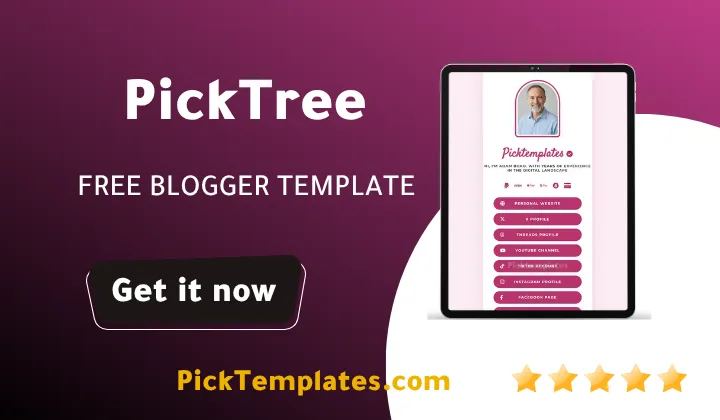
Managing multiple social links inside a single profile description is a common struggle for modern digital creators and business owners. The PickTree Blogger Template BioLink Generator offers an elegant and completely free solution that allows you to build a highly optimized landing page directly on your Blogger platform. By using this tool you can replace expensive subscription based services with a self hosted personal directory that runs on your own domain. This comprehensive guide walks you through the setup features and optimization tips for this theme to help you secure the highest engagement from your online audience.
Blogger Bio-Link Generator
Fill in the details below to generate your custom professional Blogger Profile template.
Many online professionals rely on external tools to bundle their social profiles together but these third party platforms often come with limiting paywalls and branding watermarks. The transition to a dedicated self hosted platform using the PickTree Blogger Template empowers you to regain complete control over your traffic metrics. You no longer have to worry about sudden rate limits or monthly fee increases that disrupt your digital operations.
When you utilize the PickPure Blogger Template as part of your content strategy you enjoy an open canvas where custom tracking codes and specific design adjustments can be applied without restriction. This is highly beneficial for creators who want to keep their brand consistent and avoid looking like every other profile on social media platforms.
Why Choose a Free PickTree Template for Brand Growth
Building a recognizable personal brand requires consistency across every single touchpoint where an audience interacts with your work. Opting for a free PickTree template gives you a solid foundation that looks professional on both desktop computers and mobile devices. Because a massive portion of social media traffic originates from mobile apps having an interface optimized specifically for smaller screens is a necessity.
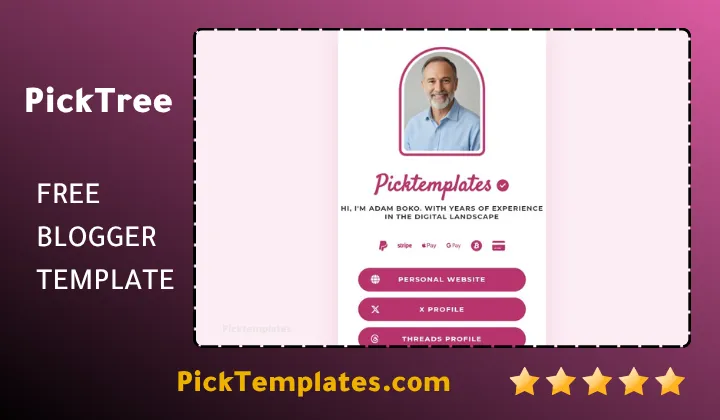
The Blogger platform itself is incredibly stable and backed by secure hosting infrastructure which guarantees that your bio link page remains accessible even during high traffic surges. If you want to compare various styles before making your final selection you can easily explore the wider collection of Blogger biolink templates to find the exact visual aesthetic that fits your personal style.
Key Functional Advantages of the PickTree Theme
A good landing page template must look appealing while loading quickly so that visitors do not lose patience and click away. The PickTree theme excels in these technical aspects by utilizing clean code structures that conform to modern web standards. Here is a breakdown of the key functional features that make this template a strong option for daily use.
- Fast loading speeds that reduce bounce rates and keep your audience engaged from the first second
- Clean button layouts designed to handle long link lists without cluttering the screen
- Highly visible social media connection icons that link to popular platforms effortlessly
- Full integration with standard Blogger layout widgets for hassle free link management
These features combined ensure that your target audience enjoys a reliable experience every time they click your profile link. By maintaining a clean layout you make it easy for potential clients and followers to find your most important updates.
Seamless Installation Process for Beginners
Setting up your new bio link page does not require a deep understanding of web development or complex coding practices. The entire installation process can be completed in just a few minutes directly from your main dashboard area. For those who want to try different layouts during setup the PickCore Bio-Link Generator serves as another excellent template option that follows a similar simple installation structure.
To begin the setup process you first need to download your chosen template file to your computer and locate the main XML file inside the folder. After logging into your Blogger dashboard you should navigate directly to the theme section and create a quick backup of your existing layout to prevent any loss of previous work. Next you click on the customize dropdown button choose the restore option and upload the new XML file to apply the fresh design instantly.
Once the installation is complete you can jump straight into the layout section to start organizing your personal links and updating your display image. This layout system allows you to modify text elements add new destination buttons and remove old links with simple click controls.
Maximizing Engagement and Analytics Tracking
Creating your bio page is only the first step of your journey toward building a successful online presence. To get the most value out of your setup you must actively monitor how visitors interact with your links and which resources receive the highest number of clicks. You can implement Google Analytics or other simple tracking tools directly into the theme files to gather valuable reader insights.
Another smart practice is utilizing the PickSpot Blogger Theme to see how different visual placements change user behavior over time. Having access to these insights lets you adjust your marketing campaigns and focus on the platforms that bring in the highest engagement rates.
Helpful Tips for Designing an Effective Bio Page
When designing your landing page it is easy to become overwhelmed by the sheer number of links you want to share with your audience. However maintaining a minimalist approach is often the best path forward to ensure your visitors take the actions you want them to take. The following design practices can help you organize your content in a highly effective and visually appealing manner.
- Place your most critical link or your latest promotional offer right at the very top of the list
- Use clear and action oriented language on every button to guide your visitors clearly
- Keep your color scheme limited to three main brand colors to avoid visual confusion
- Regularly test all your links on different mobile devices to confirm they open properly
By implementing these straightforward design guidelines you can turn your basic link directory into a high performing conversion tool. A neat layout shows your audience that you value their time and attention which builds deeper trust in your personal brand.
Final Words of Advice for Modern Creators
Maintaining a clean and easily navigable digital hub is one of the most effective ways to establish long term credibility with your online audience. Taking full control of your web traffic through a customizable template helps protect your brand against sudden platform policy changes.
Whether you choose to stick with the classic design or decide to use one of the versatile free blogger templates you are making a beneficial choice for your business. This simple step ensures that your hard earned social media traffic stays within an ecosystem that you own completely. Start building your centralized hub today to make every single profile click count toward your digital success.
Information
| Template Name | PickTree |
| Version | 1.0.0 |
| Creation Date | 12 January 2026 |
| Last Update | 12 January 2026 |
| Platform | Blogger / Blogspot |
| Author | PickTemplates |
Features
- Clean and minimalist mobile first design built specifically for bio links
- Fully responsive layout that adapts to any screen size or smartphone display
- Optimized for fast loading speeds to prevent visitors from leaving early
- Simple drag and drop widget configuration through the Blogger layout menu
- Dedicated sections for profile pictures and custom bios
- Integrated social media icons that connect to all major platforms
- Completely free to use with no hidden recurring subscription charges
- Support for custom domains to build a strong professional identity
- Lightweight code structure that is friendly for search engine optimization
- Easy background and color customization options to match your personal brand
- Secure hosting provided by the Google infrastructure for ultimate peace of mind
- No coding skills required to set up or edit buttons
- Excellent alternative to expensive third party link in bio platforms
- Flexible layout options to showcase physical products or digital downloads
- Smooth navigation and neat user interface for a pleasant browsing experience
Conclusion
The PickTree Blogger Template offers a practical and functional way to manage your social media traffic under one roof. By choosing this approach you remove the need for expensive monthly tool subscriptions and gain full ownership of your landing page data. The clean design helps maintain a professional appearance that keeps visitors focused on your important links.
What makes PickTree highly functional is the balance between straightforward setup and reliable performance. Whether you want to share your latest blog post or promote a new online store this theme provides the foundation you need. It turns your simple Blogspot site into a modern hub that works hard to expand your digital footprint.
Ultimately this theme provides you with the essential tools to grow your brand without technical complexity. With its fast load times and clean mobile interface you can share your links with complete confidence. It remains a reliable and highly practical choice for content creators who value independence and simplicity.