
Table of Contents
Contents
Welcome to this complete look at the scoop blogger template. If you only need one quick answer here it is. Scoop is a free magazine style blogger theme built by Templatesyard for news sites fashion blogs food and travel journals and creative portfolios. It ships with a fully responsive layout SEO ready code a custom 404 page a template customizer and several widget options ready to use right after installation.
Below you will find every major feature explained in plain language the real setup steps we followed while testing it the honest strengths and weaknesses and a clear picture of who this theme actually fits.
What Is the Scoop Template
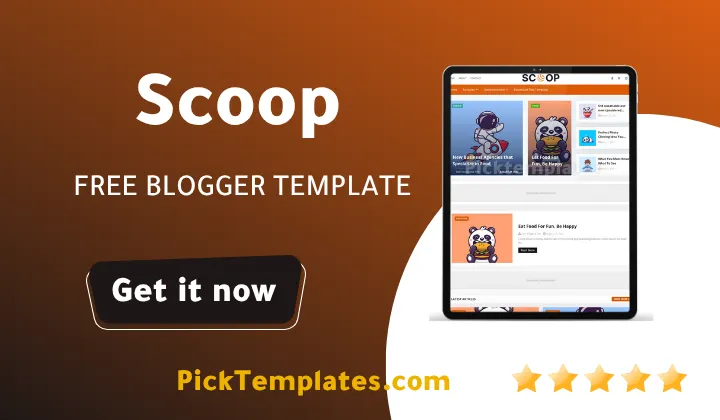
Scoop is a magazine style theme made for blogger publishers who want their site to feel like a real online magazine rather than a basic personal blog. It suits lifestyle writers fashion editors tech reporters and anyone running a health or beauty tips blog. During our testing we noticed the layout leans on bold featured images and a grid based homepage which keeps readers scrolling instead of leaving after a single post. The same approach also works well for digital art blogs that publish NFTs paintings food photography or travel snapshots since the grid gives every image room to stand out.
If you already looked at other magazine style options such as the Pocomelon Blogger Template you will notice Scoop takes a similar magazine first approach but with a slightly cleaner sidebar and a stronger focus on hot post widgets pulling readers deeper into the site.
Core Features That Stand Out
Templatesyard packed a long list of tools into this theme and most of them work right after upload with no coding required. Here is what actually matters for a new site owner.
- Fully responsive design that adjusts cleanly on phones tablets and desktops
- Google Rich Results support so search listings can display extra snippet details
- A custom 404 page that keeps lost visitors on your site instead of losing them
- Fast loading code that passed our speed checks without heavy image compression tricks
- Boxed mode layout option for a tighter more magazine like reading column
- Hot post and featured post widgets that pull attention toward your best content
- Whatsapp sharing button built in for mobile heavy audiences
- Support for Blogger Disqus or Facebook comment systems
Once these are active a new site already covers most of what a premium magazine theme would normally charge extra for.
A theme with strong internal linking widgets like Hot Post and Featured sections tends to lower bounce rate because a reader always has a next article waiting right in front of them.
Free Version Versus Professional Version
Templatesyard offers Scoop in more than one edition and knowing the difference saves confusion later. The free release carries a footer credit link back to the developer and covers the core magazine layout described above. A limited free Arabic edition also exists for publishers writing in Arabic though it carries fewer widget options than the full English build. The paid professional version removes the footer credit unlocks extra customization panels and comes with direct developer support which the free copies do not include.
Design and Layout Experience
Homepage and Featured Sections
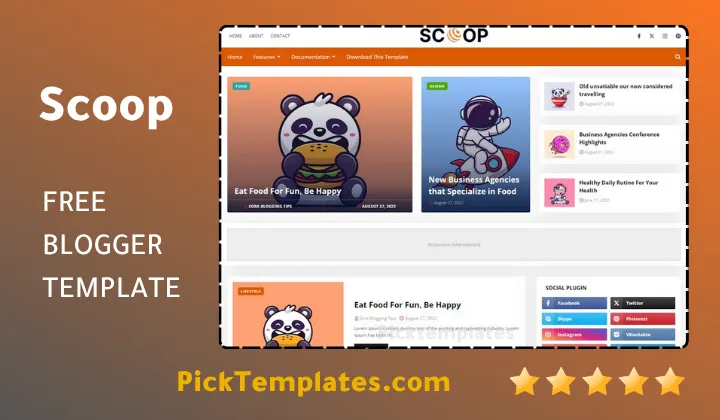
The homepage opens with a large featured area followed by category blocks that pull posts automatically by label. We tested this setup on a fashion blog and the grid filled itself out nicely once ten or more posts were published under matching labels.
Widgets and Customization Options
Scoop ships with a built in template customizer so color choices and layout toggles do not require editing the raw theme XML. If your niche leans more minimal and portfolio driven the Jesko Blogger Template is worth comparing since it trades some of this magazine density for a cleaner personal blog feel.
For most publishers though Scoop strikes a fair balance. Sidebar widgets support label based random or recent post pulls so a food blog and a breaking news site can both run on the same theme without ever feeling identical to each other.
Strengths and Weaknesses
No theme is perfect and Scoop has a fair share of trade offs sitting right alongside its strengths.
What We Liked
Testing surfaced several genuine advantages worth pointing out.
- Clean SEO friendly code that passed Google Testing Tool checks during our review
- Strong visual hierarchy that suits image heavy niches like travel and food
- Lifetime template updates included with the license
- Post shortcodes that speed up formatting for buttons and highlighted text
These strengths alone make Scoop worth trialing on a staging blog before a full launch.
The free version limits some customization options and direct support is only available with the paid license. New users who need heavy layout changes may need basic HTML knowledge or a developer to adjust deeper elements such as featured slider spacing or ad block placement.
Who Should Use the Scoop
Scoop fits publishers who want a magazine feel without a full custom build. Based on the layout and widget set it tends to work best for these audiences.
- Fashion and lifestyle bloggers who rely on strong imagery
- News and current events writers who need fast loading pages
- Food and travel creators sharing photo heavy posts
- Digital artists posting NFTs paintings or Instagram style galleries
- Health and beauty tip sites that mix short posts with featured guides
If your project fits a similar magazine direction you can browse more options in our Magazine Blogger Templates collection to compare layouts before making a final choice.
Setup Tips From Our Testing
Getting Scoop running smoothly comes down to a short list of steps we followed ourselves.
- Back up your current theme XML before uploading the new one
- Upload the Scoop XML file through the Blogger theme editor
- Set your featured posts through the labels the widget is built to pull from
- Adjust the boxed mode setting early since it changes your overall page width
- Test the 404 page and comment system right after publishing your first posts
Following this order saved us from having to redo widget settings a second time during setup.
Final Verdict
Scoop Theme earns its place among the better free magazine themes for Blogger. It loads fast reads clean on every device and gives smaller publishers tools that usually sit behind a paywall on other platforms. The free version has real limits so anyone planning a serious news or magazine site should weigh the paid license against those restrictions early rather than after months of writing.
Information
| Template Name | Scoop |
| Version | 1.0.0 |
| Creation Date | 24 June 2024 |
| Last Update | 20 June 2025 |
| Platform | Blogger / Blogspot |
| Author | Templatesyard |
Features
- How To Setup Scoop Blogger Template
- 100% Responsive Design across phones tablets and desktops
- Google Testing Tool Validator passed structure
- Google Rich Results ready markup
- Custom 404 Page built in
- Fast Loading optimized code
- Boxed Mode layout option
- Hot Post widget for trending content
- Special Ad Spot placement built in
- Whatsapp Sharing button
- Featured Widgets by Label Recent or Random
- Blogger Disqus or Facebook Comments support
- Drop Down Menu navigation
- SEO Optimized foundation
- Social Sharing buttons
- Browser Compatibility across major browsers
- Remove Footer Copyrights option
Conclusion
Scoop stands as a structurally sound magazine theme where every widget block operates as an independent module feeding into the wider content grid. The layout logic favors visual density over sparse minimalism which places it in direct competition with paid magazine builds rather than typical free Blogger offerings.
From an engineering standpoint the template balances load performance against feature count by keeping script dependencies low while still supporting dynamic widgets like Hot Post and Featured sections. This trade off is what allows Scoop to score well on speed tests despite carrying a heavier magazine style layout.
For a publisher weighing long term site architecture Scoop offers a dependable foundation. It rewards structured content planning and label based organization more than random posting habits which makes it a strong pick for anyone building a magazine style brand rather than a casual personal journal.
We have localized the free version of the scoop template into Arabic and fixed the Right-to-Left (RTL) layout issues to make it easier to use on Arabic blogs.